Skip to content
View in the app

A better way to browse. Learn more.

LCPDFR.com

A full-screen app on your home screen with push notifications, badges and more.

To install this app on iOS and iPadOS
  1. Tap the Share icon in Safari
  2. Scroll the menu and tap Add to Home Screen.
  3. Tap Add in the top-right corner.
To install this app on Android
  1. Tap the 3-dot menu (⋮) in the top-right corner of the browser.
  2. Tap Add to Home screen or Install app.
  3. Confirm by tapping Install.

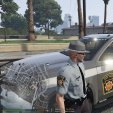
Pennsylvania State Trooper 2.0

(2 reviews)

9 Screenshots

hey guy sorry for a whole new upload but I have been working to improve the look from my 1st update. I wanted  to get these out there. looking to add more cars over time (even ones they don't use just so you have options) these 2 are about 20 times better looking than my 1st upload. 


2016 FPIS
http://www.lcpdfr.com/files/file/16549-usaf-security-forces-fpis-els/
(does not came with ELS file dowload file from other FPIS mode is an ELS car)


2016 Ford Police Interceptor Utility
http://www.lcpdfr.com/files/file/13936-2016-ford-police-interceptor-pack-w-hq-interior-els/


**Please do not share, reupload, and/or claim as your own.  You may give a link so they can download it here. This file is a work in progress and is subject to change. **

User Feedback

Recommended Comments

komo

Members

The PSP patch on the left and right doors are too big and wide, incorrect font for car numbers, incorrect chevron, incorrect color for the golden stripe, incorrect font on the gray FPIU, patch is too wide on the gray FPIU, stripe on the white FPIU has to be right on that line, and incorrect rear chevron sizing on the gray car. 

However, despite my constructive criticism, I believe you did a fine job, considering the fact that you at least got it exceptionally close to the real thing. Props to you for getting it at least close to where I can identify it as PSP. You also did a great job on the gray car better than the white ones, you got that pretty close. However, please heed my constructive criticism, as I have pointed these errors out in an effort to aid you in bettering your skins, because I have faith that you can do a lot better. 

With this in consideration, thank you for making the effort, I can tell you tried hard at lest, and have a nice day. If you have any questions or comments, please do not hesitate to reply back. 

mikeday77

Members Author

Thanks for the feed back it is most welcome it what flipped this from my 1st upload to what I have now. 

RJT426

Members

aight, new too modding, how do i actully install these, they look good but dont know how too put them in game, already got the cars installed FYI

mikeday77

Members Author

in open 4 click the edit mode button at the end of the address bar.  then you're going to find wherever you're put and named the car then you head all the way to the bottom were the (your-car-name).ytd file is. double click and head down through the file till your fid the texture( i kept then under the same name so you can look for the name also). click on the texture then at the top click replace. select the file in the matching the car mode (will have to extract zip to a reg folder file). after that check if the car was more then one. replaced or or just the one depending on your set up. then click save.  see picture below for important areas mentioned.

Capture.PNG

Create an account or sign in to comment

Latest Mods

Account

Navigation

Search

Search

Configure browser push notifications

Chrome (Android)
  1. Tap the lock icon next to the address bar.
  2. Tap Permissions → Notifications.
  3. Adjust your preference.
Chrome (Desktop)
  1. Click the padlock icon in the address bar.
  2. Select Site settings.
  3. Find Notifications and adjust your preference.



