Skip to content
View in the app

A better way to browse. Learn more.

LCPDFR.com

A full-screen app on your home screen with push notifications, badges and more.

To install this app on iOS and iPadOS
  1. Tap the Share icon in Safari
  2. Scroll the menu and tap Add to Home Screen.
  3. Tap Add in the top-right corner.
To install this app on Android
  1. Tap the 3-dot menu (⋮) in the top-right corner of the browser.
  2. Tap Add to Home screen or Install app.
  3. Confirm by tapping Install.

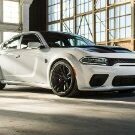
2018 Dodge Charge (BCSO) 1.0.0

(0 reviews)

3 Screenshots

This has 3 light bars on it and the Livery where made by Harald Buttbutter#2016

Make sure to Join Unknown Modifications for more like this

https://discord.gg/7zYpdbcthf


Showcase:


Short Description

18 Charger with 3 light bars

User Feedback

Recommended Comments

(edited)

We got bored in a vc and came up with random ideas and this is one of them


Edited by HaroldButtbutter

JankModding

Members

On 1/12/2023 at 5:14 AM, HaroldButtbutter said:

We got bored in a vc and came up with random ideas and this is one of them


Should make one with a rambar on the rear and front 🤣

14 hours ago, OfficerJankson said:

Should make one with a rambar on the rear and front 🤣

Say less, Update coming soon

Create an account or sign in to comment

Latest Mods

Account

Navigation

Search

Search

Configure browser push notifications

Chrome (Android)
  1. Tap the lock icon next to the address bar.
  2. Tap Permissions → Notifications.
  3. Adjust your preference.
Chrome (Desktop)
  1. Click the padlock icon in the address bar.
  2. Select Site settings.
  3. Find Notifications and adjust your preference.







