Skip to content
View in the app

A better way to browse. Learn more.

LCPDFR.com

A full-screen app on your home screen with push notifications, badges and more.

To install this app on iOS and iPadOS
  1. Tap the Share icon in Safari
  2. Scroll the menu and tap Add to Home Screen.
  3. Tap Add in the top-right corner.
To install this app on Android
  1. Tap the 3-dot menu (⋮) in the top-right corner of the browser.
  2. Tap Add to Home screen or Install app.
  3. Confirm by tapping Install.

Olive Branch Police Pack 1.0.0

(0 reviews)

8 Screenshots

Olive Branch is a city in DeSoto County, Mississippi, United States. The population was 33,484 at the 2010 census. Olive Branch is part of the Memphis Metropolitan Statistical Area, a region that consists of three counties in southwest Tennessee, five counties in northwest Mississippi, and two counties in eastern Arkansas. From 1990 to 2010 Olive Branch was the fastest growing city in the United States, with a growth rate of 838%. Along with other rapidly growing suburbs in DeSoto County, Olive Branch attributes most of its growth and development to the exodus of large numbers of middle-class families from central Memphis.


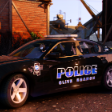
Vehicle pack based out of Olive Branch, MS. The vehicles are 99% exactly like the ones the department has even being the only slicktop vehicle being the Explorer. 

To install drag and drop the files into vehicles.rpf. The els documents goes into the pack default folder.

What's New in Version 1.0.0

Released

Added 2016 Charger


Short Description

Olive Branch PD the simplest yet meanest looking police cars in MS

User Feedback

Recommended Comments

Brenden25

Members Author

I'm still new to this any feedback would be helpful

GTAKING23000

Members

Here's a better screenshot for your thumbnail, I have a few others but LSPDFR won't let me upload them. You can join my discord server to get them or if you have an discord account, send your profile name and 4 digit numbers I can dm you shots. https://discord.gg/nTyF3vS

Grand Theft Auto V Screenshot 2021.01.03 - 06.24.14.10.png

Brenden25

Members Author

6 hours ago, GTAKING23000 said:

Here's a better screenshot for your thumbnail, I have a few others but LSPDFR won't let me upload them. You can join my discord server to get them or if you have an discord account, send your profile name and 4 digit numbers I can dm you shots. https://discord.gg/nTyF3vS

Grand Theft Auto V Screenshot 2021.01.03 - 06.24.14.10.png

Thank you so much that looks amazing discord name is Brenden25#3936

Peewee28

Members

I live in southaven man, any chance you could do a southaven police department pack ?

Officer Sowa

Members

 
Hi! Would anyone help me? I have a problem with adding your car package to game. Which patchday(1-24) should I add the file to?


Brenden25

Members Author

4 hours ago, Officer Sowa said:
 

Hi! Would anyone help me? I have a problem with adding your car package to game. Which patchday(1-24) should I add the file to?


Its patch day 22. when you get to the vehicles.rpf just drag and drop the contents into open iv. the els will go into pack default folder in the root directory.

Brenden25

Members Author

3 hours ago, Officer Sowa said:

Thanks!


no problem hope you like it


Brenden25

Members Author

On 1/24/2021 at 8:49 AM, Peewee28 said:

I live in southaven man, any chance you could do a southaven police department pack ?

I'll remember this for later on but school just started back so my focus is on this semester right now. I did finish a DC Sheriff charger that I'll be posting to use along with this one.

Brenden25

Members Author

On 1/27/2021 at 10:40 AM, Brenden25 said:

I'll remember this for later on but school just started back so my focus is on this semester right now. I did finish a DC Sheriff charger that I'll be posting to use along with this one.

It's up check it out


Tiger35

Members

Model is not unlocked just  so yall know

Create an account or sign in to comment

Latest Mods

Account

Navigation

Search

Search

Configure browser push notifications

Chrome (Android)
  1. Tap the lock icon next to the address bar.
  2. Tap Permissions → Notifications.
  3. Adjust your preference.
Chrome (Desktop)
  1. Click the padlock icon in the address bar.
  2. Select Site settings.
  3. Find Notifications and adjust your preference.











