





.jpg.262f9aba6811755eae9e456b277869fe.jpg)


.jpg.97cd279230b68dd12498623e761f7bbd.jpg)


.png.7ee6331efc2762fd02afc95befd95586.png)

*UPDATE 5.0 IN PROGRESS*
CPD Update 5.0 is finally happening! I also want to take this time to let you know that this pack will actually be converted to DLS, with a Non-ELS but with ELS functionality. Building this pack with DLC, will make it WAY more realistic than I can ever get it with ELS or Hybrid. At this current time with the current release of 3.2, and the current version of the beta release, you do not need DLS at this time. A notice will be placed with the pack will be converted to DLS. If you want to beta test the new version of CPD, you will need to have DLS installed, which works alongside with ELS, and will not have to remove ELS to use DLS

THANK YOU SO MUCH FOR 20,000 DOWNLOADS!!!!
Here we are, finally, this pack is the way I had wanted it since I released it.
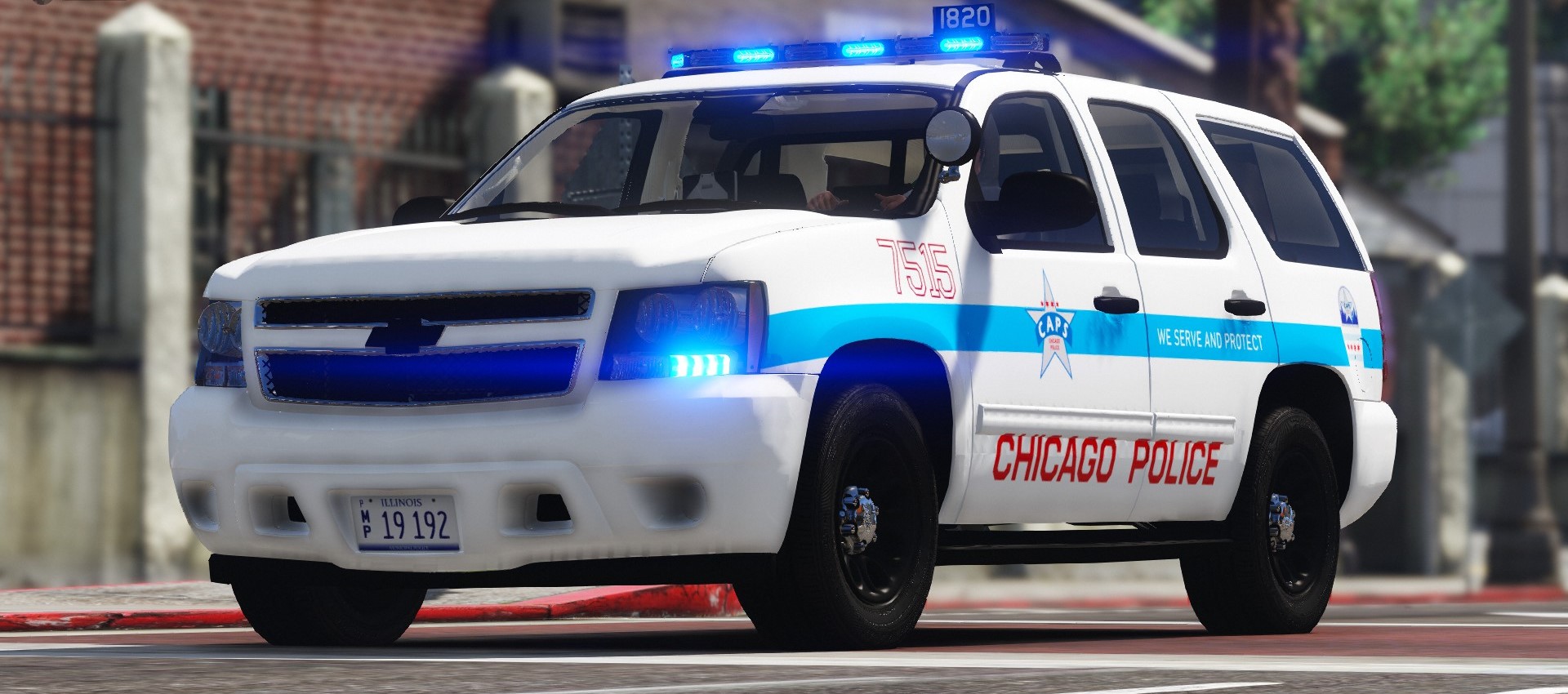
Few know why this rebuild became and thing, and little know why it was released so early, but I finally present to you, my Chicago police pack, to be as realistic, as possible, down to the lighting patterns, but enough of that. Not only does this pack contain some amazing lighting, and what not but it also contains some special features, that I personally have never seen done before, on the lcpdfr website.
On major key feature, that if you're from Chicago, you will know quite fondly which is self-operating brake lights in the rear lights on the body of the car in SUV's and in the light bars on the Sedans.
To get the brake lights to work actually took a bit of time, and while they are not perfect, they are to me and look absolutely amazing.
I originally released this early short of car's because my SSD, that help the files became corrupted, and when I did recover my files, I could no longer work on them, so this was very much needed to be done to this pack.
Some issues from the last pack that are no longer present in this pack and were fixed, is the interior on the 2020 FPIU was jacked up, and so that has been fixed, and all the spotlights are in perfect working order.
I'm going to stop rambling, and let you guys enjoy this pack, and all the work that was put into it.
If you would like to join my discord, and see my new mods in development, or what to come hang out join my discord

CPD PACK DEDICATED TO
Chicago Police Officer Ella French
EOW: AUG. 7, 2021
AND FOR SUPPORT OF ALL OUR MEN & WOMEN IN BLUE
THANK YOU!
Edited by Trp. Keaton
What's New in Version 3.2
Released
Reverted the pack back to version 3.2, I have removed the beta version of CPD as the pack is going to be rebuilt for DLS, and the current beta version for CPD was not ready for beta release. Updates are coming to the pack alongside my new release Arkansas State Police
Short Description
*Model from Forza horzion 3 ripped by DMN
Hevaily Edited by 0taku
Converted for use in V by 0taku
Texutered by 0taku
*Steelrims and Hub by 0taku
texuters by 0taku
*Tire by 0taku
texuters by EVI with edits by 0taku
*Weather Shileds by 0taku
*Unity spotlight by 0taku
texuers by 0taku
----2013 Ford Expetion SSV-----
*Model from from Hum3d
Hevaily Edited and Reworked by 0taku
Converted for use in V by 0taku
Texutered by 0taku
*Cabin scatched made by 0taku
asorted parts from DSF/Forza
*Wheels
6 spoke alloy made and Texutered by 0taku
SSV rim made by McGarrte, tweaked and texterted my 0taku
*Tire texutered by 0taku.
*Resse towbar hitch Made and texutered by Wolfrunner86
*other asorted parts by Rockgames
Asorted bump maps from Forza
*Asorted lod work by Five0
2013 Ford Explorer
- Base Model Provided by VooDoo of GTA 5 Mod Center
- Center Dash, Steering Wheel, Wheel and Tire, Gauge Cluster Provided by OfficerUnderwood
- Seats, Dash, Door Panels Provided by The Hurk
- Molded Together by SoCal Thero
- Template UV Mapped by SoCal Thero
- 2007 Tahoe by someone on 3dCadBrowser
- Modifed into 2014 and converted to GTA V by OfficerUnderwood
- Interior by ShadyDK14, fitted by Peralta, edited by Peralta and OfficerUnderwood with parts by Ubisoft
- Light textures by Peralta
- Mirrors & door handles by Ubisoft, fitted by Peralta
- Center area, steering wheel, door arm rests, & seats by Ubisoft, edited by OfficerUnderwood.
- Wheels by BxBugs123
Credits for original Impala by OfficerUnderwood are as follows:
2005 Impala LS by Ubisoft
Modifed into 2016 LPV and converted to GTA V by OfficerUnderwood
Grill by unknown (From Tahoe)& Seats by Ubisoft, edited by OfficerUnderwood
Impala side badge by OfficerFiveO
Wheels by 0taku
Credits to add:
Headlights, Taillights, Chevrolet Ribbon, Rear seats, Flex Fuel badge, Slatted grille, Mesh grille and Front plate + holder modeled and textured by TerrySloman
Wheel Collisions and dummy rotation modified by Jophics
Wheel Model by VooDoo
- Ford explorer Base model purchased by Thehurk, GTAxB0SS, Requiem and Windows446
- Poly Crunched by Thehurk
- Textured and Converted by Thehurk
- Rims by GTAxB0SS
- Interceptor Hood text by GTAxB0SS
- Interior purchased by TrentMU and FRGamer
- Ecoboost and Rear Police interceptor text by Jasonct203
- Converted to Police interceptor by Thehurk
- Templated by Thehurk
2010 Ford Taurus SHO by Turn 10 Studios, modified into 2016 Ford Taurus Police Interceptor by OfficerUnderwood
Rear bumper, headlamps, & dash by be fast, modified by OfficerUnderwood & Carper
Front bumper by Ridgerunner, Grill by Vertex3D, modified by OfficerUnderwood
Chassis parts by Ubisoft, Reverse lights by OfficerUnderwood
Rims by BxBugs123, Centercap by Carper
- Original vehicle model is 2015 Dodge Charger from Forza, edited into the 2018 Dodge Charger Pursuit by Matt with parts from FH3 and Gamemodels
- Seats, center mirror, shifter and dash edits modeled and done by Kane104 - commissioned by Ranger Rick
- Major help from EVI for digital dial information and help to get the dials working and his patience to help me
- Rear bumper diffuser modeled by Patrol 31 Normal edits by Steinberg
- AWD/Charger badge modeled by iansonwheels Converted to V by Matt
- AWD Steelies/Hubcap modeled by iansonwheels Converted to V by Matt
- Big thanks to Cj24 for beta testing the model and help with spec maps and normal maps and his overall knowledge of gta materials
- Interior dial textures made by NeonLazer
- Interior button textures made by Slendis
- Rims from Gamemodels.ru Centercap edited by Matt
- Dome Light modeled by Matt
- A big thanks to Cj24, Kane104, EVI, Patrol 31, Steinberg , Desmond , NeOnLaZeR, Izick, Rekram, HDgamerzPC, and a big thanks to Ranger Rick who bought 3D parts so that i wouldn't give up on this project and bought me a Zmodeler license so that i can keep working on this project Thank you Rick.
- Thank you to everyone who supported me and the project...
- Another big thanks to iansonwheels who had the time to make the AWD steelies and AWD package stuff....
-Original Dodge Charger Model by EVERMOTION. Model Optimized, UV-Mapped, Templated & Converted to GTA
V by PSource.
-Body L2 & L3 from Forza 4 SRT8 2010 Charger. Textured and Templated by PSource
-Body Polyfilling from Original GTA V Models and Forza 4, Fitted by PSource. Door Jambs Modeled by PSource.
-2009-2010 Taillights & Reverse Lights from NFS MW 2012 Charger. Fitted and Texture Editing by PSource .
-Dials and Dial Emissive Textures by PSource.
-Door Trim, Gear Lever, Interior Mounted Mirror and Steering Wheel from Forza. Converted, Fitted and
Textured by PSource.
-Driver & Passenger Front Seats from Simraceway. Converted by PSource.
-Tire Tread from Original GTA V Models. Fitted by PSource.













![Arkansas State Police [4K]](http://s3-screenshots.int-cdn.lcpdfrusercontent.com/resize/500/-/monthly_2026_05/Screenshot_2716.thumb.png.206c8db8b3e9230c2692e6b5b347b435.png)


![Slovenia Emergency Service Pack - 10 Vehicle - [REPLACE] [ELS] [REFLECTIVE]](http://s3-screenshots.int-cdn.lcpdfrusercontent.com/resize/500/-/monthly_2026_05/profilbild.thumb.png.38515307375bb5cf424e5e284a989253.png)

Recommended Comments
Create an account or sign in to comment