





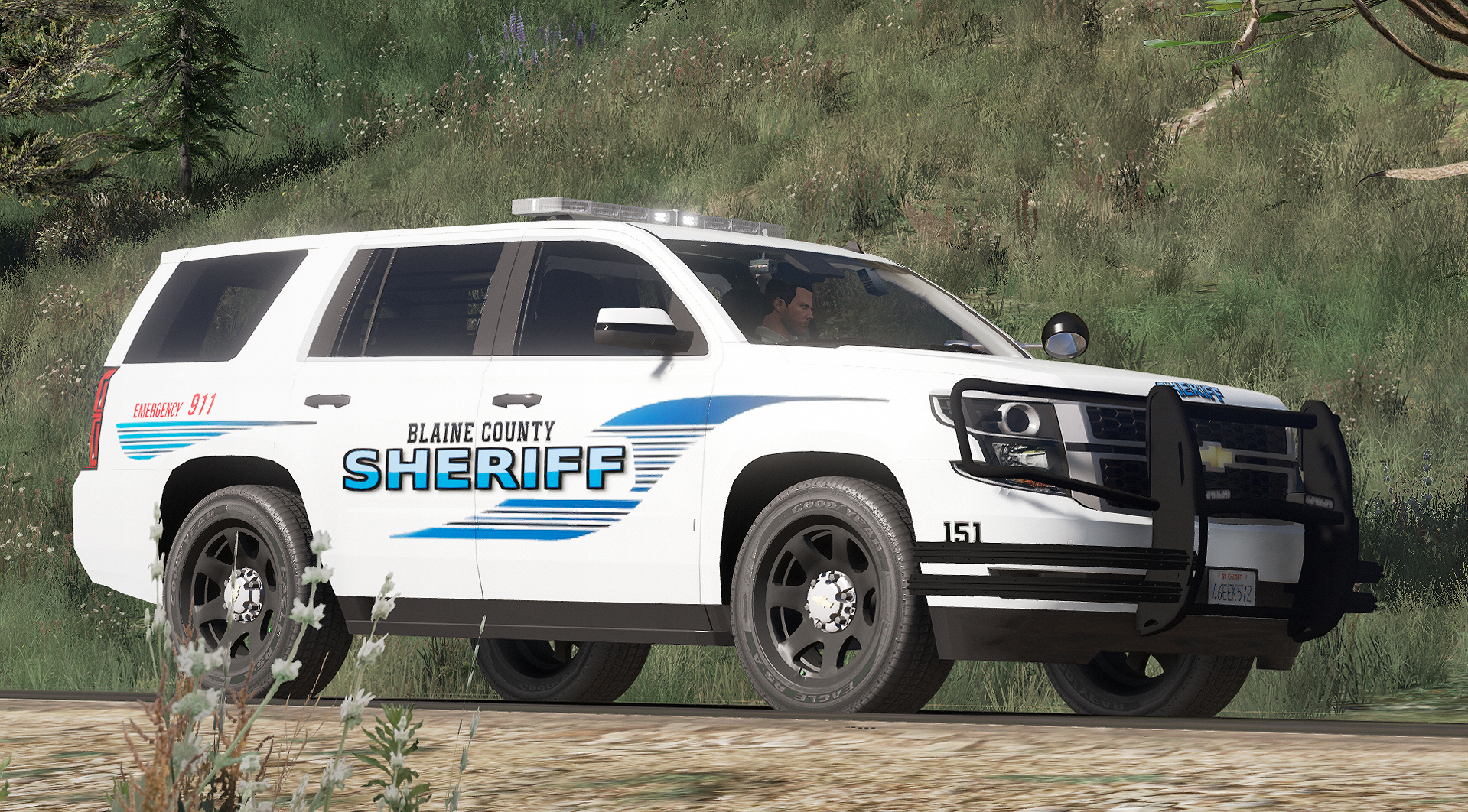


Here at Patriotic Creations we bring you where our imagination, Becomes reality. PC Brings you a NEW, never before seen 2016 Tahoe featuring a NEW Custom Made Rambar by The Patriotic Gamer, Some OutterEdge lights on the rear of the Tahoe, And some neat placement of tools inside of the patrol Vehicle.
4K Resolution for the Skin, Within the Tahoe You have protection for not only the officers from the Partition separating the seats, but window bars as well to stop suspects from trying to escape through the windows or go crazy and break something.
Total Time Spent on customizing this vehicle - 9 Hours
Time Spent on making the skin- 25 Minutes
Creativity level- %100
Love put into it- %100
JOIN MY DISCORD TO HELP ASSIST AND POSSIBLY JOIN THE PATRIOTIC CREATIONS TEAM!- https://discord.gg/U3QAMzJ
IT IS RECOMMEND TO HAVE THE FOV Mod with this vehicle unless you want the Watch guard Camera Viewer in your face! Can find the FOV mod here
https://www.gta5-mods.com/misc/gta-v-fov-v1-11
Credits in Section, And in download! Special Thanks too @mikaelgranli
This will be apart of a series! Lookout for the Crown Victoria coming next! Follow me for more updates and to be the first to know when i upload!
YOU MAY NOT Upload this vehicle anywhere else, nor make edits without my permission!
- Known Issues
*No Push-bar Collision
What's New in Version 1
Released
- Added new file for Sheriff Sleath Vehicle Livery
- Just open your texture file in OpenIV and "Import" this texture in, and you now have multiple liveries for the Tahoe

-Converted and edited to V by BritishGamer88
-Converted to Tahoe by Thehurk & Allaboutk9
-MAJOR edits by Thehurk
-Convert to PPV By Thehurk
-Rims purchased by Him1250
-Normals and wireframe fixed by Thehurk
-Textured by Thehurk
- Whelen Liberty II by DannyBoy1909, converted to IV by IronicRainbow. Minor edits by IronicRainbow.
- OutterEdge Lightbar TraumaPak™ : 3D Creation, Whelen Engineering Company
- Whelen ION Series Super-LED scratch modeled, textured, and converted to GTA V by HDgamerzPC
- Linz 6 By Whelen Engineering
- Custom Rambar by The Patriotic Gamer
- Console scratch made by SheriffVanDyck
- Radio, coffee cup and walkie talkie by Rockstar Games
- Decatur Genesis I scratch modeled, textured, and converted to GTA V by HDgamerzPC
- Decatur Genesis II Select scratch modeled, textured, and converted to GTA V by HDgamerzPC
- Decatur Dash Mounted Radar scratch modeled, textured, and converted to GTA V by HDgamerzPC
- Panasonic Toughbook CF-31 modeled and converted by Ridgerunner Designs
- Panasonic Toughbook CF-31 texture by Ridgerunner Designs
- Spotlight is from model provided by Cyrax on gamemodels.ru
- Converted and edited by Black Jesus
- Watch Guard 4RE made & converted by Caleb3019
- Textures By Caleb3019






![[Non-ELS/DLSv2] LAPD BMW R1200RT-P [Addon/FiveM]](http://s3-screenshots.int-cdn.lcpdfrusercontent.com/resize/500/-/monthly_2026_04/1.Thumbnail.thumb.png.ee831bb3bb39882cf936bde4872b0c88.png)









Recommended Comments
Create an account or sign in to comment