



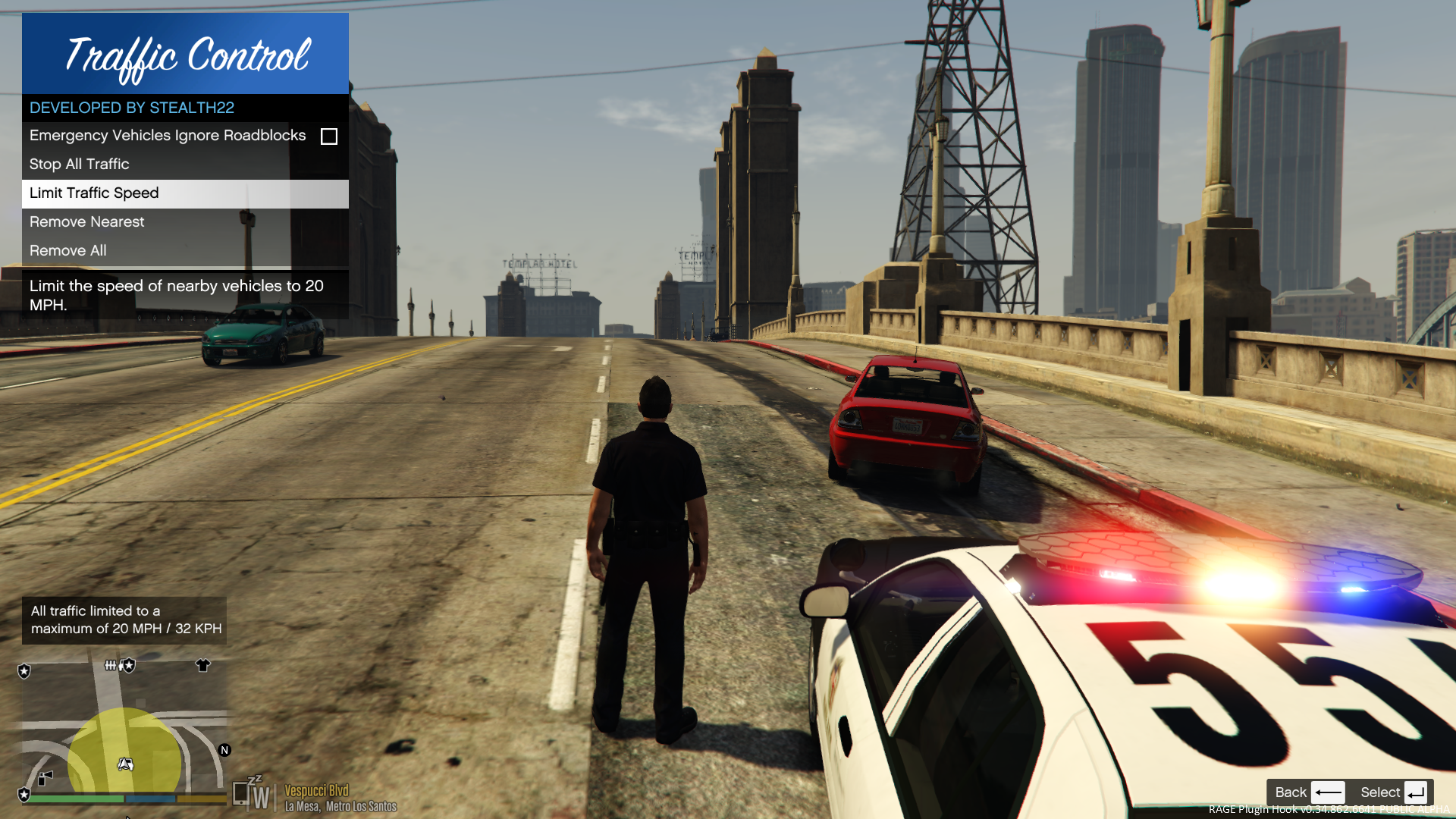


Traffic Control for GTA V
Copyright (C) 2018 Stealth22. All rights reserved.
Any unauthorized modification, reverse engineering, or distribution (including re-uploading of any kind) is strictly prohibited.
Requirements
You must have version 0.63 (or newer) of RAGE Plugin Hook. You must have a fully legal, non-pirated version of GTA V.
Automatic Installation
- Extract the ZIP archive; ensure that setup.exe and Traffic Control.msi are both in the same folder
- DON'T run Traffic Control.msi unless you know what you're doing
- Run setup.exe, and ensure that the installation directory detected matches the main/root folder of your GTA V install directory
- If setup.exe is unable to detect your GTA V directory, or fails in some other fashion, start Traffic Control.msi, AND SELECT YOUR GTA V PATH AS THE INSTALL DIRECTORY
Manual Installation
- Copy the TrafficControl.dll and TrafficControl.ini files into the Plugins folder of your GTA V directory.
- Copy the Stealth.Common.dll and RAGENativeUI.dll files into your main/root GTA V directory.
Features
- Stop or slow down all traffic within a certain radius of the player, in order to close a road for investigative purposes, or for safety reasons during a traffic stop
- Multiple "roadblocks" or "speed zones" can be placed
- Roadblocks will remain in place until removed by the player
- A (beta) setting to allow any emergency vehicles to drive through "roadblocks"/"stop zones" can be enabled in the INI file ("Stop Traffic" orders only; speed restrictions are not affected)
- The above setting can also be changed on-demand through the new in-game menu
[NEW!] - Traffic Control now includes a new in-game menu, powered by RAGENativeUI!
[NEW!] - Keyboard shortcuts can now be changed in the INI file!
[NEW!] - Keyboard shortcuts can be disabled, if desired (to use the in-game menu exclusively)
[NEW!] - Integration with Police SmartRadio!
Usage
- Press the menu keybind (CTRL + F10 by default) to open the Traffic Control menu; use the menu options to place/remove roadblocks
- Alternatively, you can use the shortcut keys (see the INI file) to place/remove roadblocks
- Keyboard shortcuts can be disabled through the INI file, if you wish to only use the in-game menu
Forum Thread
What's New in Version 1.1.1
Released
VERSION 1.1.1
- Added missing Police SmartRadio files; fixed directory structure
-
Had some issues building the auto installer; this version will be manual drag and drop only
VERSION 1.1.0
- This version requires RPH 0.62+, as well as RAGENativeUI v.1.6.3.0
- This version also requires Stealth.Common v2.0+ (included; older versions will not work)
- Brought this plugin into the 21st century, and best of all...
- Integration with Police SmartRadio, built by our very own @Albo1125!!
Testing: Jeff Favignano, FinKone, DCP


![OCRP Postal Map - Fixed Duplicate Postals and Atlas Style [FiveM]](http://s3-screenshots.int-cdn.lcpdfrusercontent.com/resize/500/-/monthly_2026_07/624688352-f61f6a95-cab2-4dbf-8e15-eac238807cc7.thumb.jpg.f9356ce9ac807f74bb9d897e93a8242d.jpg)




![[DLS/Add-on] Paleto Bay Police Pack](http://s3-screenshots.int-cdn.lcpdfrusercontent.com/resize/500/-/monthly_2026_09/huh.thumb.png.0a9438950a40e44de6fbfb7c8ad64074.png)




![Juniper Hills PD 2020 FPIU [Non-ELS] [Fictional]](http://s3-screenshots.int-cdn.lcpdfrusercontent.com/resize/500/-/monthly_2026_09/Screenshot2026-09-18172545.thumb.png.6b11884d49d306aa8404ec98bf5b7798.png)
![Koenigsegg Agera RS Glasslight [FiveM Ready] (GL Customs)](http://s3-screenshots.int-cdn.lcpdfrusercontent.com/resize/500/-/monthly_2026_09/Screenshot2026-09-18195712.thumb.png.31d12d5db333bcee883deb7211549668.png)


Recommended Comments
Create an account or sign in to comment