Skip to content
View in the app

A better way to browse. Learn more.

LCPDFR.com

A full-screen app on your home screen with push notifications, badges and more.

To install this app on iOS and iPadOS
  1. Tap the Share icon in Safari
  2. Scroll the menu and tap Add to Home Screen.
  3. Tap Add in the top-right corner.
To install this app on Android
  1. Tap the 3-dot menu (⋮) in the top-right corner of the browser.
  2. Tap Add to Home screen or Install app.
  3. Confirm by tapping Install.
Due to overzealous filtering on Microsoft’s side, some emails to Outlook and Hotmail addresses may not be delivered. If you’re affected, please use a different email address or try again later.

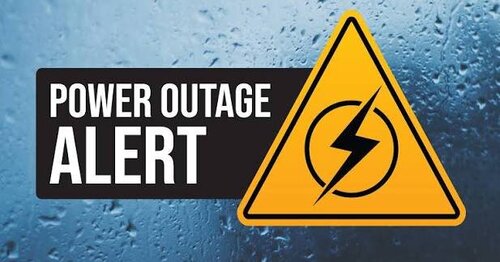
Blackout/Poweroutage Script 1.0.0

(0 reviews)

1 Screenshot

will be updated later on to Have a location to fix it at the power station

https://discord.gg/Z3arq7HubA

Copyright © ZIRR Customs. All Rights Reserved.

By downloading or using this script, you agree to the following terms:

  • This script is for FiveM use only.

  • Do not edit, modify, recolor, or alter this without prior permission from ZIRR Customs.

  • Do not redistribute, reupload, sell, or claim this as your own, whether modified or unmodified.

  • Do not remove, replace, or cover any ZIRR Customs branding, logos, or credits included with the script.

    Thank you for downloading and supporting ZIRR Customs. I hope you enjoy using this script in your FiveM server!

Edited by ZIRR Customs


Short Description

poweroutage script for fivem
User Feedback

Recommended Comments

Austin.Tech

Members

We’re gonna need a SP version ASAP!! and omg I wonder if you’d be able to make a good azz tornado mod!.

ZIRR Customs

Members Author

1 minute ago, Austin.Tech said:

We’re gonna need a SP version ASAP!! and omg I wonder if you’d be able to make a good azz tornado mod!.

I will see if thats able to happen for SP and Tornado might be something cool Join our discord to keep up to date with our stuff https://discord.gg/Z3arq7HubA

Create an account or sign in to comment

Account

Navigation

Search

Search

Configure browser push notifications

Chrome (Android)
  1. Tap the lock icon next to the address bar.
  2. Tap Permissions → Notifications.
  3. Adjust your preference.
Chrome (Desktop)
  1. Click the padlock icon in the address bar.
  2. Select Site settings.
  3. Find Notifications and adjust your preference.