Skip to content
View in the app

A better way to browse. Learn more.

LCPDFR.com

A full-screen app on your home screen with push notifications, badges and more.

To install this app on iOS and iPadOS
  1. Tap the Share icon in Safari
  2. Scroll the menu and tap Add to Home Screen.
  3. Tap Add in the top-right corner.
To install this app on Android
  1. Tap the 3-dot menu (⋮) in the top-right corner of the browser.
  2. Tap Add to Home screen or Install app.
  3. Confirm by tapping Install.

Star Chase Tracker 0.2.2.0

(3 reviews)

4 Screenshots

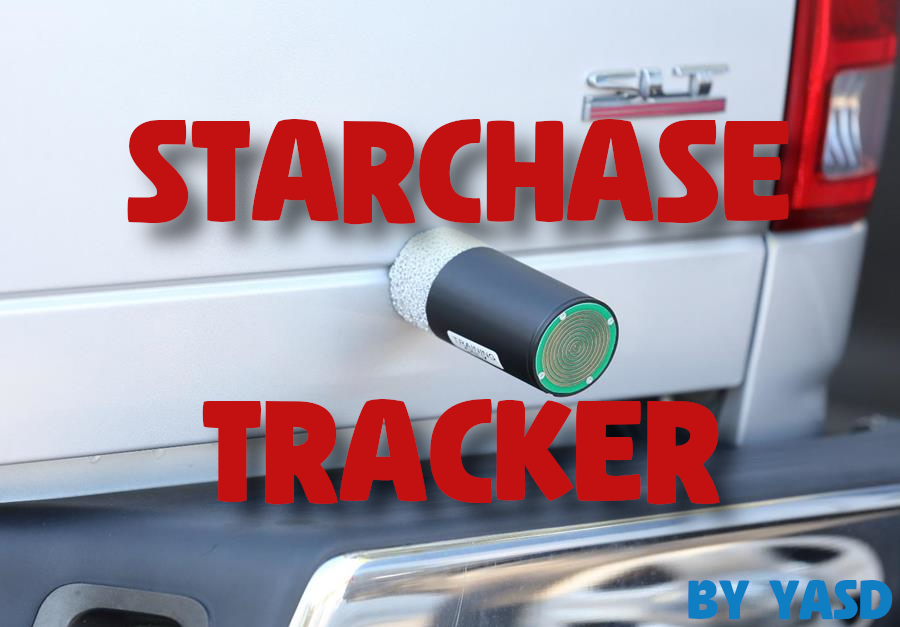
Star Chase Tracker
What is a Star Chase Tracker?
A Star Chase Tracker is a GPS tracking device that launches from a police vehicle and attaches to a suspect’s vehicle. This allows officers to safely abort a high-speed pursuit and apprehend the suspect once they come to a stop.


This plugin lets you fire a tracker from the player's police vehicle.
It comes with a custom tracker model, which must be installed as a dlcpack.
The StarChaseTracker.ini config file gives you several options for customization.


How to install
1. Go to 'Grand Theft Auto V/plugins' and drag and drop the 'plugins' folder in your main gta folder.

2. Open the 'Dlcpack' folder and install the 'starchase' folder in 'mods/update/x64/dlcpacks' with OpenIV.

3. Go to 'mods/update/update.rpf/common/data/dlclist.xml' and add a new line:
<Item>dlcpacks:/starchase/</Item>


Support and Questions
Discord: https://discord.gg/utNranQJSr

Thx to @Echooo for the tracker model!

dlcpack weapon model: WEAPON_STARCHASE
dlcpack model name: w_ex_starchase


Alternative Tracker Models


Edited by Yasd

What's New in Version 0.2.2.0

Released

StarChaseTracker v0.2.2.0:

- added a Global class

- new Config bool for skipping the RequirementCheck dlc folder

- hopefully fixed the CoffeeScenario Method not found crash ⁠#🔎crash-report⁠


StarChaseTracker v0.2.1.0:
- added an Update Checker
- added option to auto-end a running pursuit once the tracker is successfully attached
- rewrote the code for the suspect driving to their house for better parking



Short Description

Track a fleeing vehicle!

User Feedback

Recommended Comments

EditName

Members

this is a fun plugin. Thank you

Chaz2b

Members

Hey brother, 


Great plugin all the way and cheers for getting over 500 downloads. Only constructive criticism from me is that the (Drive to home) feature works 50% of the time, if they do drive home the ai starts crashing or going in circles for some reason, could be my game but it might be an issue for others. Nonetheless brother not hating or putting this plugin down in anyway at all. Just something to check out in your own time mate.


  • Community Team
On 5/4/2025 at 11:36 AM, Chaz2b said:

Hey brother, 


Great plugin all the way and cheers for getting over 500 downloads. Only constructive criticism from me is that the (Drive to home) feature works 50% of the time, if they do drive home the ai starts crashing or going in circles for some reason, could be my game but it might be an issue for others. Nonetheless brother not hating or putting this plugin down in anyway at all. Just something to check out in your own time mate.


I updated the code for better parking, it works way better now! 😀

Machinomancer

Members

(edited)

Can't change the key bindings it still results to default. Maybe I'm doing something wrong?

E.g

[Keybinds]
; key to shoot the tracker [default L]
Shoot = \

; key to remove the tracker [default X]
Abort = ]

Edited by Machinomancer

  • Community Team
4 hours ago, Machinomancer said:

Can't change the key bindings it still results to default. Maybe I'm doing something wrong?

E.g

[Keybinds]
; key to shoot the tracker [default L]
Shoot = \

; key to remove the tracker [default X]
Abort = ]

This is the list:

https://learn.microsoft.com/de-de/dotnet/api/system.windows.forms.keys?view=windowsdesktop-8.0


\ is Keys.Oem2

] is Keys.Oem6

if you have a English keyboard layout QWERTY 

OfficerNils

Members

I'm having issues with the actual attachment - 90% of the time it attaches on my own vehicle (I use the replace models from Tactical Donut's LAPD pack) and I have to retry at least ten times before it actually shoots out.

Do you recommend any fixes to resolve this issue because.. goddamn - I like that plugin. Other than that, great work! 😄

  • Community Team
On 8/6/2025 at 11:29 PM, OfficerNils said:

I'm having issues with the actual attachment - 90% of the time it attaches on my own vehicle (I use the replace models from Tactical Donut's LAPD pack) and I have to retry at least ten times before it actually shoots out.

Do you recommend any fixes to resolve this issue because.. goddamn - I like that plugin. Other than that, great work! 😄

The position of the tracker when shooting the tracker is a fix position in front of the actual model, which then gets accelerated, so you can't change that pluginwise.

Create an account or sign in to comment

Latest Mods

Account

Navigation

Search

Search

Configure browser push notifications

Chrome (Android)
  1. Tap the lock icon next to the address bar.
  2. Tap Permissions → Notifications.
  3. Adjust your preference.
Chrome (Desktop)
  1. Click the padlock icon in the address bar.
  2. Select Site settings.
  3. Find Notifications and adjust your preference.