Skip to content
View in the app

A better way to browse. Learn more.

LCPDFR.com

A full-screen app on your home screen with push notifications, badges and more.

To install this app on iOS and iPadOS
  1. Tap the Share icon in Safari
  2. Scroll the menu and tap Add to Home Screen.
  3. Tap Add in the top-right corner.
To install this app on Android
  1. Tap the 3-dot menu (⋮) in the top-right corner of the browser.
  2. Tap Add to Home screen or Install app.
  3. Confirm by tapping Install.

LSPDFR 0.2 Control Guide 1.0.5

(4 reviews)

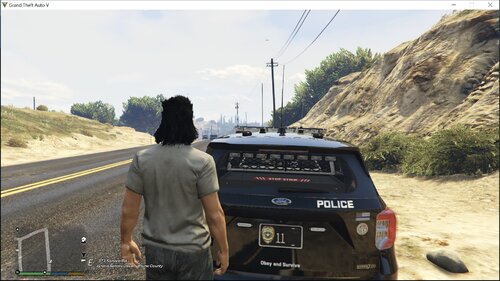
1 Screenshot

LSPDFR 0.2
Control Guide v1

Introduction

      Hello Community Members! This is the full list of the LSPDFR 0.2 Controls. This was previously a forum, but has now been transformed into a downloadable file! I hope this helps anyone who is new to LSPDFR, and other members who need to fully learn all controls. All controls listed have been tested (Excluding "Force Duty" because of how my keyboard is set up) and work. Still, if you find an error or would like me to add something, shoot me a PM or leave a comment below!

     Reviews and comments are much appreciated, so feel free to post them below! This will be updated frequently with anything that needs to be added. For now, have fun with LSPDFR 0.2!

Credits

OfficerSquare: Creating the LSPDFR 0.2 Control Guide.


G17 Media: I would like to personally thank G17 Media for creating LSPDFR. Without them, this would be 100% useless and wouldn't exist.


ineseri: His forum post helped me with certain controls when I stumbled on a few I didn't know. Thanks, ineseri!


lspdfrlogo.png.e1daa1076906bdf8650335a67a90e8cf.png

What's New in Version 1.0.5

Released

Some grammar fixes. Heheh.

User Feedback

Recommended Comments

Dbeehler73

Members

just saying, for future refrence, should have made it a PDF

itailitai

Members

I think you should convert it to pdf

FRGamer

Members

(edited)

If anyone wants the PDF version, here you go:

Edited by NewYorkStatePolice

CODEX12

Members

i agree what the others say pdf would be useful.

OfficerSquare

Members Author

(edited)

just saying, for future refrence, should have made it a PDF


I think you should convert it to pdf


i agree what the others say pdf would be useful.

The file has been converted to pdf.

If anyone wants the PDF version, here you go: <snip>

Please take your download down. It has been updated. It was told in the file not to upload elsewhere. Thank you :)

Edited by MichaelV

FRGamer

Members

Thanks :) I was just trying to be nice..


The file has been converted to pdf.

Please take your download down. It has been updated. It was told in the file not to upload elsewhere. Thank you :)

Or you could not be a douche and just use some common sense. Jesus people are so goddamned touchy nowadays.

Thanks :) I was just trying to be nice..

OfficerSquare

Members Author

If anyone wants the PDF version, here you go:

My last post wasn't meant to be rude, I just wanted your download link removed. Sorry if you took it the wrong way.

icetool34

Members

Thanks <3

FRGamer

Members

My last post wasn't meant to be rude, I just wanted your download link removed. Sorry if you took it the wrong way.

It's fine.

Ethenal

Members

Space+F9 for force duty doesn't work for me :( it would be tremendously useful for developing plugins!

Rinion

Members

(edited)

Thank you, I was looking for a control list. Also, could you please add controller controls?

Edited by smojo

MichaelV

Friends of LSPDFR

Space+F9 for force duty doesn't work for me :( it would be tremendously useful for developing plugins!

You have to be running for it to work. Try pressing Space + F9 while in motion.

  • Management Team

Yeah, you have to actually be in the air (so jump then press F9 while you are in the air).

Ethenal

Members

Oh, you guys are right. Thanks, this will speed up things tremendously! :D

OfficerSquare

Members Author

Oh, you guys are right. Thanks, this will speed up things tremendously! :D

Glad it helped! I would appreciate a review for this file. Also, thank you for commenting :)

Deactivated Member

Deactivated

I don't understand why this has to be a separate "mod" though. Why isn't this just included with LSPDFR in the first place?

OfficerSquare

Members Author

I don't understand why this has to be a separate "mod" though. Why isn't this just included with LSPDFR in the first place?

Not sure, but that's why I created it! :D

Not sure, but that's why I created it! :D

Well I think the coders of LSPDFR I think one of their names is Sam. Probably had a lot on his plate to  be honest trying to get the 0.2 to work with the Illgotten patch.  But I remember when I first downloaded the 0.2  it still had 0.1e  pdf in it lol.  I think they kinda flubbed up, probably all jacked up on Mountain Dew and non sleep.  I know its gotta be tedious work and I know most if not all of the community appreciate all of you modders out there, even including a text mod of how things work.

So thank you for this.  It helps!

OfficerSquare

Members Author

Well I think the coders of LSPDFR I think one of their names is Sam. Probably had a lot on his plate to  be honest trying to get the 0.2 to work with the Illgotten patch.  But I remember when I first downloaded the 0.2  it still had 0.1e  pdf in it lol.  I think they kinda flubbed up, probably all jacked up on Mountain Dew and non sleep.  I know its gotta be tedious work and I know most if not all of the community appreciate all of you modders out there, even including a text mod of how things work.

So thank you for this.  It helps!

You're welcome. Glad you like it!

You're welcome. Glad you like it!

Sure man.  Btw, in your manual.  I may be totally wrong, feel free to correct me.  To force call outs is it  Ctrl x  ?  like I said I may be wrong.  Either way it may work

ValuedPear05

Members

(edited)

This isn't a script mod, should be in the Misc section I believe


Sure man.  Btw, in your manual.  I may be totally wrong, feel free to correct me.  To force call outs is it  Ctrl x  ?  like I said I may be wrong.  Either way it may work

 No it's just X to force a callout

Edited by ValuedPear05

This isn't a script mod, should be in the Misc section I believe


 No it's just X to force a callout

Yep your right my bad.  It is just X

OfficerSquare

Members Author

This isn't a script mod, should be in the Misc section I believe


 No it's just X to force a callout

When I uploaded this file, the section was called "Script & Data File Modifications." It was before the huge download page update.

Create an account or sign in to comment

Latest Mods

Account

Navigation

Search

Search

Configure browser push notifications

Chrome (Android)
  1. Tap the lock icon next to the address bar.
  2. Tap Permissions → Notifications.
  3. Adjust your preference.
Chrome (Desktop)
  1. Click the padlock icon in the address bar.
  2. Select Site settings.
  3. Find Notifications and adjust your preference.