


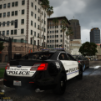


RAR file containing +5 LAPD GTA 5 Loading screen that I've put together Enjoy 
How To Use/Install
1. Make a folder in your GTA 5 Directory and name it " LoadingScreens " - No Spaces Involved!
2. Drag and drop your new loading screen images into the new folder " LoadingScreens "
3. Open Rage Plugin Hook and enter the settings. Once in the settings enter the " Advanced Options " tab
4. Check mark the option that says " Enable Custom Backgrounds for Loading Screens "
5. Enjoy your new Loading screen's : )
More Screens will be available AND feel free to message me for custom loading screens like the, S-H-E-R-I--F-F-S Department etc.
↑ BEAUTIFUL ↑
"How can I rearrange the loading screens?"
Im not able to test this at this time due to the outdated scripthook im currently running. BUT im guessing if you rename the order on how it is already is like 1, 2, 3, 4, 5 it should load in that specific order!
SUPPORT
EVERY GTA 5 VERSION IS SUPPORTED AS LONG AS RAGE PLUGIN HOOK IS UPDATED!
I WILL CONTINUE TO ADD MORE LOADING SCREEN''S AND WILL ALSO TAKE REQUESTS!
FINALLY........ IF YOU DO USE THIS....... THANK YOU!!!! 🥲


.thumb.png.59d05d91e184fd0e413931530914fdf4.png)




Recommended Comments
Create an account or sign in to comment