Skip to content
View in the app

A better way to browse. Learn more.

LCPDFR.com

A full-screen app on your home screen with push notifications, badges and more.

To install this app on iOS and iPadOS
  1. Tap the Share icon in Safari
  2. Scroll the menu and tap Add to Home Screen.
  3. Tap Add in the top-right corner.
To install this app on Android
  1. Tap the 3-dot menu (⋮) in the top-right corner of the browser.
  2. Tap Add to Home screen or Install app.
  3. Confirm by tapping Install.

Texture & Icon replacements 1.0.0

(0 reviews)

1 Screenshot

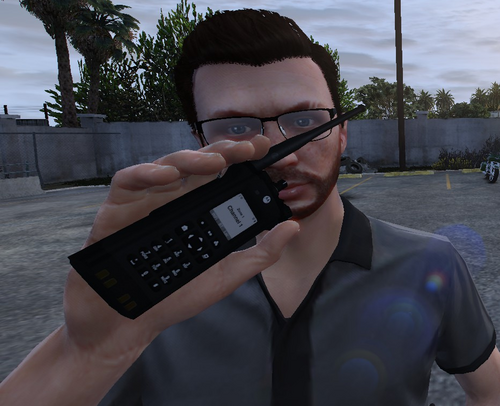
Texture & icon replacements for lspdfr!  Hope you like the new looks! This is for 3 different scripts from the original creators! Just an update on the looks! These are replacements for the original scripts from the main creators, readme installation txt will be included! :) All rights go to the creators of the scripts, Rights for textures go to CoolStarDev team for textures & icons! Youtube: https://youtube.com/shorts/Rc_7ubP5a9o?si=UtuZ2E32tnlwj2eM

Edited by SuperPyroManiac
Display


Short Description

Texture & Icon Replacements

AI disclosure

The author has disclosed that AI tools were used in creating the following aspects of this file:

  • Description
  • Images
  • Mod and Mod Content (Substantial)

Icons made by Google Gemini - Author did not disclose this.

User Feedback

Recommended Comments

  • Community Team

Why would you not upload any images to show the new icons?

Also updated your file to mention the content is generated with AI. In the future ensure you do this yourself and do not lie.
image.png

CoolStarStreamer

Members Author

I think I'm aware of that i clicked the wrong one. So before accussing and being rude, maybe ask why's it that? As im away from my computer realizing i clicked the wrong information 🙃🙃

Plus does it matter that I upload images or not? It dont state what kind of images nor does it request that i do. Its my account i should have a choice in choosing what to do if staff approves it through your policy. If its an issue don't approve the file 🙄 if there is an error fix the problem and notify me if theres an issue in my post.

  • Community Team
10 minutes ago, CoolStarStreamer said:

I think I'm aware of that i clicked the wrong one. So before accussing and being rude, maybe ask why's it that? As im away from my computer realizing i clicked the wrong information 🙃🙃

Plus does it matter that I upload images or not? It dont state what kind of images nor does it request that i do. Its my account i should have a choice in choosing what to do if staff approves it through your policy. If its an issue don't approve the file 🙄 if there is an error fix the problem and notify me if theres an issue in my post.

Images for this are not required, it was just feedback as people are less likely to download something if there is no info on it.
As for the error, I did fix it and notified you here in the comments. Exactly what you said. Sorry you feel this way.

Create an account or sign in to comment

Account

Navigation

Search

Search

Configure browser push notifications

Chrome (Android)
  1. Tap the lock icon next to the address bar.
  2. Tap Permissions → Notifications.
  3. Adjust your preference.
Chrome (Desktop)
  1. Click the padlock icon in the address bar.
  2. Select Site settings.
  3. Find Notifications and adjust your preference.