


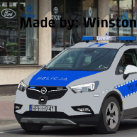


Modyfikacja zawiera tekstury które mają na celu podmienić dużą część kamizelek w modyfikacji "EUP Vests and Earpiece". Wszystkie kamizelki od Vest 1 do Vest 11 setup 1 zawierają podmienione tekstury. Cieszcie się modyfikacją!
Wymagana modyfikacja:
Instalacja: (znajdziecie ją również w pliku .rar)
Modyfikacja wymaga EUP Vests & Earpiece przez hanako.
(https://www.lcpdfr.com/downloads/gta5mods/character/25692-eup-vest%EF%BC%86earpiece/)
Paczka ta zawiera tekstury od vest 1 do vest 11 setup 1.
Instalacja:
1. Pobieramy sobie kamizelki z modyfikacji EUP Vests & Earpiece które chcemy podmienić na policyjne.
2. W tym pliku .rar wejdź w folder kamizelki i wybierz setup jaki chcesz podmienić.
(Powiedzmy, że chcesz podmienić vest 7, w takim razie musisz pobrać vest 7 z modyfikacji Eup vests and
earpiece, potem wejść w tym pliku .rar w vest 7, wywalić gdziekolwiek plik png, wejść w lokalizację
naszego vesta (w open IV), wejść w plik task_diff_007_a_uni.ytd, nacisnąć replace, znaleźć malowanie
z tej paczki i nacisnąć save.)
3. Jeżeli chcesz więcej kamizelek podmienić, robisz to w ten sam sposób.
4. Ciesz się modyfikacją!
P.S: Jeżeli powiedzmy, że chcesz mieć inny size kamizelki, to po prostu normalnie ją podmień
i będzie dobrze działać, dlatego nie ma folderów np "setup 1 size 1" gdyż malowanie działa normalnie
z obami size'ami. (Niektóre "size'y" mają inne malowania, dlatego iż są oddzielne foldery).
Drugi P.S: Vest 3 zawiera wariant do SM gdyż według mnie jest to najbardziej pasująca kamizelka
pod SM.
English instructions:
Modification requires EUP Vests & Earpiece by Hanako.
(https://www.lcpdfr.com/downloads/gta5mods/character/25692-eup-vest%EF%BC%86earpiece/)
This pack contains textures from vest 1 to vest 11 setup 1.
Installation:
1. Download vests from the EUP Vests & Earpiece modification that you want to replace with polish police ones.
2. In this .rar file, go to the vest folder and select the setup you want to replace. (Let's say you want to replace vest 7, then you need to download vest 7 from the Eup vests and earpiece mod, then in this .rar file enter vest 7, put the PNG file somewhere on your PC (make sure to put it somewhere you can find it enter the location the vest is in (in open IV), enter the file task_diff_007_a_uni.ytd, press replace, find the texture from this pack and press save.)
3. If you want to replace more vests, you do it in the same way.
4. Enjoy the modification!
Note: : If, let's say, you want a different size for the vest, just replace it like normal and it will work fine, that's why there are no folders, e.g. "setup 1 size 1" because the texture works fine with both sizes. (Some sizes have different textures that's why they are in separate folders).
Second P.S: Vest 3 contains a variant for SM (Straż miejska, Polish local police) because in my opinion it is the most suitable vest for SM (Straż miejska, Polish local police)
Edited by WinstonCatchill











![Arkansas State Police [4K]](http://s3-screenshots.int-cdn.lcpdfrusercontent.com/resize/500/-/monthly_2026_05/Screenshot_2747.thumb.png.f0b9ad12f59a7855161f08525b0012b6.png)





Recommended Comments
Create an account or sign in to comment