Skip to content
View in the app

A better way to browse. Learn more.

LCPDFR.com

A full-screen app on your home screen with push notifications, badges and more.

To install this app on iOS and iPadOS
  1. Tap the Share icon in Safari
  2. Scroll the menu and tap Add to Home Screen.
  3. Tap Add in the top-right corner.
To install this app on Android
  1. Tap the 3-dot menu (⋮) in the top-right corner of the browser.
  2. Tap Add to Home screen or Install app.
  3. Confirm by tapping Install.

NFS MW POLICE CHATTER REPLACEMENT FOR LSPDFR 1.5.0

(1 review)

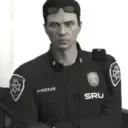
1 Screenshot

This mod is oriented to add more emotion and depth as well as give something new to standard, generic, and boring chatter between officers. This ONLY replaces the officers' radio chatter, helicopter radio chatter, and radio tones. Still a WIP! Enjoy.


To install go into your GTAV Directory and got into the lspdfr folder. Go to audio and then into scanner. Drag and drop the folders into that directory and you're done!


Edited by Trooper Mobi

What's New in Version 1.5.0

Released

Added more voice lines and took some time to trim some other ones down to make sense when replying to dispatch or spotting suspects. Install is still the same: Drag and drop the files in your scanner folder inside the main lspdfr folder in your directory. Enjoy! I hope to update this a bit more frequently.



Short Description

A replacement to you lspdfr radio chatter.

User Feedback

Recommended Comments

jacalapar

Members

appreciate you putting this up! The link down below is so amazing that it need deserved an update or someone else to continue it making more files. You guys should team up and make us a huge file containing a bunch of female and male NFS MW audio voices. Makes the mod way more immersive as the vanilla cop voices are cheesy and wierd lol


XPGamer01

Members

(edited)

Hey I think you gotta update the description. The installation path looks like it should be GTAV>lspdfr>audio>scanner (You put the sfx folder instead).

screen.png

Edited by XPGamer01

Skittishfiend

Members Author

20 hours ago, XPGamer01 said:

Hey I think you gotta update the description. The installation path looks like it should be GTAV>lspdfr>audio>scanner (You put the sfx folder instead).

screen.png

Whoops my bad. Good catch, will update.

On 9/23/2021 at 9:24 PM, floodz62 said:

what was the pack in the video


Ripples Valor pack. A paid pack on his website.

davidko

Members

Where can i find used police vehicles?

twistedleo15

Members

do we put in just one folder or all of them because it seems to not work if i put them in individually

Skittishfiend

Members Author

After navigating to the scanner in the directory for GTA V (GTA V/lspdfr/audio/scanner) Drag and drop all the contents in the download into that directory and replace. It should automatically replace all the audio.


you9487bj4

Members

Can you add more? I like this

pacthesecon

Members

Might be a dumb question but im dumb so here ya go 😄 
is this compatible with Xscanner? 
i mean can i have both at the same time ?

Did you edit the music in or were you listening to it on youtube and it captured that too?

Caccianick

Members

Hello, I love what you did, the dialogues are realistic.  I am French and I would like to do the same thing in French. Did you use AI to generate the audio files ?

Create an account or sign in to comment

Latest Mods

Account

Navigation

Search

Search

Configure browser push notifications

Chrome (Android)
  1. Tap the lock icon next to the address bar.
  2. Tap Permissions → Notifications.
  3. Adjust your preference.
Chrome (Desktop)
  1. Click the padlock icon in the address bar.
  2. Select Site settings.
  3. Find Notifications and adjust your preference.







