Skip to content
View in the app

A better way to browse. Learn more.

LCPDFR.com

A full-screen app on your home screen with push notifications, badges and more.

To install this app on iOS and iPadOS
  1. Tap the Share icon in Safari
  2. Scroll the menu and tap Add to Home Screen.
  3. Tap Add in the top-right corner.
To install this app on Android
  1. Tap the 3-dot menu (⋮) in the top-right corner of the browser.
  2. Tap Add to Home screen or Install app.
  3. Confirm by tapping Install.
140 files
    • 249 Downloads
    • 6504 Views
    • 7.05 kB File Size
    • 4 Comments
    Updated
  1. Basic FiveM 911-Script
    • 330 Downloads
    • 5665 Views
    • 1.72 kB File Size
    Updated
    • 198 Downloads
    • 5890 Views
    • 696 B File Size
    • 5 Comments
    Updated
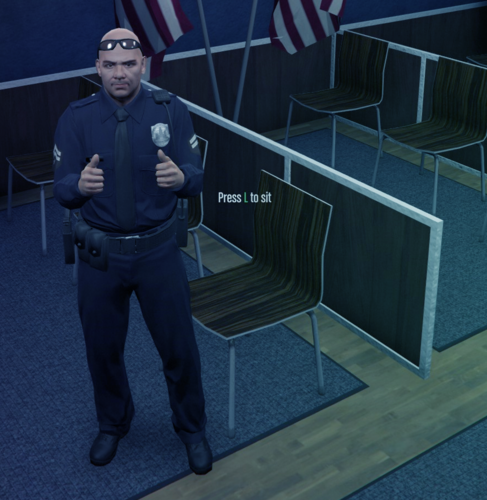
  2. A simple script for FiveM to help your players sit in chairs!
    • 1,519 Downloads
    • 14768 Views
    • 6.97 kB File Size
    • 2 Comments
    Updated
  3. A FiveM Roleplay Chat Commands
    • 376 Downloads
    • 6540 Views
    • 2.59 kB File Size
    • 2 Comments
    Updated
  4. A simple FIVEM bodycam script for players to increase their LEO RP realism.
    • 2,701 Downloads
    • 29045 Views
    • 336.48 kB File Size
    • 3 Comments
    Updated
  5. This is a simple script that opens the door of emergency vehicles when pressing G. 
    • 416 Downloads
    • 7762 Views
    • 2.04 kB File Size
    • 12 Comments
    Deactivated Member in FiveM
    Updated
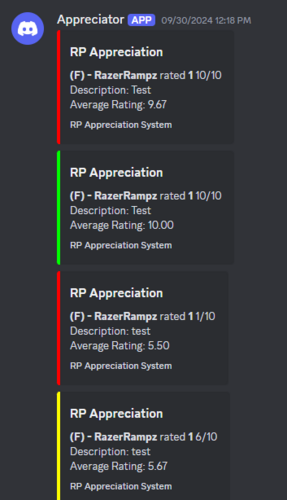
  6. Script for players to Rate others RP scenes!
    • 123 Downloads
    • 3460 Views
    • 1.77 kB File Size
    Updated
  7. This mod just makes it to where the driver cant shoot a gun when going over 25 MPH in a car.
    • 671 Downloads
    • 6714 Views
    • 1.14 kB File Size
    Updated
    • 93 Downloads
    • 2541 Views
    • 2.81 kB File Size
    Updated
    • 1,235 Downloads
    • 21850 Views
    • 8.71 kB File Size
    • 2 Comments
    Updated
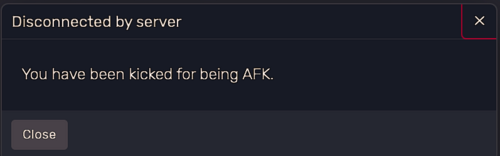
  8. Automatically kick idle players to keep your server active and engaged, with customizable settings and warnings.
    • 275 Downloads
    • 6056 Views
    • 1.92 kB File Size
    Updated
    • 547 Downloads
    • 15319 Views
    • 24.7 kB File Size
    • 1 Comments
    Updated
  9. Just a simple script made by me ;)
    • 1,023 Downloads
    • 14214 Views
    • 935 B File Size
    • 4 Comments
    Updated
    • 296 Downloads
    • 9765 Views
    • 1.69 kB File Size
    • 2 Comments
    Updated
    • 437 Downloads
    • 14535 Views
    • 13.87 kB File Size
    • 2 Comments
    Updated

Account

Navigation

Search

Search

Configure browser push notifications

Chrome (Android)
  1. Tap the lock icon next to the address bar.
  2. Tap Permissions → Notifications.
  3. Adjust your preference.
Chrome (Desktop)
  1. Click the padlock icon in the address bar.
  2. Select Site settings.
  3. Find Notifications and adjust your preference.