eldunkito
Members
-
Joined
-
Last visited
Everything posted by eldunkito
-
https://www.youtube.com/watch?v=jFKwoa90Tz0 Here you are, I don´t know the release date, but I know it's in development.
-
Just wait for ELS.
-
Im really thankful cause your very hard work and dedication, you know we support you Sam because you teach us that not all quality things must to be pay to play, have a good day ;)
-
When a pursuit ends in a shootout and you killed all suspects, LSPDFR musts to auto-request paramedics, did u find a radio's sound for this? Sam, i think u must to make usefull the new unlocked police station, so take suspects to cells and more like this... Take equipment from the armory... U know xd
-
We needed news from LSPDFR, now we have it :DDD nice work guys
-
-
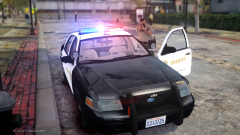 Could you share this car?
 -
Yes, scripthook, scripthookdotnet and rescue v, all plugins like native trainer and more works 100 % :/ Now it works, but i can´t display the menu, no callouts... Nothing, just drive rescue mod's vehicles. I fixed this issue, but: -You could make to press y to accept callouts, -Fire dies very easy, no need to do anything to make fire disappear. -The mod will be better if you add controller support. -You could make callout starts when you are in certain range, not when you accept this one.
-
The mod doesn´t work for me, i have installed scripthook and scripthookdotnet and i press F6 and nothing happens
-
You can do this: Aiming to the suspect + hold E = Drag him on the ground and arrest him like npc's animations arrest. - Aiming to the suspect + type E, when he is on his knees, type E again to drag him on the ground. Aiming to the suspect + type E = The actual animation arrest. E = Display interaction menu and choose arrest, like the photos below.
-
I don´t think the same, 1 or 2 weeks more.
-
Download Trainer V, you can switch the car parts in vehicle component's menu.
-
I pulled over a person named Sam Houghout or similar thing jajajaj
-
This is fixed in LSPDFR 0.2, but you can stun only peds spawned by LSPDFR yet.
-
It's easy to understand. have issues with LSPDFR? post here, have issues with Rage? Post in Rage's forums, have issues with GTA? Post in Rockstar's forums, i think LSPDFR's team mustn't help with Rage issues and they did help a lot of users. Peace and use your brain.
-
You could set hotkeys at the .ini file.
-
LSPDFR release today?
-
I think all-in-one mods by LSPDFR its better, just keep calm and wait a few months xD
-
@Sam thanks you so much for your insane work developing LSPDFR, we are a community and we are with u, together :)
-
Less-lethal stun gun mod
-
Any stun gun mod available?
-
I think Rockstar could allow only LSPDFR because this comunity is so famous, the same reason that Rage was only available for LSPDFR...
-
I would like to see all in one script by LSPDFR like towtruck service and more... No bug 100%
-
Yes it's very interesting, the countdown has become blue.. Lol
-
The master of countdowns.