


MSKI8877
Members
-
Joined
-
Last visited
Everything posted by MSKI8877
-
-
-
-
-
-
-
-
-
-
-
-
-
-
I believe you can do this within the INI file, simply change the auto on option and set a key.
- 54 comments
- 39 reviews
-
Love the car! I used to use the Edge version, now use this because of the removable light bar! ...while this may be unrelated to the car, ever since switching to it, I seem to crash a lot more often. Could this be a bug as nothing else has changed except the vehicle files of this car?
- 18 comments
- 8 reviews
-
My GFWL is BULLETS OF LIFE Feel free to add me, I'd love to have someone new to play the game with.
-
Thanks for bringing that to my attention. I edited the description to make that more clear.
- 6 comments
- 4 reviews
-
*TEXTURES ONLY These are LCPD textures based off the Washington DC Metropolitan Police. Crown Victoria Police Interceptor Chevrolet Tahoe Chevrolet Impala (Has two unmarked textures for the vehicle linked below) Dodge Charger The vehicles in the images are credit to their authors, links below: http://gtapolicemods...hp?do=file&id=2 http://gtapolicemods...do=file&id=1645
- 6 comments
- 4 reviews
-
A few friends and myself have a game going right now. We're in "Multiplayer Discussion 2" on the Teamspeak. Come join us if you'd like! GFWL: BULLETS OF LIFE
-
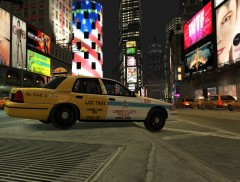
From the album: My Works
A work in progress. Special anti-DUI campaign vehicle. This is a FICTIONAL livery for the LCPD based off the Chicago Police. Chicago does not use vehicles like this. An example of the real thing: http://lisaackerson....police-taxi.jpg -
This is an amazing mod! I love it! However, as a suggestion and request, would you be able to slow the flash down (not sure if flash speed changes due to RAM speed, and varies by computer, if so, please ignore this part), remove the strobe from the turn signals and add it to the reverse lights? Many of the non-els vehicles I've found have the turn signal incorporated into the break light (as many vehicles really do); as such, when the strobes are running, the tail tight flash goes insanely fast since they are flashing both as a break light and turn signal. Having the flash slowed down a bit, and adding strobes to the reverse lights would look really amazing and add a great deal more realism to it. Nevertheless, I love using this mod and will continue to do so. 5 Stars and 2 Thumbs Up!
- 54 comments
- 39 reviews
-
Is this just for the state trooper slot? Or am I missing something when I download this?
- 5 comments
- 2 reviews
-
Here's something I found that has LVMPD uniforms. http://gtapolicemods.com/showthread.php?8803-City-County-Sheriff-Police-Uniforms
-
If any of you would like to play, we've got a game going now. We're in the teamspeak in Multiplayer Lobby 1. Please have DAS and a mic, we'll be basic dispatch coms.
-
Thank you for addressing that. Within a clan or group, I can see this working perfectly. Having never played in one, I was always curious about the roles of supervisors and how they would implement their authority.






