




ineseri
Friends of LSPDFR
-
Joined
Everything posted by ineseri
-
We have updated the progress of LSPDFR as good as we can for several weeks. 2 trailers, several screenshots, comments from Sam, LMS and others, and now the feature preview.
-
You're free to leave at any time, no one is stopping you. To anyone else saying that they haven't gotten an answer from anyone official; It is done when it's done. We never said it was supposed to be released today, yesterday, tomorrow or in a week, or in a year. We have not released any date whatsoever for LSPDFR.
-
When it's done. As always.
-
No. Our focus is getting LSPDFR to work on a vanilla copy of the game. Developers are free to modify their mods to work with our mod if they wish, but it is not something we're interested in. Far too many variables.
-
Neither LCPDFR or LSPDFR is/will be supported with any third-party modifications.
-
Hello there -- welcome to LCPDFR.com and thanks for trying out LCPDFR! Please do the following: Make sure you aren't using a crack - We don't support cracks or people using pirated softwareUpdate GTA IV to 1.0.7.0 (the latest version of the game, or 1.1.2.0 for EFLC) - These patches are needed. Make sure that you run the game as an administrator.Make sure that your GTA IV root folder (and every subdirectory) is not set to "read-only"Ensure that ScriptHook.dll, ScriptHookDotNet.asi and Dsound.dll OR Xlive.dll are in the GTA IV ROOT folderEnsure that there is a folder titled 'LCPDFR' in the ROOT GTA IV folder.Check that all the above files exist, if they do not, reinstall LCPDFR with the MANUAL installation.Ensure that you are using up to date versions of every LCPDFR dependency and LCPDFR itself.Install these: https://www.microsoft.com/en-us/download/details.aspx?id=30653 , https://www.microsoft.com/en-us/download/details.aspx?id=30679 In some cases, your issue is resolved after following the above steps. If it did help, please let everyone know in the topic that your issue is resolved. If you do have to post a topic, do the following; Give a clear, detailed description of the problem.Explain any circumstances surrounding the problem.State what solutions you have tried.Post ALL relevant logs (LCPDFR.log, Scripthook.log, ScriptHookDotNet.log, AdvancedHook.log).Include as much information as possible.Post your system specifications.Post what other mods you are using. This includes car and script mods.Please note that failure to follow these instructions may cause this thread to be closed.
-
We haven't said anywhere it was to be released yesterday/today/tomorrow, that's all been coming from other people than us.
-
When it's done. Seriously people, calm down. You'll know more soon, no need to burn down the forums :)
-
While we're all very excited, it's time to get back on track. Please calm down and stay on topic.
-
I don't actually. Only Sam and LMS knows for sure when it is going to be released, as they are the ones who have 100% control over the project. It isn't currently being uploaded. No need to be rude.
-
No. It means that the developers are looking over the code. Stop putting words in my mouth :)
-
It means exactly what he said - "applying the finishing touches." Not uploading.
-
:P Can't hide nothing!
-
Yes, the trailer has been released for quite a while now :)
-
Please do not double post and if you have to post several images in a row, use spoiler tags. I've added all this to your post.
-
No. The RageHook will not work in GTA Online.
-
Feature preview for LSPDFR released here: http://www.lcpdfr.com/forums/topic/51022-lspdfr-feature-preview/
-
Hello there -- welcome to LCPDFR.com and thanks for trying out LCPDFR! Please do the following: Make sure you aren't using a crack - We don't support cracks or people using pirated softwareUpdate GTA IV to 1.0.7.0 (the latest version of the game, or 1.1.2.0 for EFLC) - These patches are needed. Make sure that you run the game as an administrator.Make sure that your GTA IV root folder (and every subdirectory) is not set to "read-only"Ensure that ScriptHook.dll, ScriptHookDotNet.asi and Dsound.dll OR Xlive.dll are in the GTA IV ROOT folderEnsure that there is a folder titled 'LCPDFR' in the ROOT GTA IV folder.Check that all the above files exist, if they do not, reinstall LCPDFR with the MANUAL installation.Ensure that you are using up to date versions of every LCPDFR dependency and LCPDFR itself.Install these: https://www.microsoft.com/en-us/download/details.aspx?id=30653 , https://www.microsoft.com/en-us/download/details.aspx?id=30679 In some cases, your issue is resolved after following the above steps. If it did help, please let everyone know in the topic that your issue is resolved. If you do have to post a topic, do the following; Give a clear, detailed description of the problem.Explain any circumstances surrounding the problem.State what solutions you have tried.Post ALL relevant logs (LCPDFR.log, Scripthook.log, ScriptHookDotNet.log, AdvancedHook.log).Include as much information as possible.Post your system specifications.Post what other mods you are using. This includes car and script mods.Please note that failure to follow these instructions may cause this thread to be closed.
-
Your topic has been moved to LCPDFR Support Requests. Please post in the correct location in the future.
-
No. I wish I could say more than "No", but it isn't happening. It's been more than 2 months since we upgraded. Come with some concrete suggestions for upgrades, improvements and/or fixes instead of telling us to go back to where we came from.
-
Welcome to LCPDFR.com, glad to have you! :)
-
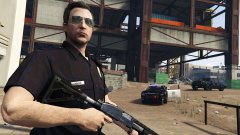 They do, unless you modify them.
 -
Hello there -- welcome to LCPDFR.com and thanks for trying out LCPDFR! Please do the following: Make sure you aren't using a crack - We don't support cracks or people using pirated softwareUpdate GTA IV to 1.0.7.0 (the latest version of the game, or 1.1.2.0 for EFLC) - These patches are needed. Make sure that you run the game as an administrator.Make sure that your GTA IV root folder (and every subdirectory) is not set to "read-only"Ensure that ScriptHook.dll, ScriptHookDotNet.asi and Dsound.dll OR Xlive.dll are in the GTA IV ROOT folderEnsure that there is a folder titled 'LCPDFR' in the ROOT GTA IV folder.Check that all the above files exist, if they do not, reinstall LCPDFR with the MANUAL installation.Ensure that you are using up to date versions of every LCPDFR dependency and LCPDFR itself.Install these: https://www.microsoft.com/en-us/download/details.aspx?id=30653 , https://www.microsoft.com/en-us/download/details.aspx?id=30679 In some cases, your issue is resolved after following the above steps. If it did help, please let everyone know in the topic that your issue is resolved. If you do have to post a topic, do the following; Give a clear, detailed description of the problem.Explain any circumstances surrounding the problem.State what solutions you have tried.Post ALL relevant logs (LCPDFR.log, Scripthook.log, ScriptHookDotNet.log, AdvancedHook.log).Include as much information as possible.Post your system specifications.Post what other mods you are using. This includes car and script mods.Please note that failure to follow these instructions may cause this thread to be closed.
-
It makes no sense from your point to start a discussion and then say there's no point in it. I'd say this topic can be used to discuss what ramifications this and future updates will have on LSPDFR and modding in general. This is only Part 1 of the next free GTA O DLC, there will be a part 2 I'd say.
-
Of course there is a point in discussing it. If you didn't think it was worth it to be discussed, why did you bring it up to start with? @The Loot: Yes indeed, sadly that is true. Although I am not too worried. LMS and Sam has shown time and time again they are more than capable!


