TheWhiteEagle
Members
-
Joined
Everything posted by TheWhiteEagle
-
I'm looking for iCEnhancer that won't burn my PC My specs: Intel Pentium G3420 2x3.2GHz LGA1150 AMD Radeon HD4890 1GB GDDR5 Kingston HyperX 4GB 1600MHz CL9 Cheers!
-
CREDITS - Model is Ford Crown Victoria from Driver SF, converted to GTA IV by F5544, modified by Cj24. - Wheels by Schaefft, converted by Teddy. Do you see smokey somewhere?
- 12 comments
- 3 reviews
-
-
Very Simple.
-
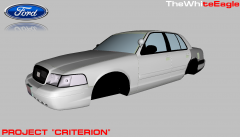 Unlocked model will be overused. Locked versions will be released.
 -
Look into my gallery... And car is WIP so the headlights looks like that
-
For real, I don't want to make it overused. Maybe few modders will get it.
-
From the album: Developer Stories
Project "Criterion" is a conversion of Ford Crown Victoria from Criterion Games' Need For Speed: Hot Pursuit (2010) -
-
-
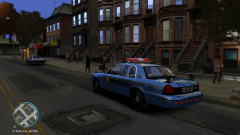
![[WIP] Ford Crown Victoria Police Interceptor (2014 Various Models Connection Edition)](//s3-gallery.int-cdn.lcpdfrusercontent.com/gallery/album_2000/sml_gallery_95623_2000_1785683.png)
From the album: American Emergency Vehicles
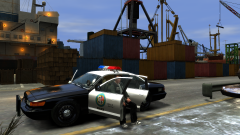
Short story: I was really bored. I was browsing my unlocked models and that's what I found: 'CVPIschaefft.wft',' DSFInterior.z3d' and 'CVPICjKevin.wft'. So, I've started thinking about something like that: "Good looking Schaefft's CVPI with HD Interior and 3D Grill". I've started my ZModeler and imported these models. I have detached 3D Honeycomb grill from Cj24 and Kevin's D:SF Vic, dashboard with steering wheel from D:SF ripped interior. I have deleted old dashboard, steering wheel and old grill from Schaefft's CVPI and fitted new parts! Some model specs: Size with equipment (model presented on screenshot): 5,4mb Size without equipment: 3,3mb Cars&parts used on shot: - Schaefft's Vic (BxBugs123 unlocked model of course) - 3D grill detached from Cj24 and Kevin's D:SF Vic - dashboard&steering wheel ripped from D:SF - deco's Code 3 21TR - Bugs' GoRhino Pushbar - Traumapak's Whelen 400 Series 6 over 6& SoundOff Predator 2 - evanscornelius' Arma Police console - kode103's LIberty Police Skin -
![[WIP] 3D Interior for Bugs' (Schaefft's) CVPI](//s3-gallery.int-cdn.lcpdfrusercontent.com/gallery/album_2000/sml_gallery_95623_2000_1563913.png)
From the album: American Emergency Vehicles
-
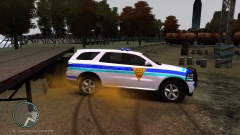
![[WIP] 2013 Ford Explorer Liberty Police Dept.](//s3-gallery.int-cdn.lcpdfrusercontent.com/gallery/album_2000/sml_gallery_95623_2000_1979993.png)
From the album: American Emergency Vehicles
-
Hah, CupSell should make more of them. Looks nice Yard1, I must get something like that too!
-
NON-ELS Lights are dummy helpers. They are called siren_x (x is number, for example siren_4). Send a PM to me and I will make a little tutorial for you.
-
-
-
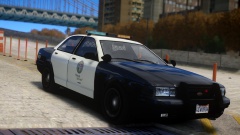 Hah, another shot of my cruiser in action.
 -
-
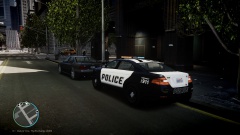
From the album: GTA V Police Fleet
Please don't look at white boot because it's one of multiple liveries (I haven't modified them, so there are black or white) ;D So I have optimized it for ELS v7 Vapid: http://www.gta4-mods.com/vehicles/gta-v-vapid-police-interceptor-els-v7-optimiz-f25544 (Screenshots are done with older ENB) ENB: http://www.gta4-mods.com/misc/ultimate-graphics-mod-v1-f12303 -
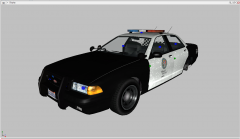 Hah,look for Vapid Interceptor too. I'm optimizing Unmarked Stanier, Buffalo and three Grangers!
 -
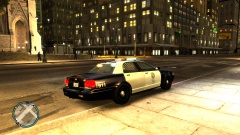 No problem buddy. I'm waiting for approval on gta4-mods.com. I'll post the link when It will be ready to dl :D
 -
From the album: GTA V Police Fleet
Here is link! http://www.gta4-mods...ptimized-f25524 -
It will be released on saturday/sunday on gta4mods.com
-
Cool down! That was a surprise, but now it isn't. It will be released this week :-P