


Piarulli246
Members
-
Joined
-
Last visited
Everything posted by Piarulli246
-
I would do what Reibu says and also, take of all the badges that are on the car that say Tahoe, LT, and etc. I would also remove the trim off the side doors.
-
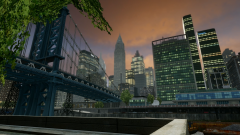 Yes sir
 -
:)
-
From the album: Images by Foward
Very random photos I took and thought I would share! Enjoy!!! -
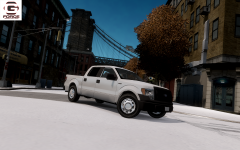 Why you guys so immature? Grow up.
 -
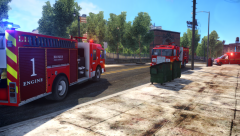 Love that rigs skin so much. Awesome shot with an awesome ENB!
 -
 It is for his clan I am pretty sure.
 -
It seems like a good build. The only things I would change is the CPU, Memory, and Storage. For the CPU, I would go with an Intel i7 3770K 4-Core since I heard they were actually better than the 8-Core. For memory I would get the G.Skill brand since they have better reviews and more people use them. For storage, you might want to get more than 1TB like 2 or 3. It depends how much space you need so if you were to use it as your everyday computer with games, music, pictures and whatever you have than I would go with more than 2TB. Or if you have many games and record you will need room. Also if the case you are getting doesn't come with fans than you might want to invest in like 3 of them to circulate the air to keep your computer cool especially when you are playing games. I recommend the name brands like cooler master, enermax, rosewill, and etc. 120mm will fit your case nice and work well. Anyway, this computer will be able to handle Grand Theft Auto and any other games you wish to play since that is a very nice graphics card. if you wanted to spend a little more money, you can go with like a GPU like this http://www.newegg.com/Product/Product.aspx?Item=N82E16814125462 that is only a few more dollars but will run Grand Theft Auto fine with mods and a nice ENB. Hope this helped a little and hope to see how it comes out dude.
-
![Dodge Charger W/ FS Valor [WIP]](//s3-gallery.int-cdn.lcpdfrusercontent.com/gallery/album_2717/sml_gallery_25138_2717_399216.jpg) Hahah. He copied me lmao:)
Hahah. He copied me lmao:) -
it isn't but it is true. :) Anyway, here is a tutorial that is pretty detailed: http://www.lcpdfr.com/page/tutorials/index.action/_/vehicle-modification-tutorial/how-to-map-and-make-templates-for-gta-iv-models-r1
-
 Very nice skin but don't really like the truck. Can you do that on Sgt. Kanyo's E-450 Bus?
 -
 Thanks!
 -
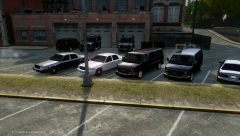 :)
:) -
From the album: Images by Foward
Lenco Bearcat by KevinDV GMC Savana by Foward Ford Crown Victoria by Foward -
-
Very weird siren but awesome video. I have never heard that before.
-
 Looks nice but too high poly.
 -
-
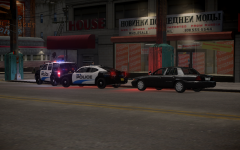 Check my profile since I am on my phone and I am lazy.
 -
Yea that bar is very high poly like 0taku said so I would use the one that is released on another website that we can't discuss here.
-
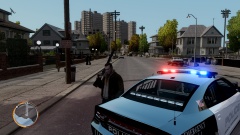 Those window bars look bad. Gotta refit them for this vehicle.
 -
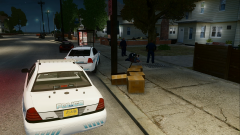
From the album: Images by Foward
Vehicles are a WIP. -
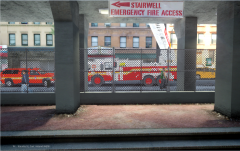 Oh damn!
 -
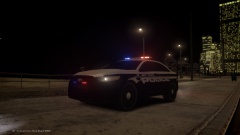 Pretty sure he's not releasing. I think this is for his clan.
 -
![Dodge Charger Slicktop [WIP]](//s3-gallery.int-cdn.lcpdfrusercontent.com/gallery/album_2234/sml_gallery_95217_2234_2974903.png) Thanks guys!
Thanks guys!

![Dodge Charger W/ FS Valor [WIP]](http://s3-gallery.int-cdn.lcpdfrusercontent.com/gallery/album_2717/sml_gallery_25138_2717_399216.jpg)

![Dodge Charger Slicktop [WIP]](http://s3-gallery.int-cdn.lcpdfrusercontent.com/gallery/album_2234/sml_gallery_95217_2234_2974903.png)