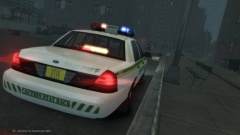
LoneWolf7
Members
-
Joined
-
Last visited
Everything posted by LoneWolf7
-
I'm not sure if you could consider ELS 8's DROT feature the same as Netman's lights (I'd venture to say that Netman's way looks better) The ELS way is to keep extra 1 static and using the default lighting system to spin around the extra to reveal it as it spins. I have made it work, sorta. I'll post a video sometime tonight hopefully. I'll also post the hierarchy tonight so others can see how it works a bit more clearly.
-
Me too, unfortunately I think the knowledge base is really small right now, so I'm not sure if anyone who will see this will know. Hopefully though someone does share.
-
There isn't a bronco model to mod. The only one for gta 4 is an old 70s one, but its locked anyway. I wanted to recreate the bronco too!
-
If I can figure this out, I'll get you that lightbar
-
Well, I can't convert (Haven't got the hang of that yet) but I can make lightbars.
-
I thought that might be it, but I wasn't sure how to map it with the ELS. And also, wouldn't the default GTA lighting system interfere? Or does this ELS disable it? Yep, thats what I'm trying to figure out! I plan too! Once I figure out how to map it! Yep, the game only recognizes those slots. If you could produce a model, I'd make a lightbar for you. (Of course once I figure this out)
-
One of the big highlights of ELS 8 was the ability to actually have moving rotating lights by modifying the default lighting system. I read over the user manual and didn't find anything other than a reference to DROT. While the guide goes into great detail about arrow boards I find it lacked information about setting up the rotators in zmodeler. So anyone have any idea how that might be set up?
-
 Definitely my favorite! New LEDs are cool, but not as good looking as the older rotators!
 -
-
From the album: GTA IV Misc
-
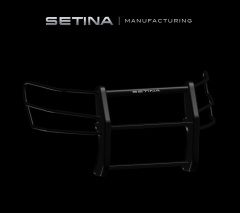 Looks fantastic!
 -
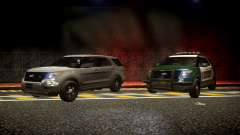 Loving the look of that brush guard on the second one!
 -
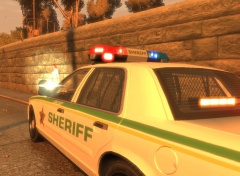
From the album: GTA IV Misc
-
-
Ford did make the E150. It was part of their North America van series, commonly called the E-Series vans. This is their final year of production.
-
-
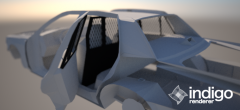
From the album: GTA IV Misc
Work in Progress CVPI Cage. Hopefully will be unlocked. -
-
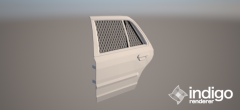
From the album: GTA IV Misc
-
'?do=embed' frameborder='0' data-embedContent>> There you go!
-
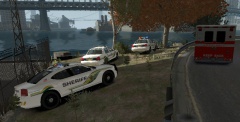
From the album: GTA IV Misc
-
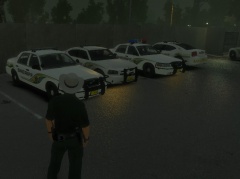 No where, they are just personal projects. If you're truly interested in them send me a PM.
 -
I've used the campaign hat before and I do like the campaign hat, but I feel like its too formal for the "small town sheriff" look. I use the campaign hat for the state troopers though. I guess I'm just being really picky :P
-
I know requests are usually frowned upon communities like this but I figure it couldn't hurt to ask. Awhile back ago I inquired about fixing the ingame cowboy hat to properly fit the police man model and I was told I couldn't do it in zmodeler because the file type wasn't supported. So I'm hopping someone has the time to adjust the position of the hat to fit correctly. Basically the hat just needs to be moved forward a bit. I also have a 3D model of a Ford Ranger, while I'm decent with Zmodeler I don't have the skill level to get this to a level of being converted. I'm just hoping someone is interested in tackling this for me. Hopefully someone takes notice of these suggestions and takes them up!
-
From the album: GTA IV Misc