


LoneWolf7
Members
-
Joined
-
Last visited
Everything posted by LoneWolf7
-
-
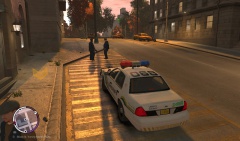
From the album: GTA IV Misc
Testing extra center piece for the Streethawk -
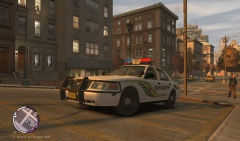
From the album: GTA IV Misc
Testing extra center piece for the Streethawk -
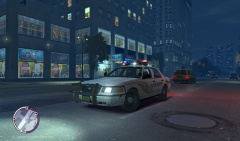 I do agree, the old rotation lights were just cooler It is? The model was already in place when I imported the lightbar, it looked good to me. I'm no expert though so maybe it is too high.
 -
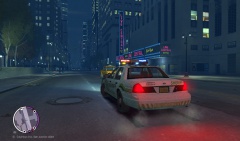
From the album: GTA IV Misc
Just testing a center piece for Lt.Caine's Streethawk -
From the album: GTA IV Misc
Just testing a center piece for Lt.Caine's Streethawk -
If someone were to attack the Olympics they have to account that you've gone from attacking a single nation, to attacking just about every nation on earth at once.
-
Thanks for the responses guys, unless someone can do it for me, I don't think I have the time to learn two programs to simply change the position of something :/
-
So I've managed to become comfortable enough using ZModeler to create some police cars and add some custom parts to them. So I then tried my hand at changing the color of the police uniforms, that was easy enough. So I then thought it would be unique to swap the cowboy hat for the police hat and make the PED's look like Sheriff's instead of Police. The problem is that the hat is too far back and the PED's forehead can be seen though the front of the hat. I thought I could fix this by adjusting the hat's position in ZModeler but it crashes after I try to export it. (As a .WDD file) A quick google search revealed that ZModeler was never finished and .WDD files aren't supported and that I have to use 3D max? Is there any other way around using 3D max? I'm not familiar with it and it seems like a lot work to buy it and learn to use it, to simply move a hat forwards a bit.
-
Woot! Good to see this back on track!
-
Looks good, hopefully you get it solved soon!
-
I was more concerned about the rim size than the tire size haha. The rim is way to large with a skinny little tire.
-
The frame looks good, minus the odd giant looking wheels.
-
Looking good! Seriously can't believe someone is tackling her!
-
![Ford Ranger [WIP]](//s3-gallery.int-cdn.lcpdfrusercontent.com/gallery/album_2124/sml_gallery_45963_2124_332605.jpg) Looking good! Can't wait to see the finished product!
Looking good! Can't wait to see the finished product! -
![Ford Ranger [WIP]](//s3-gallery.int-cdn.lcpdfrusercontent.com/gallery/album_2124/sml_gallery_45963_2124_160364.jpg) Oh boy oh boy :) I have a better version I can send you if you're serious about converting it.
Oh boy oh boy :) I have a better version I can send you if you're serious about converting it. -
Heck, I'd like to see the old explorers too, I think a lot of it is getting a good model to use. Since models don't appear out of thin air.
-
-
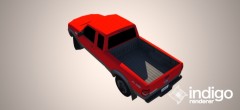
From the album: Ford Ranger FX4
A much improved version of my previous Ford Ranger model. -
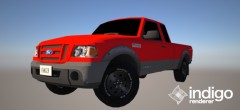
From the album: Ford Ranger FX4
A much improved version of my previous Ford Ranger model. -
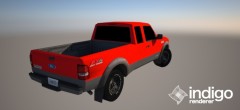
From the album: Ford Ranger FX4
A much improved version of my previous Ford Ranger model. -
Nope, its definitely a 2008 - 2011 Ford Ranger (The ones sold in North America)
- 9 comments
- 5 reviews
-
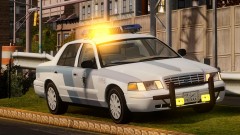 Fantastic looking crown vic, is there a download to it? Or did you make it yourself?
 -
All fair points! Thanks for listening though!
-
Hello! You said you were taking requests, I have a vehicle model I'd like to see make its way into the game: '?do=embed' frameborder='0' data-embedContent>> I don't know if you can do that, if that isn't something you can do no worries!



![Ford Ranger [WIP]](http://s3-gallery.int-cdn.lcpdfrusercontent.com/gallery/album_2124/sml_gallery_45963_2124_332605.jpg)
![Ford Ranger [WIP]](http://s3-gallery.int-cdn.lcpdfrusercontent.com/gallery/album_2124/sml_gallery_45963_2124_160364.jpg)
