Sentinel55
Members
-
Joined
-
Last visited
Everything posted by Sentinel55
-
 Yes, just make sure that the vehicle you've replaced supports liveries. I don't want to see these cars in an NYPD livery.
- 323 comments
- 52 reviews
-
 As I said, most units with the CVPE equipment never had them. Only the last picture actually shows a car with the new Iforce system. Anyways, I'll gladly add them in the next update.
- 85 comments
- 36 reviews
-
-

- 1
-
-
-
-
Turn your Post Fx settings on high.
-
Should be an easy project, I'll probably start tomorrow. Weird sums up the CHP pretty well, I kinda like it.
-
Looks alright to me, I have no clue what's causing the issue then. I'll see what I can do tomorrow. ??? I will not change the color of the push bar lights if that is what you're talking about. Thanks, man! I really appreciate it! I'm not quite sure, I'll probably work on an LAPD or LASD Vic next.
-
I don't have that problem, make sure to install the els files correctly.
-
Good! Let me know if you find anything else.
-
It depends. It should work now on both packs, but let me know if it still happens.
-
Thanks for the info. I'll take a look. I don't really like explorers. But I'll think about it.
- 323 comments
- 52 reviews
-
-
- 1
-
-
You're welcome!
-
Uncheck the ' Affect Children ' box.

-
-
Keep me updated.
-
-
-
Thanks! It might be caused by your ENB. Tell me which one you're using and I'll try to recreate the problem.
-
-
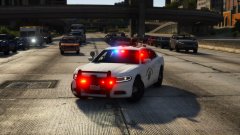
From the album: Gta 5 Pics
Released! -
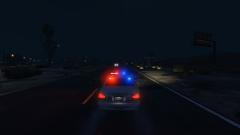
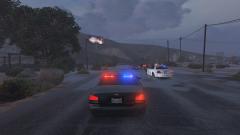
Hey there! The newest addition to the CHP fleet, now also available for GTA V. Features: Accurate Lighting Accurate Equipment The front and rear of the lightbar can be controlled independently Animated antenna Reflective Decals And a whole bunch of small details most of you will never notice That should be it. Have fun! These cars require an unedited carvariation.meta to work properly!!! If you do not have it, the yelp pattern will be messed up.
- 323 comments
- 52 reviews
-
-
-

-

- 60
-
-
-
You have to activate the spotlights and takedowns separately.
-
So, the Vics are almost finished. I have increased the size of the main antenna and the pushbar lights by 15%, made some minor visual changes to the Iforce system, fixed a big hole in the chassis, improved a few textures and I've fixed the bugs mentioned by Kanyo on site 3. And yes, I've also improved the taillights. Is there anything else that needs to be done? Let me know.
-
Not quite. It's complicated. It should be that way.


.png.e65de7ded80958c6007b7f408058a478.png)