


Sentinel55
Members
-
Joined
-
Last visited
Everything posted by Sentinel55
-
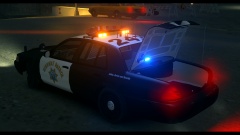
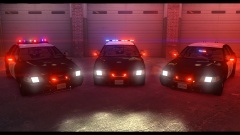
Hey everybody! Since the California Highway Patrol is by far my favorite Agency I decided to start a pack and I have tried to make it as realistic as possible! As always, many thanks to McAwesome6934 for testing, screenshots and providing and awesome Video!! All three cars featuring a realistic Traffic Stop Mode. If you want to use the Traffic Stop Mode press: J + L and the Button for the cruise mode: ] If you're using the Crown Vic with the Vision Lightbar you only have to press J 2 times to activate the Traffic Stop mode. But keep in mind that you have to fix the car because the rotators have to be in the Default position. - This Pack is optimized for light enhancing mods. - If you find any bugs, have a qeustion or just want to talk to me feel free to pm me! - Do not upload this pack elsewhere without my permission! - Do not edit content of this pack without my permission! Video: https://www.youtube.com/watch?v=Xtg0QzdMaI8&pxtry=1
- 40 comments
- 17 reviews
-
The car was made by Netman005 and was never released.
-
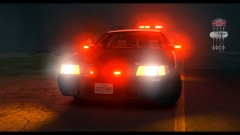 Thank you guys! :)
 -
From the album: Work In Progress IV
WIP -
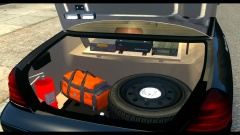
From the album: Work In Progress IV
WIP -
The lightbar spawns randomly. That is a nice feature and not a bug!
-
http://www.lcpdfr.com/page/tutorials/index.action/_/script-data-file-modification-tutorials/how-to-make-your-els-lights-brighter-r61
-
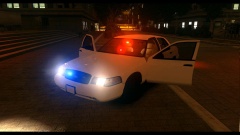
From the album: Work In Progress IV
Canceled!!! -
I'm jealous of you!! I would love to live there. It's so amazing and beautiful there!!
-
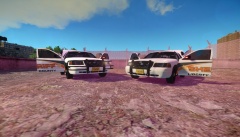 Awesome work man!! I would remove the ford badge on the trunk. Like the LA Sheriff cars: '' target='_blank'>> Just a suggestion!
 -
From the album: Work In Progress IV
WIP -
You're welcome!
-
Maybe this will help you: http://forum.zmodeler2.com/viewtopic.php?f=11&t=5565
-
I would say that you're using the wrong material.
-
 You're welcome!! :)
 -
'?do=embed' frameborder='0' data-embedContent>>
-
 Yes Thank you!! :)
 -
From the album: Work In Progress IV
My current WIP. -
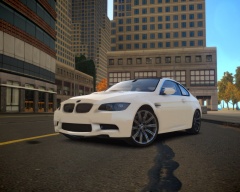 One of the most beautiful cars on the planet!!!
 -
I would say that it's the GTA V Save Editor, I have the same Icon on my desktop! :)
-
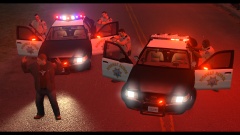 I'm using a retextured version of this: '?do=embed' frameborder='0' data-embedContent>>
 -
From the album: CHP
-
'?do=embed' frameborder='0' data-embedContent>>
-
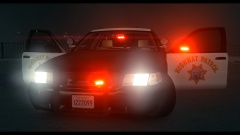
From the album: Work In Progress IV
The last one in my upcoming CHP pack! Current file size = 5.5 mb. Yes, something has gone VERY wrong! -
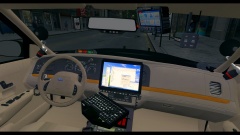 I will use the mirror from Schaeffts crown vic. Without OnStar. Thank you anyway!! :)


