


Robert Sea
Members
-
Joined
-
Last visited
Everything posted by Robert Sea
-
-
-
-
-
Problem with train simulator, it gets boring after a while, at least, that's my experience. With a game like prison architect, unexpected things are happening, you keep improving the prison, you have to respond to riots, fires, fights, breakouts, etc etc. But yeah, now you know multiple peoples perspectives about a few games. Have fun choosing which one I would go for prison architect =D. :p
-
I would go for prison architect, it is a great game with active developers who keep improving and updating the game in many ways. I have the game myself! Concerning your FPS, the game is not demanding. :] Good luck!
-
-
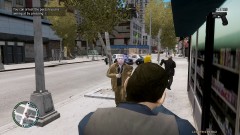
From the album: On Duty
Took him down, nobody else got hurt. -
-
From the album: On Duty
-
From the album: On Duty
-
From the album: On Duty
-
From the album: On Duty
-
-
-
-
Good luck with your new assignments! =)
-
Thanks for the awesome mod! =)
-
-
-
-
Time for my desktop after one week not cleaning up
-
Good that I could help.
-
You can disable hotkeys by going to the native trainer's options IG and at the first menu on the right you see the option: Disable Hotkeys [Enable/Disable]. Put that on disable. . To turn off the whole native trainer, do: CTRL + ALT + D. To turn it on, do: CTRL + ALT + E. That's all I use. ;) Good luck!
-





