


Thehurk
Members
-
Joined
-
Last visited
Everything posted by Thehurk
-
 Why does it matter? just change it in the trainer No, i've already used up every siren slot.
- 269 comments
- 67 reviews
-
-
-
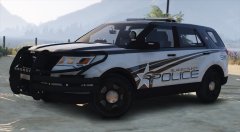 @Illusionyary You've created a work of art, thats what you've done.
 -
The way you have to set up the sirens means you have to scale them below the vehicle, im not going into the nitty gritty but its something that is necessary, i moved them low enough to where if you catch some air driving, you wont see them. My suggestion is, dont flip the car. Why the lights are all white? I dont know. Thats what your game chose for the color. Its simply easy to change the color of it with trainer
- 269 comments
- 67 reviews
-
-
Have fun, just make sure to say that i did the base skin if you ever port it to another vehicle 2016 utility skin.psd
- 269 comments
- 67 reviews
-
-

- 1
-
-
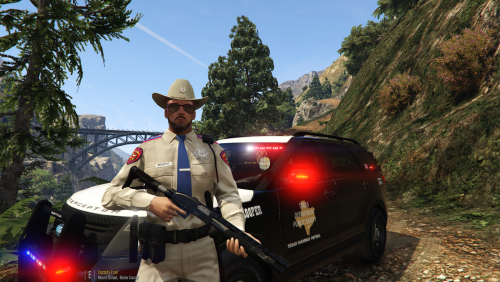 @PoliceBike36 I did not approve for you to release my vehicle again. In my TOS it says: -You are not to attempt to modify or rip this model in any way shape or form.-I (Thehurk) am not resposible for any damages done to your game. Please make a backup of any edited files!-Do not attempt to make a profit off this model in any way shape or form.-Do not upload this file to any other site, claiming it as your own. -Do not re-upload this file, make a link to it.-If you want to use this file in a clan, PLEASE ask me before doing so. I would like to kindly ask you to remove the vehicle files from your files and make an instructions list or instructional video about how to set up this pack.
- 18 comments
- 3 reviews
-
-
- 1
-
-
Sitting too high is something i can fix and have with the base model. Dealing with replacing the policet i can't provide any support for that, my suggestion would be just copy one of the carvariations from a diff police slot.
- 269 comments
- 67 reviews
-
I really appreciate you putting the comment in such a constructive manner, and more of a suggestion then telling me to do it. A little insight why the model would be hard to scale up with all its lights on it, would be because all the dummies, the things that allow for the doors to open, windows to break, wheels to be centered where they are, and for the handling to work the way it does, would have to be remade or repositioned. When i was converting this base model, i ran into an issue where you would be able to walk through the center of the vehicle, and where you would shoot it and bullet impacts would show up, would be a DIRT texture instead of metal. Why this happened, i dont know. I had to remake all colisions and by that time i just decided it was going to stay the way it is. I'm currently going back and trying to drop the file size of the car, and maybe i will see about scaling the vehicle. All you need to take is the Siren settings which need to be 1, and put it for whatever slot you want to replace.
- 269 comments
- 67 reviews
-
-
- 1
-
-
To disable the lights would require them to be separate from the main portion of lights, meaning they need to be set to different sirens. Seeing as how i've used up all the siren slots, it wouldn't be possible
- 269 comments
- 67 reviews
-
This Is not possible. I've utilized all 20 siren slots and there is no way to go and add more then that. So the answer would be no, it isn't possible. I wont also go and remove any of the other lights because of how tasking removing just a single light will be. Its not like old ELS where you can just go in and delete all the parts you delete them. The rambar and all its wraparound parts are set up as removable extras. The headlight Ions are in there for Intersection lighting.
- 269 comments
- 67 reviews
-
Much Sex, Such wow
-
Eh, its a tiny thing that i neglected, i dont much care about that if im to be honest. I believe i didnt turn up the LOD emssives up enough. I may go back and fix this but currently im working on making another vehicle.
- 269 comments
- 67 reviews
-
-
This is going to be fixed once i have the HQ Utility interior for it. Youre installing it for the sheriff2? You didn't install the carvariations for using it in a different slot. You must have incorrectly copied the lines, It is something on your end because i have exactly those lines in my game and i play for hours with no issues. The main thing you want to look for is at the beginning and the end of the files <item> and </item>
- 269 comments
- 67 reviews
-
the model was scaled to the original Gresley. Because of all the collision issues and stuff i had with the base model when i converted it, i wont be scaling it up at all. It doesn't really bug me in the slightest because i don't notice it.
- 269 comments
- 67 reviews
-
It will at a later date. That is possible, but i wont include it in my file, its not hard at all to do.
- 269 comments
- 67 reviews
-
-
- 1
-
-
It's the way i made the running lights, which is unfortunate, but next time i get a bug with the model, ill go back and attach the running lights to the headlights
- 269 comments
- 67 reviews
-
No, the base vehicle uses the generic textures. All blue lights will cause the lights that are dual mapped to be steadyburn blues. So no there wont be a chance of that. I'm aware of this issue, the vehicle's dirt mapping wouldnt stick like i said in an earlier comment.
- 269 comments
- 67 reviews
-
-
- 1
-
-
I know, the dirt mapping in zmod wouldn't stick for some odd reason. visualsettings.dat
- 269 comments
- 67 reviews
-
I played with my car for an hour after release so i mean, i don't think its my car.
- 269 comments
- 67 reviews
-
I don't make videos, my best suggestion would be look through the comments again. There is something wrong with your game, the only other thing im going to suggest is to install radiance after visual v. After that, its going to be up to you to figure it out. Just flat out crashes?
- 269 comments
- 67 reviews
-
You have to open it up in a program like notepad ++ and just copy and paste the lines i have.
- 269 comments
- 67 reviews
-
I apologize man, but i cant understand your broken english. If you install Visual V after you install radiance, it replaces the numbers that radiance replaces Here is my visual settings visualsettings.dat
- 269 comments
- 67 reviews

