


Thehurk
Members
-
Joined
-
Last visited
Everything posted by Thehurk
-
 Since some people are still having issues with getting their lights to work, Here is my carvariations. Install location remains the same. HERE MODEL OVERVIEW ================================= - NAME: 2013 CHP Harley Davidson Electraglide - VERSION: V1.0 - EXTRA PARTS: N/A - OPTIMIZED FOR: Policeb !!!!!!!! IMPORTANT !!!!!!!!!! If you are feeling generous today, I always will welcome small donations. It is no way required, but any amount if you do choose to donate will be more then greatly appreciated! TO GET THE LIGHTS TO WORK PROPERLY ON THIS MODEL, YOU MUST MUST MUST INSTALL THE CARVARITAIONS LINE INCLUDED WITH THIS FILE. IT WILL MAKE THE POLICEB ACT LIKE POLICE WITH THE WAY THE LIGHTS FLASH. If you know anything about siren settings, just change the policeb to 1. DO NOT MESSAGE ME ABOUT YOUR LIGHTS BEING DIM, AS YOU CAN SEE BY THE SCREENS, THEY ARE WELL ENOUGH BRIGHT. ENSURE YOU ARE USING RADIANCE V AND YOUR POST FX AND YOUR SHADER QUALITY ARE SET TO MAX. I will not give support to a question that has already been answered, please read through the comments section or this read me, as it is here for a reason. =============== Instillation =============== To install the Harley, all you have to do is navigate to the latest patch day you have in your MODS folder, and place it in the vehicles.rpf there. For me it would be: C:\Program Files (x86)\Steam\steamapps\common\Grand Theft Auto V\mods\update\x64\dlcpacks\patchday9ng\dlc.rpf\x64\levels\gta5\vehicles.rpf\ To install the CARVAR file, navigate to: C:\Program Files (x86)\Steam\steamapps\common\Grand Theft Auto V\Mods\update\x64\dlcpacks\mpvalentines2\dlc.rpf\common\data and Install the line into the carvariation there! =============== NOTES =============== A lot of work has gone into this bike, it has been a long time in the making and I would just like to thank the guys over at Code Zero gaming, more specifically Polecat324 and BayAreaBugs, for giving me the opportunity to do these bikes. This bike is part of a CHP mega pack that I will be releasing at the earliest time it is done. The pack includes: - 2016 Utility - 2013 Marked and slicktop utility - 2013 Ford F2/350 - 2011 CVPI, vector and Liberty - 2010 Dodge Charger and whatever else i can find pictures of! It took a long time to do because the base model that was crunched was about 1.4 MILLION triangles, so it was quite the project. I always thought that pay walls were fucking stupid, so a huge thanks to the guys at code zero for rendering the current one on the Harley in the community obsolete, and this bike is also of better quality. The model itself is quite large in megabyte size, but it should not be an issue with anyone's game as the PoliceB does not spawn on a reoccurring basis. Once again as i've stated, YOU MUST INSTALL THE CARVAR LINE BEFORE USING THE BIKE! There should be no problems with the bike itself, it should act exactly like the default policeb. If you have any issues, make sure to leave a comment or PM me! This model is after the California Highway Patrol, so it has a steady burn and their lights they use on the bike itself. There is a template included with the file itself, so you are able to make your own skins for the bike. The DEV versions of this bike will be released later next month. I will be releasing a LAPD version with their gun mounts on it later next week. If you encounter any bugs, feel free to message me! A HUGE thanks to Windows446 for the gorgeous skins! He is also doing paid skins, for anyone who is interested in getting beautiful High quality skins! Disclaimer ================================= -You are not to attempt to modify or rip this model in any way shape or form. -I (Thehurk) am not responsible for any damages done to your game. Please make a backup of any edited files! -Do not attempt to make a profit off this model in any way shape or form. -Do not upload this file to any other site, claiming it as your own. -Do not re-upload this file, PLEASE MAKE A LINK TO IT. -If you want to use this file in a clan, PLEASE ask me before doing so. Enjoy!!!
- 93 comments
- 36 reviews
-
-

-

-

- 36
-
-
-
-
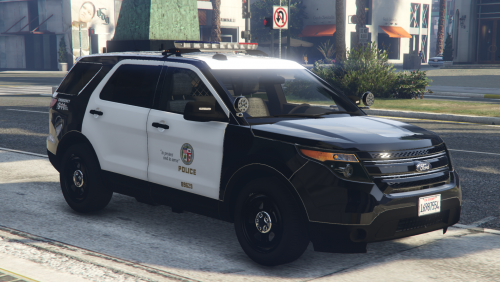 Do you mind if people use this interior on their FPIUS? This is worlds better then what anyone has right now.
- 10 comments
- 2 reviews
-
-
- 1
-
-
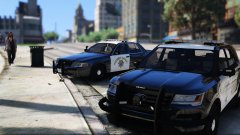 I'm aware of this, i already have scratch made the console and laptop.
 -
I like a little friendly Compeition . Hell, i could probably eventually send you all the interior equipment that i've made for the CVPI.
-
Thats the plan
-
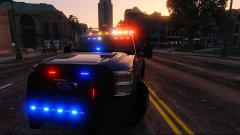 There will be a CHP version, but not that im going to release just yet.
 -
I'm making the entire CHP fleet
-
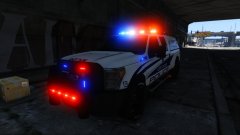
From the album: Thehurk's WIPS
Alls that is left to do is edit some little bits of the skin, then it'll be released! -
There is going to be two versions for people who dont like the rockstars.
-
Its only the start, still planning on adding a lot more to this. Yes it will be released.
-
From the album: Thehurk's WIPS
Hmmm, im starting to like this. totally not a chp bmw in the background -
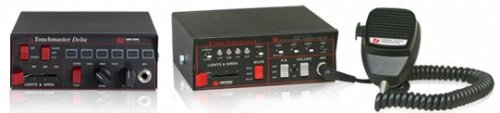 Jesus Sharp, this thing is fuckin beautiful. Never installed a siren before, but i think i might have to.
- 14 comments
- 8 reviews
-
-
- 3
-
-
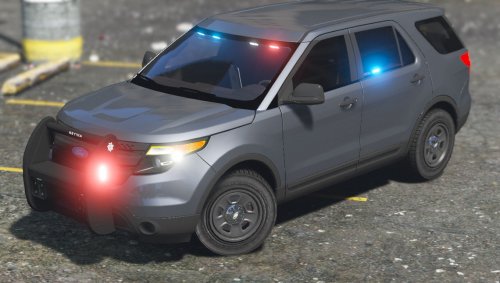 All vehicle models should be installed to the latest patch day you have in your Mods folder.
- 25 comments
- 23 reviews
-
-
- 2
-
-
About time someone did a VPD car. Been wanting something from VPD in my game for a while!
- 25 comments
- 23 reviews
-
-
- 5
-
-
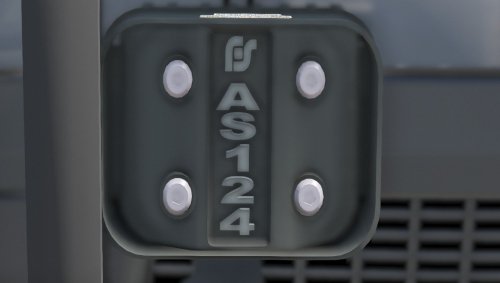 Its a speaker, that doesn't actually work. Figured i would start releasing DEV stuff. No reason to just keep it to myself. This model is provided in an unlocked format for people to use on their vehicles. Credits ================================= -Federal Signal AS124 scratch modeled and textured by Thehurk Disclaimer ================================= -I (Thehurk) am not resposible for any damages done to your game. Please make a backup of any edited files! -Do not attempt to make a profit off this model in any way shape or form. -Do not upload this file to any other site, claiming it as your own.
 -
-
 Thats something i can see about doing, i might have a version of this pack with RDE addons You cant see in the picture but they are there.
 -
Maybe, Possibly, likely, who knows. In the description of the file, i said there are 3 or 4 more cars i need to make, some of which include the Vector cvpi, an expedition that doesnt look like ass, a 15 expedition and a few more which i haven't revealed yet.
-
That would be mine, and ill be doing an LAPD version, with the AR mounts and the Baton/flashlight holders.
-
From the album: Thehurk's WIPS
The current cars i've done for CHP, There is going to be one more bike and about 3 or 4 more cars. -
There could be multiple reasons why its not working. If you know anything about the carvariations, all you need to do is change the siren settings to 1, so it uses the same flash patterns, rotations, and shit like that as the police. That's all the carvar does. If you're talking about the lights being dim, as Justice said, Instai radiance V and make sure post fx and shader quality is ultra. if you're talking about the lights being dark at distances, its because i couldnt use coronas on this vehicle.
-
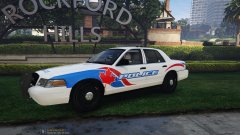 YES!! I LOVE IT
 -
 I originally intended on this being a unmarked car, so i put the default plates on there. Im not sure if there is a way around.
- 126 comments
- 41 reviews

