


Thehurk
Members
-
Joined
-
Last visited
Everything posted by Thehurk
-
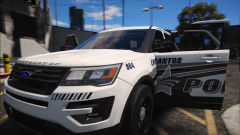 Its that bar just with a different mounting system
 -
Literally off of whelens webside and some video i had before.
-
It just means youre the O.G. The tray will be out the entire time, i also will be mounting an AR to the Box. The ions are a whelen Duo that i modeled, and the rear bar is an inner edge RTX.
-
From the album: Thehurk's WIPS
Newest LSPD 17 FPIU getting ready for business. Modeled the Setina modular cargo storage container today. Once again gorgeous skin by @getinmybelly0627 -
 Might be that you need a different game config that allows for more added vehicles
- 501 comments
- 104 reviews
-
Did you perhaps put a space somewhere that would cause the "coding" of the meta to break?
- 501 comments
- 104 reviews
-
-
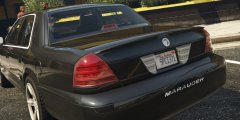 This thing is turning out gorgeous! Want!
 -
I don't know exactly what you mean the brightness goes down. Maybe you have sunglasses on?
- 501 comments
- 104 reviews
-
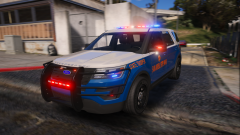 I'm still working out what i want to have configurable. I don't know if i will indeed make the outer edges an extra or not. I didn't want to have a slickop in this vehicle, so i will be making a slicktop/unmarked with a different setup to go along with this vehicle.
 -
From the album: Thehurk's WIPS
I don't think you guys mind it, do you? Link to full album here :http://imgur.com/a/I8zQI Skins by the great @getinmybelly0627 -
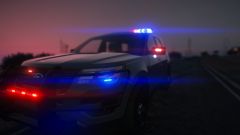 Its going to have hidden coronas that every single one emits light. The car will also feature a second version with a custom pattern by Windows446
 -
From the album: Thehurk's WIPS
Ayyyy -
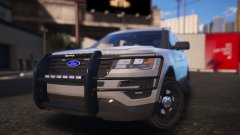
From the album: Thehurk's WIPS
Maybe soon. Depends if my zmodeler likes me today or not. Also have fixed the Contrast between interior textures. -
I was not able to recover any of the files from my old harddrive. It was completely dead. I've had to start over.
- 501 comments
- 104 reviews
-
I don't use addon vehicles. After my terrible experiences with RDE i refuse to use it.
- 501 comments
- 104 reviews
-
The sirens are consistant throughout the pack, or at least they should be. I made this pack before the possibility of carcols.
-
 I believe that is something to do with your game. From the screenshots you can see that the truck was well bright enough for when i made it.
- 158 comments
- 54 reviews
-
Take said skin into a picture editing program like photoshop and change the image size to 2048x2048
- 158 comments
- 54 reviews
-
The File still works with the newest update, but i HIGHLY HIGHLY HIGHLY advise using patch day 10 and using the replace method, without replacing the gameconfig, as i don't have an updated one. You need to make sure that you have coppyed the meta from my file, into your game, if you have done that, then you need to make sure that your police4 line has the vehicle_has_liveries or has_liveries or something along those lines.
- 501 comments
- 104 reviews
-
 Uhh sire, that would look like you have a car mod shop file, specifically the roll cage of some car, spawning with your bike.
- 218 comments
- 42 reviews
-
-
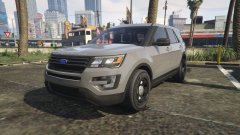 Already made one bud, Look at my CHP pack Its got no lights on it, They are the projectors/reflectors in the headlights.
 -
From the album: Thehurk's WIPS
Ayyyy its finally done. Now to go and make something with it! -
I can't do anything about your game being updated. Its not something to do with my pack if the game updated and how it crashes. My game after it updated crashed every time.
- 501 comments
- 104 reviews



