


Murphy909
Members
-
Joined
-
Last visited
Everything posted by Murphy909
-
Simply brilliant idea, cant wait to try. This will be fantastic for role play. Also Is it possible to change the location of the text? I couldn't find any options in the .ini
- 20 comments
- 4 reviews
-
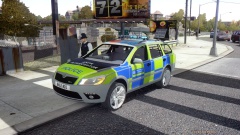
From the album: GTA London
-
 I'm fully aware of what's on the PC screen ;)
 -
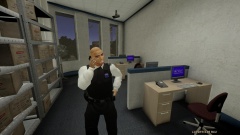
From the album: GTA London
-
From the album: GTA London
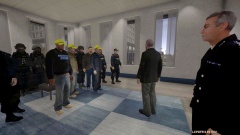
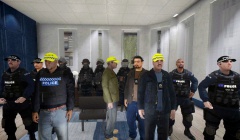
Plain clothed and uniformed firearms officers along with PSU Level 1 trained officers await briefing. Image taken for fun. -
From the album: GTA London
The Superintendent and SOI of Op Shipton give a briefing to SCO-19. Plain clothed firearms officers are joined by uniformed armed response and PSU Level 1 trained officers. Image taken for fun. -
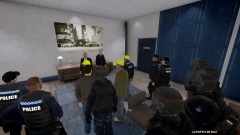
From the album: GTA London
The Superintendent and SOI of Op Shipton give a briefing to SCO-19. Plain clothed firearms officers are joined by uniformed armed response and PSU Level 1 trained officers. Image taken for fun. -
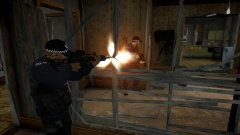
From the album: GTA London
CO-19 Storm an armed suspect, the killing is deemed lawful ;) -
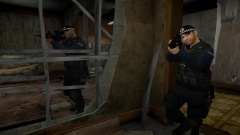
From the album: GTA London
CO-19 Storm the house of an armed suspect. -
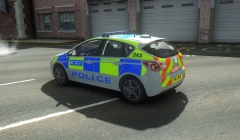
From the album: GTA London
ICEnhancer Natural Tweak II in all its glory. -
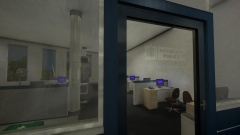
From the album: GTA London
Took me so long to figure out how to make the glass see through, but the results are adequate. Give it a real Met Police feel to the station. -
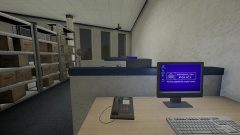
From the album: GTA London
Its the little touches that make a difference. -
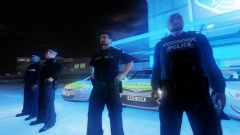
From the album: GTA London
Livery 2 models from the Front. Models are Double Doppler mixed with kinksta100 -
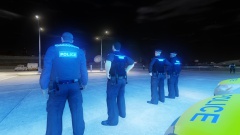
From the album: GTA London
Livery 2 models from the back. Models are Double Doppler mixed with kinksta100 -
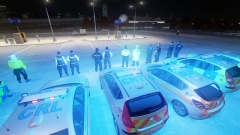
From the album: GTA London
Shot from the back, demonstrating the difference between the met uniform and the out of force uniform. Models are Double Doppler mixed with kinksta100 and Armoured Cops 1.0 by KITT -
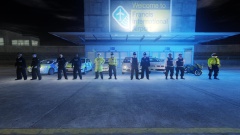
From the album: GTA London
Front shot. Livery 2 on the left, Livery 1 on the right. Models are Double Doppler mixed with kinksta100 and Armoured Cops 1.0 by KITT -
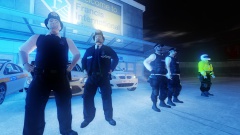
From the album: GTA London
Note: Models are Double Doppler (Legend) and Armoured Cops 1.0 by KIT -
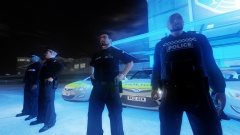
From the album: GTA London
Alderney officers, based on modern uniform found outside of the Met. This took some tinkering, but Im happy with the results. I'm not a modder, I just know how to use photoshop. Note: Models are Double Doppler mixed with kinksta100 -
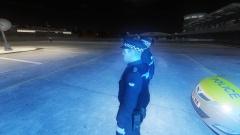
From the album: GTA London
Alderney officers, based on modern uniform found outside of the Met. This took some tinkering, but Im happy with the results. I'm not a modder, I just know how to use photoshop. Quite proud of getting the police on the arm, very similar to the uniforms we have in Sussex where I reside. Note: Models are Double Doppler mixed with kinksta100 -
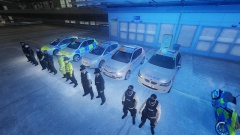
From the album: GTA London
Group shot. Note: Models are Double Doppler and Armoured Cops 1.0 by KIT -
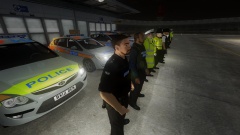
From the album: GTA London
Alderney officers, based on modern uniform found outside of the Met. This took some tinkering, but Im happy with the results. I'm not a modder, I just know how to use photoshop. Note: Models are Double Doppler mixed with kinksta100 -
For those with radar and spotlight issues, I fixed mine by changing the text in the GTAPolicingTools script from "gpt_radar" and "gpt_spot_06" to tns_radar and tns_spot_06. The models will not be recognised otherwise. Also update the weapons.xml in common/data - ensure that the radar script is also "tns_radar".
- 45 comments
- 23 reviews
-
I was having trouble with the Spot light, but have now corrected the issue and this may be the same issue plaguing the radar gun mod. However using the radar now crashes my game, so Im trying to figure out the confliction that may be occurring. The fix I found for spotlight; is that in the Script for GTAPolicingTools, the model names for spot light and the radar gun are incorrect. They currently show as gpt_radar and gpt_spot_06. In my effort to fix the radar gun I tried installing a new model via openiv which is where I noticed that the model names are tns_radar and not gpt. A quick edit via notepad and it fixed the issue, with the exception of crashing my game when the radar spawns. Despite this everything else works fine, so I hope this fixes the issue for some of you. ^^^ I hadn't updated my weapons.xml which brought on the crash. All is fixed now and its as simple as changing the text in the script and ensuring the code for the radar weapons.xml is correctly added to the common files xml. Only other issue that crops up with this mod is the spike strip failing to load after the first use. Tend to not let you do another as you have to dismiss it and even when you have dismissed it, it still wont load.
-
Great vid. I enjoy using the met bike too, but only wish I could get AI to also patrol on bikes as well, or even bodyguards to follow on an mc, creating a motorcade. What model are you using for the officer?
-


