Hoffers
Members
-
Joined
-
Last visited
Everything posted by Hoffers
-
 I am assuming Bonehead gave him the idea. Seeings though they are in a modding group together, I think they are playing around.
 -
Welcome to the forums! I am sure someone here will take up your request, or point you in the right direction!
-
-
Report it as theft :P
-
I call my mother, father and the occasional call to the Girlfriend. I text my boss, and roster bot. I take photos of my skate tricks. (Well I get someone to take the photo, but you know what I mean) Friends? What witchcraft is that?
-
I am not gonna bother then. I don't use my phone for games. I use it for social media (rarely) texting, calling and a camera.
-
Yes, LCPDFR (the mod) is a addon modification for the PC variant of GTA IV and EFLC. This is not a standalone game.
-
Are they making it F2P or? If it is free, sure. If not, I will stick to the pc version.
-
Use this video tutorial to fix your problem. '?do=embed' frameborder='0' data-embedContent>> If it doesn't help, post back here.
-
 It is being released unlocked. I stated this in the description.
 -
Do that then, either way, they look very nice.
-
 It all starts with a box.
 -
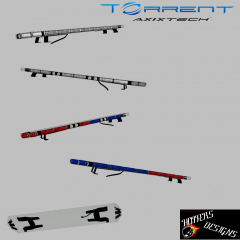
Is that an argent I see on that Crown Vic? :p *cough* add a alpr system in the mounts *cough*
-
2013 3dsmax Thanks.
-
Thanks dude.
-
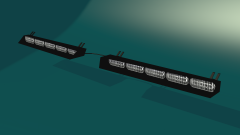
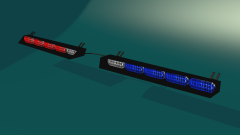
From the album: Hoffers WIP/Scratch Made Stuff
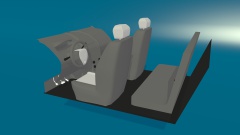
Made this in 52 minutes. Including Uv-Mapping and render setup. I know no one cares how long it took me, I just like to time myself, with about everything lol. Will be released unlocked. -
-
From the album: Hoffers WIP/Scratch Made Stuff
Made this in 52 minutes. Including Uv-Mapping and render setup. I know no one cares how long it took me, I just like to time myself, with about everything lol. Will be released unlocked -
Very nice, like Hilth said, learn to scratch model and convert parts to make your vehicles better!
- 11 comments
- 4 reviews
-
-
Oh, that mission with the guy named Beverly? I think I did that one during the day. Oh, that mission with the guy named Beverly? I think I did that one during the day.
-
-
Oh, I knew that... Wait, what mission? I have finished the game and I do not recall seeing this?
-
The first attachment shows your issue. You need to move everything into the police.wft (below chassis).
-