


Hoffers
Members
-
Joined
-
Last visited
Everything posted by Hoffers
-
I would love to see some previous work first?
-
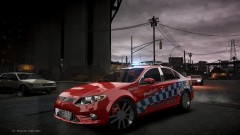 Yeah our cops don't get that much, but I give them heaps.
 -
Oh yes please!
-
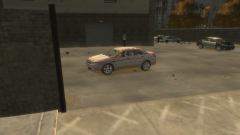
From the album: Hoffers Photos
LCPD are expecting a new shipment of Ford Taurus Police Interceptors, Expected to be rolled out with a full list of equipment Sometime soon! -
Thats What I was just talking about Unfortunately no, I am at school and there is no youtube access, I will be home in a few hours though. But search his channel, it was about 2-3months ago, and it is something about a bike being replaced or something but it works. I will try and explain. Go to your Vehicles.ide file. Open up with your own choice text editor. Find the line like this Replace said vehicle where it says this, for Example: BOBCAT, BOBCAT With This POLICE, POLICE, VEH@STD, VEH@STD_RI1, 100, 999, 0.2345, 0.2345, 0.2, 2, 1.0 ,1, ext_requi+ext_strong+livery
-
And If you want to use those slots as police vehicles where you can pull over vehicles ad they actually respond to your siren, edit it in your Vehicles.dat BayAreaBuggs did a tutorial on it on his channel.
-
The amount of people who say that.
-
Haha, nuff said
-
-
I doubt he cares about that realism, I think he means by what they would have in them, also what light setup patterns there are. But you are right, I think. (I don't live in USA)
-
Hm thats a bitch maybe something is conflicting with it? My model i am creating I had to start again cause of a fuck up i couldnt of fixed. But dont go to that extreme
-
Your lb_glass needs to be deleted, first, select everything in there (l0,l1,l2) Then right click on the lb_glass and go to edit - delete, try that
-
The Lightbars emis, and emerglights
-
Fix the hierarchy, check to see that there is nothing out of place. That might be the problem, check the Chassis too, Search the polys for some odd ones and stuff. I always remove lightbars from my upcoming model and it works fine ingame, just remember to remove the textures from the .wtd Side Note: Also I would like to give you a suggestion, lose the rambar, personally i like to convert slicktops to unmarked, swap out the rambar lights for grill lights :D
-
MY GERMAN SHEPARD X COLLIE'S NAME IS JASPER :O
-
1. Border Collie X German Sheperd [OWN] 2. English Staffy [OWN] 3. Siberian Husky [sOON TO OWN LOL]
-
nope, thats just what you do, sorry man, unless there may be a key shortcut, but i use els so the keys are off.
-
Did you say BxBugs123 whelen talon? Dash lights? Cause I am using bug's talon dash lights and they came with textures /:
-
Well you can't reimport if you locked the .wft lol Just go to your .rar version of it and extract that and use that one again ahha :) I do that all the time i screw something up and re-extract it :D
-
Yeso mate
-
Oh Shit, I didnt even see that, It is super late in Australia and I am tired as ahah, my bad.
-
When in zmod, it doesn't matter if you have the textures when you export from a .z3d file. Altough when in your project file,(.z3d) open up material editor (by pressing E) go to the the texture bit and add the textures from there, then import your new .wtf file and the textures should appear, then you need to add those textures to your .wtd file using Open IV (Spark Iv will not work, you can only replace in Spark) So you can see ingame, In Open IV make sure your in edit mode =) Anything else?
-
Yes sir I would like to tell people that I have learnt most of Zmod and I was messing around, I am actually working on a sneaky project hehe
-
Hey man, aren't you in AwardablePilot's clan ?
-
Almost made that mistake with my upcoming build :D

