


Hoffers
Members
-
Joined
-
Last visited
Everything posted by Hoffers
-
To start off you will need an image editor of your choice (Photoshop, GIMP etc.) Then find the models you want to edit in OpenIV/SparkIV (M_Y_COP.wtd) Locate the upper_diff_uni and lower_diff_uni (or whatever looks like a shirt and pants) Export the said files to your desired location, save in .png form. Right click on one of the images and open with "GIMP" (or other) Add a new layer and start using various ways to texture. (Optional step, but it is wise to do) Happy texturing! This is a basic layout on what to do. I am not going to go into details cause I am not a texture artist, I am a modeler.
-
Skinning or modeling?
-
It may be the handling line, make sure you add the one in the download : 500.0 20.0 85 0.0 0.0 -0.2 0.0 1 0.30 1.0 40.0 0.4 0.50 0.7 40.0 1.10 0.95 12.0 0.10 0.48 4.0 1.5 1.5 0.10 -0.10 0.0 0.5 1.0 1.0 0.8 1.5 0.0 15000 440000 0 0
-
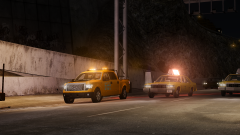 Nice Chippy! My suggestions. But you may already be doing these. Attach the Voltex traffic adviser to the indicators. Add a utility box, traffic cones etc.
 -
That's a problem with your materials I believe you have named them wrong.
-
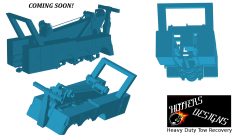 Thanks for the offer but no thanks.
 -
Buy a wig in the mean time?
-
I have no idea then.
-
I am stumped. Did you reassign and U-V map them again?
-
Try to flip the polygons in zmod. Modify > Flip (Selected mode)
-
Could always pretend ;)
-
It might be a material problem. Just reload your materials and reassign? I have no Idea whats going on cause I have never been in this predicament.
-
hmm, what lights are you using? (Who made them)
-
Wasn't gonna do Australian. I was thinking maybe the Axixtech Torrent?
-
No Worries.
-
See how you have that DML or whatever after the extras? Well that's your problem. Just attach all extra_L0s together and the same for the rest.
-
Post a pic of your hierarchy.
-
From the album: Hoffers WIP/Scratch Made Stuff
May I present to you my Tow Truck body. I need a suggestion on what lightbar to use? Will Hopefully be in my testers hands soon, and then yours! :) Have a good one :) -
Are they mapped? (Sorry i have to ask the dumb questions)
-
-
-
To addon on to above post; press ALT+P to go on duty then enter your local PD station (Broker-Dukes etc)
-
If you point me in the right direction to get the mod, I might* be able to change up the sign to Hollywood. *Granted the files are accessible.
-
I assuming you have the mod, cause of your youtube (Have not watched your channel or any vids as of yet though) I think it is ALT+B for backup? Give that a go and you won't have any problems and if you do, there is a sexy support thread awaiting you with a bunch of answered questions.
-
I don't think you can mate, sorry.

