


RyanG
Members
-
Joined
-
Last visited
Everything posted by RyanG
-
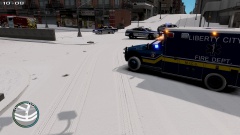
From the album: Boston PD and SWAT respond to a bomb at a gas station
-
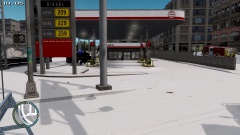
From the album: Boston PD and SWAT respond to a bomb at a gas station
-
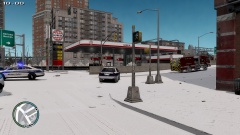
From the album: Boston PD and SWAT respond to a bomb at a gas station
-
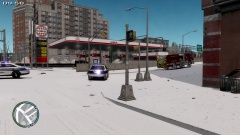
From the album: Boston PD and SWAT respond to a bomb at a gas station
-
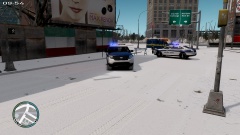
From the album: Boston PD and SWAT respond to a bomb at a gas station
-
That looks awesome! I would love to see a public release one day.
-
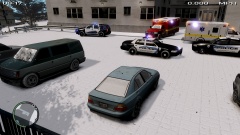 The texture http://codezero.us/forum/downloads-11/code-zero-gaming-mega-police-texture-pack/msg7137/?topicseen#new and the model is http://gtapolicemods.com/downloads.php?do=file&id=1353
 -
A double stabbing outside an apartment in Broker-Dukes left people shocked in the neighborhood
-
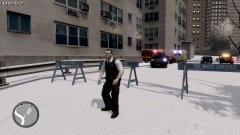
From the album: Double Stabbing in Broker-Dukes
A lady who wants to remain anonymous said "That shit was cray, that man fucked those other guys up. as soon as he saw me I ran like a bat outta hell!" -
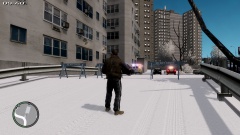
From the album: Double Stabbing in Broker-Dukes
A lady who wants to remain anonymous said "That shit was cray, that man fucked those other guys up. as soon as he saw me I ran like a bat outta hell!" -
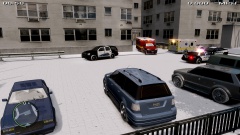
From the album: Double Stabbing in Broker-Dukes
A lady who wants to remain anonymous said "That shit was cray, that man fucked those other guys up. as soon as he saw me I ran like a bat outta hell!" -
From the album: Double Stabbing in Broker-Dukes
A lady who wants to remain anonymous said "That shit was cray, that man fucked those other guys up. as soon as he saw me I ran like a bat outta hell!" -
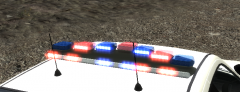 It looks pretty amazing!
 -
From my experience I think the handling affects them if your looking in their direction. So i suggest changing to a more stable handling line so they don't go all crazy.
-
Hello, as by the title says i need help trying to spawn cars and get a light system working if someone could help i would really appreciate it
-
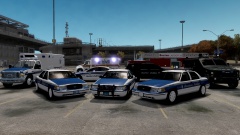 Pretty damn beautiful. Did you make the skin for that cvpi?
 -
-
-
when i download the skin it goes into a jpg. file and not a png and when i try and put the skin on the truck it treats it like its a model not a texture so it doesnt show up when i try and put it on the truck
- 6 comments
- 1 review
-
Hello, I was thinking of a saying like "Watch out for crossfire" when i'm responding to a shots fired, because many of my partners have been killed because they ran into the way of my shooting. Anyways just thought I would suggest that,
-
-
Theres something already made like that. '?do=embed' frameborder='0' data-embedContent>>
-
-
Could you please do this? (Els please)
-

