42069
Members
-
Joined
-
Last visited
Everything posted by 42069
-
Pizza, breadsticks? Now you people are making me hungry :/
-
What's your city's name? There is no way it didn't even make local news.
-
Just check your local scanner. There are tons of scenarios that can fit what you described.
-
I barely see them on the road anymore, it's really sad :(
-
How the hell did that happen?
-
If they do bring it back, they will probably re-design the entire vehicle and it wont even be recognizable anymore.
-
I think that site is satire. Are you being sarcastic by any chance?
-
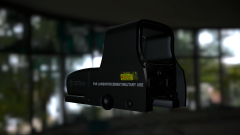 I wanna lick that shit. Good work....LOL 10/10 would hump.
 -
I love Olanov....Did I type that out loud? But seriously, nice job man :)
-
From the album: Misc. Game Crap
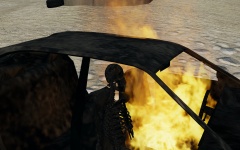
Burnt up body. It tasted like roasted chicken or roast beef. -
From the album: Misc. Game Crap
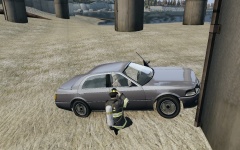
Liberty City police recovered remains of a skeleton under an overpass in an abandoned Admiral. The vehicle remained stationary for about a year, the overpass kept rain from making the vehicle rust. According to Chief Sergiyj, homeless people shared the vehicle with the skeleton (for bedding) and may have sexually abused it, according to new evidence. The remains were sent to the state medical examiner and were earlier identified as Mr. Taximan5. The victim had multiple skull fractures and multiple gun shot wounds to the head and chest. -
From the album: Misc. Game Crap
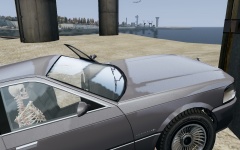
Liberty City police recovered remains of a skeleton under an overpass in an abandoned Admiral. The vehicle remained stationary for about a year, the overpass kept rain from making the vehicle rust. According to Chief Sergiyj, homeless people shared the vehicle with the skeleton (for bedding) and may have sexually abused it, according to new evidence. The remains were sent to the state medical examiner and were earlier identified as Mr. Taximan5. The victim had multiple skull fractures and multiple gun shot wounds to the head and chest. -
From the album: Misc. Game Crap
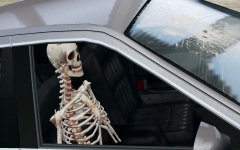
Liberty City police recovered remains of a skeleton under an overpass in an abandoned Admiral. The vehicle remained stationary for about a year, the overpass kept rain from making the vehicle rust. According to Chief Sergiyj, homeless people shared the vehicle with the skeleton (for bedding) and may have sexually abused it, according to new evidence. The remains were sent to the state medical examiner and were earlier identified as Mr. Taximan5. The victim had multiple skull fractures and multiple gun shot wounds to the head and chest. -
1969 Shelby GT500 428CJ CobraJet CHP Cruiser (Non-ELS)
-
It sounds very skeptical; pretty sure it's a huge troll trying too piss off the PC gaming community. Like a wise oaf once said: "Nothing from the R* Newswire = I'm not believing anything."
-
That lightbar is horrid.
-
![Ford E-450 Ambulance Interior [doors open]](//s3-gallery.int-cdn.lcpdfrusercontent.com/gallery/album_3011/sml_gallery_86082_3011_377135.jpg) Never said it was mine. It is yours, I like it, but It was just a placeholder as I didn't have your permission to use it.
Never said it was mine. It is yours, I like it, but It was just a placeholder as I didn't have your permission to use it. -
Happy birthday Mr. Ben! Told you already yesterday, but still :P
-
I would try to make one, but I ain't got 3DS Max anymore :( And yeah, there is one on Google Sketchup, but like I said I ain't got 3DS Max anymore. And detailed scratch modeling in ZModeler is complicated since there are no tutorials on how to make advanced objects.
-
I think EFLC has one, someone could modify it...
-
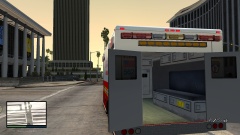
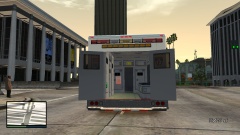
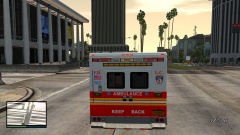
I have created a custom interior for Lt. Caine's Brute ambulance, I may release it unlocked after I fix all the issues with it. It's also low poly.
-
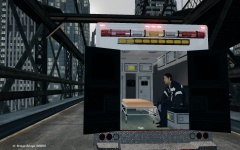
From the album: Custum ambulance interior
I re-mapped the windows and added some props to the new interior. I will be making this vehicle ELS V8 configured and adding a light bar, I don't know which one to add though. I also will be making the QuadraFlares full instead of flashing halfway full. Peds can now sit on the bench. The interior (not including the props) is around 130 polygons. Current equipment: Stretcher Heart rate monitor Band Aid box Clipboard Medical bottles. -
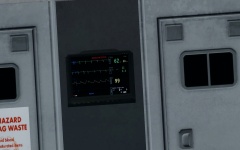
From the album: Custum ambulance interior
I re-mapped the windows and added some props to the new interior. I will be making this vehicle ELS V8 configured and adding a light bar, I don't know which one to add though. I also will be making the QuadraFlares full instead of flashing halfway full. Peds can now sit on the bench. The interior (not including the props) is around 130 polygons. Current equipment: Stretcher Heart rate monitor Band Aid box Clipboard Medical bottles. -
From the album: Custum ambulance interior
I re-mapped the windows and added some props to the new interior. I will be making this vehicle ELS V8 configured and adding a light bar, I don't know which one to add though. I also will be making the QuadraFlares full instead of flashing halfway full. Peds can now sit on the bench. The interior (not including the props) is around 130 polygons. Current equipment: Stretcher Heart rate monitor Band Aid box Clipboard Medical bottles. -
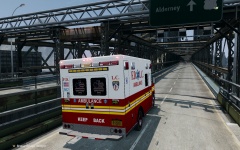
From the album: Custum ambulance interior
I re-mapped the windows and added some props to the new interior. I will be making this vehicle ELS V8 configured and adding a light bar, I don't know which one to add though. I also will be making the QuadraFlares full instead of flashing halfway full. Peds can now sit on the bench. The interior (not including the props) is around 130 polygons. Current equipment: Stretcher Heart rate monitor Band Aid box Clipboard Medical bottles.

![Ford E-450 Ambulance Interior [doors open]](http://s3-gallery.int-cdn.lcpdfrusercontent.com/gallery/album_3011/sml_gallery_86082_3011_377135.jpg)