


Atwood16
Members
-
Joined
-
Last visited
Everything posted by Atwood16
-
-
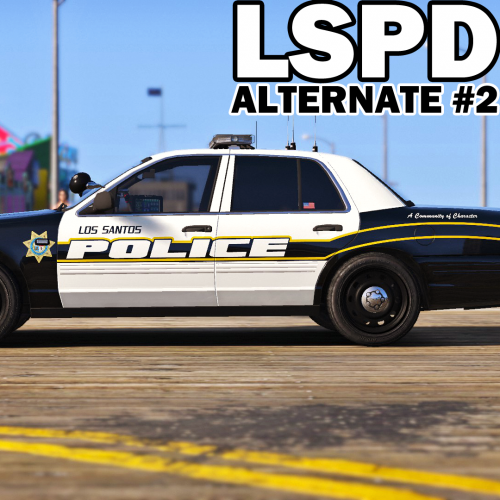 Man, you always surprise me with how well every pack of skins you come out with and how quickly you update them for more vehicles, defiently my favorite Texture Maker
- 51 comments
- 14 reviews
-
-

- 1
-
-
Any idea on what setting in the visualsettings I have to change to lower the headlight intensity and brake light intensity?
-
I have a problem, whenever I install a new police car in mpchristmas2 with both carvarations and vehicle.meta it looks like this
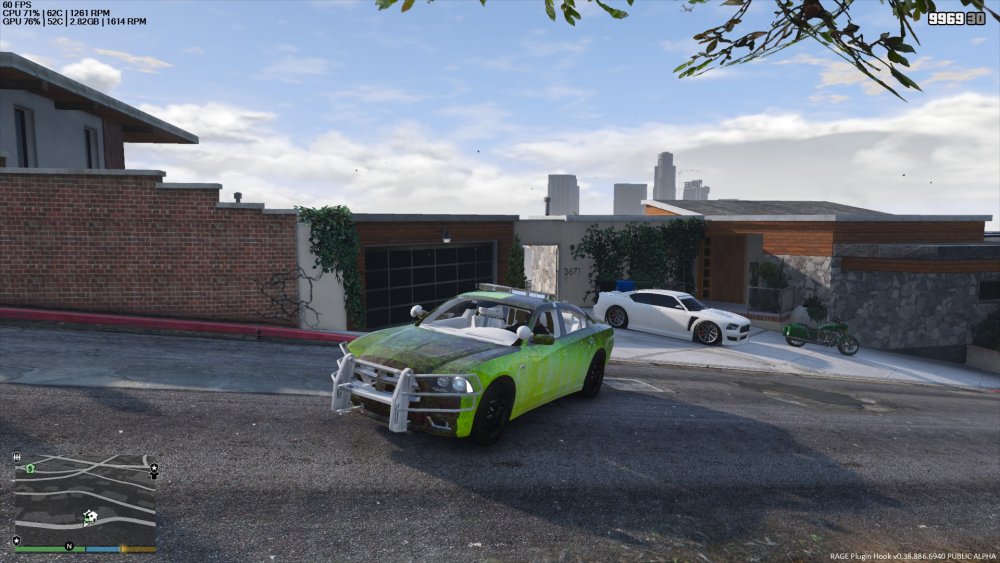
-
I know it's probably a stupid question, but how do I enable more than just one livery on a police vehicle?
-
 Any idea if you'll be updating this pack to work with TheHurks Ford Explorer?
- 71 comments
- 16 reviews
-
Any idea when we'll see the Black and White Blaine Country Pack updated man? And I do apologize for asking more than once I just really love your skins.
- 51 comments
- 14 reviews
-
 Any possible way you could update these skins to work the the new Ford Explorer from TheHurk
- 101 comments
- 17 reviews
-
 By far one of the best callout modders out there, love everything you do and appreciate you're hard work and effort towards quality mods
- 3,646 comments
- 306 reviews
-
-
- 1
-
-
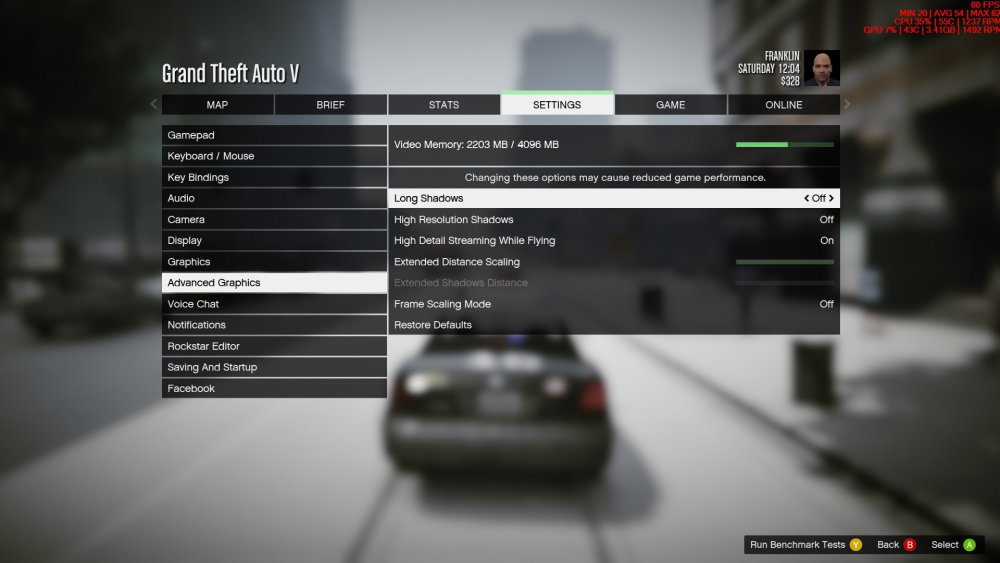
Let me explain, I have all custom police cars in police slot 1-4 along with both FBI1 and FBI2 along with both sheriff slots, and the Park Ranger and eup peds, but beside's that I have no other graphical mods installed, and no matter what my settings are set to whether there set to very high, or low I drop from 60 to around 48-50 frames in the city for no reason, (I'm running a gtx 970, overlocked to 1516 and a intel i7 4790k overclocked to 4.5 mhz)
-
Here are my settings and a picture of how much vram my 970 is using
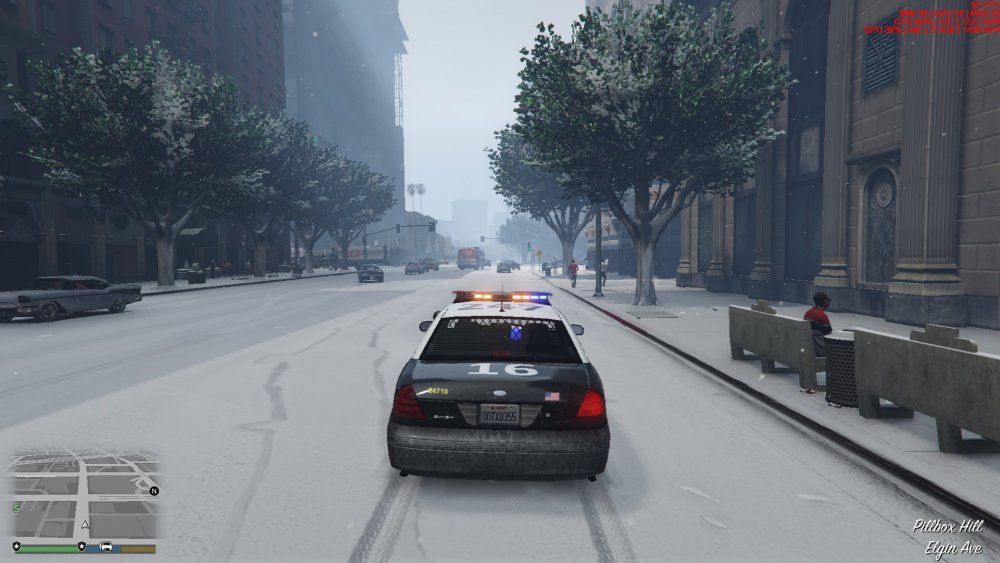
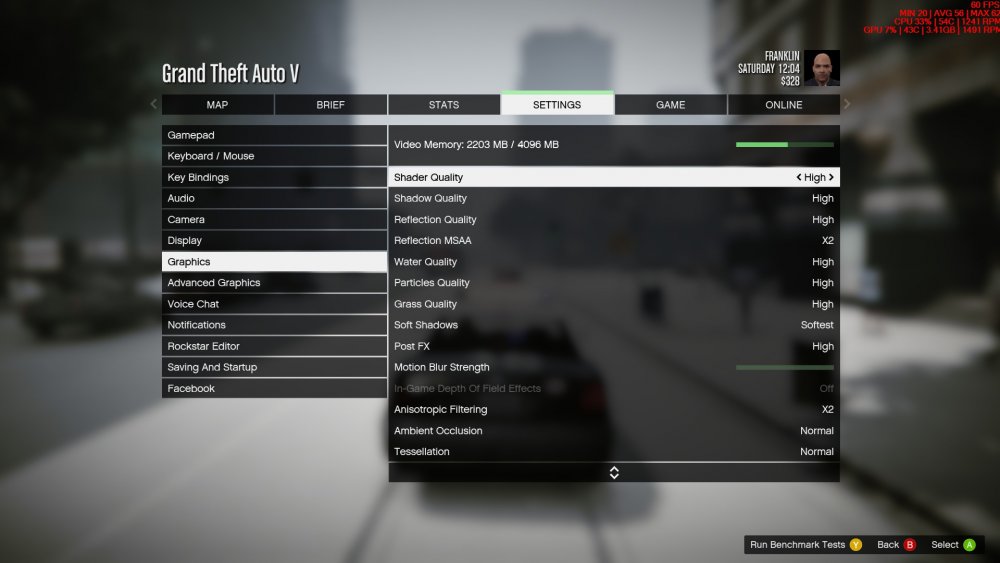
-
LSPDFR 0.3 is using 3.5 gigs of vram on my gtx 970 which is absolutely crazy, because the stock game only uses 2.2 gigs of vram, anyone else experiencing this issue?
-
I have to say how much I appreciate Sam and all the other team members of the g17 team, but like this guy I'm having issues with this version and it does seem to be uncompleted and why it is annoying, I know you guys all do it for free which I can't express how thankful I am for the g17 media not only making Lcpdfr but Lspdfr both awesome mods but I really feel like this version of LSPDFR is poorly optimized and I think maybe a hotfix or something should be put out to help solve some issues at hand
-
I can run GTA V at very high/ultra settings by it's self and it only uses 2.2 gigs of vram but once I start GTA V with Ragehook and LSPDFR it uses 3.4 gigs of vram By the way I'm running a GTX 970 overclocked to 1378 and a i7 4790k at a stock clock
-
Installed Realism Dispatch Enhanced and it replaced all my vehicles in game and now no matter what I do I can't get them back, meaning I can't replace default vehicles
-
I can't seem to get the the tactical or the winter addon to work what so ever
-
Any idea how to install the tactical addon?
-
-
It says there's a openiv oiv package installer included in this version but I don't see it, is it just not updated to this download yet or something?
-
<Item> <modelName>sheriff2</modelName> <txdName>sheriff2</txdName> <handlingId>FBI2</handlingId> <gameName>SHERIFF2</gameName> <vehicleMakeName /> <expressionDictName>null</expressionDictName> <expressionName>null</expressionName> <animConvRoofDictName>null</animConvRoofDictName> <animConvRoofName>null</animConvRoofName> <animConvRoofWindowsAffected /> <ptfxAssetName>null</ptfxAssetName> <audioNameHash /> <layout>LAYOUT_RANGER</layout> <coverBoundOffsets>SHERIFF2_COVER_OFFSET_INFO</coverBoundOffsets> <explosionInfo>EXPLOSION_INFO_DEFAULT</explosionInfo> <scenarioLayout /> <cameraName>DEFAULT_FOLLOW_VEHICLE_CAMERA</cameraName> <aimCameraName>BOX_VEHICLE_AIM_CAMERA</aimCameraName> <bonnetCameraName>VEHICLE_BONNET_CAMERA_STANDARD</bonnetCameraName> <povCameraName>DEFAULT_POV_CAMERA</povCameraName> <FirstPersonDriveByIKOffset x="0.020000" y="-0.050000" z="-0.028000" /> <FirstPersonDriveByUnarmedIKOffset x="0.000000" y="0.000000" z="0.000000" /> <FirstPersonProjectileDriveByIKOffset x="0.028000" y="-0.040000" z="0.075000" /> <FirstPersonProjectileDriveByPassengerIKOffset x="-0.133000" y="-0.115000" z="-0.058000" /> <FirstPersonDriveByLeftPassengerIKOffset x="0.000000" y="0.000000" z="0.000000" /> <FirstPersonDriveByRightPassengerIKOffset x="-0.045000" y="-0.048000" z="-0.040000" /> <FirstPersonDriveByLeftPassengerUnarmedIKOffset x="0.000000" y="0.000000" z="0.000000" /> <FirstPersonDriveByRightPassengerUnarmedIKOffset x="0.000000" y="0.000000" z="0.000000" /> <FirstPersonMobilePhoneOffset x="0.143000" y="0.245000" z="0.558000" /> <FirstPersonPassengerMobilePhoneOffset x="0.136000" y="0.223000" z="0.425000" /> <PovCameraOffset x="0.000000" y="-0.125000" z="0.670000" /> <PovCameraVerticalAdjustmentForRollCage value="0.000000" /> <PovPassengerCameraOffset x="0.000000" y="0.000000" z="0.000000" /> <vfxInfoName>VFXVEHICLEINFO_CAR_GENERIC</vfxInfoName> <shouldUseCinematicViewMode value="true" /> <shouldCameraTransitionOnClimbUpDown value="false" /> <shouldCameraIgnoreExiting value="false" /> <AllowPretendOccupants value="true" /> <AllowJoyriding value="false" /> <AllowSundayDriving value="false" /> <AllowBodyColorMapping value="true" /> <wheelScale value="0.268600" /> <wheelScaleRear value="0.268600" /> <dirtLevelMin value="0.300000" /> <dirtLevelMax value="0.850000" /> <envEffScaleMin value="0.000000" /> <envEffScaleMax value="1.000000" /> <envEffScaleMin2 value="0.000000" /> <envEffScaleMax2 value="1.000000" /> <damageMapScale value="0.600000" /> <damageOffsetScale value="1.000000" /> <diffuseTint value="0x88000000" /> <steerWheelMult value="1.000000" /> <HDTextureDist value="5.000000" /> <lodDistances content="float_array"> 15.000000 35.000000 90.000000 180.000000 500.000000 500.000000 </lodDistances> <minSeatHeight value="0.966" /> <identicalModelSpawnDistance value="20" /> <maxNumOfSameColor value="10" /> <defaultBodyHealth value="1000.000000" /> <pretendOccupantsScale value="1.000000" /> <visibleSpawnDistScale value="1.000000" /> <trackerPathWidth value="2.000000" /> <weaponForceMult value="1.000000" /> <frequency value="100" /> <swankness>SWANKNESS_1</swankness> <maxNum value="2" /> <flags>FLAG_HAS_LIVERY FLAG_LAW_ENFORCEMENT FLAG_DONT_SPAWN_IN_CARGEN FLAG_IS_OFFROAD_VEHICLE FLAG_REPORT_CRIME_IF_STANDING_ON</flags> <type>VEHICLE_TYPE_CAR</type> <plateType>VPT_FRONT_AND_BACK_PLATES</plateType> <dashboardType>VDT_CAVALCADE</dashboardType> <vehicleClass>VC_EMERGENCY</vehicleClass> <wheelType>VWT_SUV</wheelType> <trailers /> <additionalTrailers /> <drivers> <Item> <driverName>S_M_Y_Sheriff_01</driverName> <npcName /> </Item> </drivers> <extraIncludes /> <doorsWithCollisionWhenClosed /> <driveableDoors /> <bumpersNeedToCollideWithMap value="false" /> <needsRopeTexture value="false" /> <requiredExtras /> <rewards> <Item>REWARD_WEAPON_CARBINERIFLE</Item> <Item>REWARD_AMMO_CARBINERIFLE</Item> <Item>REWARD_STAT_WEAPON</Item> </rewards> <cinematicPartCamera> <Item>WHEEL_FRONT_RIGHT_CAMERA</Item> <Item>WHEEL_FRONT_LEFT_CAMERA</Item> <Item>WHEEL_REAR_RIGHT_CAMERA</Item> <Item>WHEEL_REAR_LEFT_CAMERA</Item> </cinematicPartCamera> <NmBraceOverrideSet /> <buoyancySphereOffset x="0.000000" y="0.000000" z="0.000000" /> <buoyancySphereSizeScale value="1.000000" /> <pOverrideRagdollThreshold type="NULL" /> <firstPersonDrivebyData> <Item>VAN_RUMPO_FRONT_LEFT</Item> <Item>RANGER_FRONT_RIGHT</Item> </firstPersonDrivebyData> </Item>
-
I tried changing my vehicle meta for the handling line and it caused my Ford Explorer to be an Invalid model? Any ideas of what went wrong?
-
Also, correct me if your wrong, but x64e is the only place fbi2 is located right
-
I'm having a issue where no matter where I stick the files for police3 they just won't work ingame and I have no idea why, any help would be welcomed
-
When I go to download a mod I'm all good until it comes to actually clicking on the pictures to verify I'm not a "Robot" but when I go to to that there are no pictures




