


itsEMT
Members
-
Joined
-
Last visited
Everything posted by itsEMT
-
 I have no issues with the car in patchday15, so try it there. Also, make sure OpenIV.asi is installed in the main directory.
- 22 comments
- 12 reviews
-
-

- 1
-
-
-
-
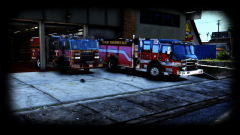 Call LSFD to the station cause those trucks are ON FIRE
 -
 J.J. please, that was such a simple word to type, yet you still couldn't do it. I'll be the good guy and I'll help you out. This is a link to a typing guide for kids. I think you could benefit from it. The best part is, it's a 10-day free trial! https://www.amazon.com/Typing-Instructor-Kids-Platinum-Download/dp/B011W122FQ/ref=sr_1_2?ie=UTF8&qid=1500148065&sr=8-2&keywords=typing+for+kids
 -
-
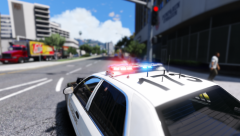
From the album: Arjent love
-

From the album: Arjent love
-
-
-
-
-
-
-
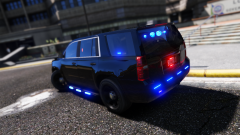
From the album: Christmas Tahoe
Tahoe made by @IndianaisMyState and will be released soon. -
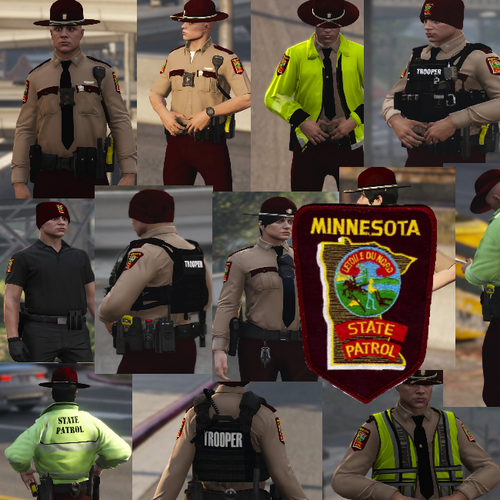 Badge goes on the right pocket of the shirt, not above it. Name tag goes above the badge. The painted over badge covers part of the pocket. The text on the collar is horribly placed.
- 16 comments
- 6 reviews
-
-
-
-
-
-
-
People just don't understand that OpenIV still works as it did before they stopped distribution.
-
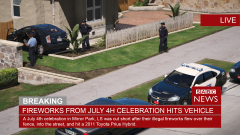
.thumb.png.a8f56bdfe4aa7517ee4660233dc163a7.png) Another bug I found, not sure what even caused this. To add something to my above feature requests, having a random number of peds around would be neat as well. Gives the mod a more realistic feel of arriving with people around the downed person. Thanks for listening to feedback too :)
Another bug I found, not sure what even caused this. To add something to my above feature requests, having a random number of peds around would be neat as well. Gives the mod a more realistic feel of arriving with people around the downed person. Thanks for listening to feedback too :)- 101 comments
- 19 reviews
-
As I said in the review, I love this mod even as it is right now. Here are some of my wishes and bugs I've come across so far. Things I'd like to see: + Automatic callout generation. I'm not sure if this is implemented yet, but in order to get a callout, I had to generate one myself every time. + Change the load script key to something like F11 so Steam does not screenshot when trying to load the script. + Config keys. To make the above easier, let the player edit a config with keys for interaction and loading. + Squad cars on scene. Especially for the victim shot callout, it would be nice to see a police presence on scene. Bugs: + The patient will not get in the ambulance after pressing Y. I'm pretty sure I ran into this because I am using a different model, but just a heads up in case that is not the issue. It can be seen when I go to transport the patient in my response video. EDIT: This is due to the fact that I am using a non-vanilla ambulance model. Disregard. + Player spawns in the air when interacting. When I press H or Space, I've had it spawn me probably 2-3 feet off the ground before it teleports the model back down and starts the animation. + CPR animation will not play. Another one I'm not quite sure of, but it seems that after diagnosing the patient with the Y key, it will sometimes allow you to begin the animation and stop it freely by pressing Y again, or it will just skip the CPR animation entirely and let the patient walk over to the ambulance. I saw it in your README that it is known for the specific callout, but I experienced this in most of them. EDIT: It turns out that I'm incompetent and didn't realize at first that a vomiting victim would need CPR. My bad <3 That's all I have to say for now and I'll let you know if I come across anything else. Thanks! <3
- 101 comments
- 19 reviews
-
-
- 3
-





.thumb.png.a8f56bdfe4aa7517ee4660233dc163a7.png)