


Zero
Members
-
Joined
-
Last visited
Everything posted by Zero
-
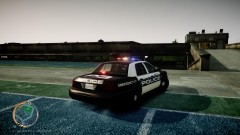 Nice one, I know a friend from Gardena. I don't think so many pictures were necessary though, it kind of spams the gallery, just a tip.
 -
The main actors are gone with Pilots or some shit, so most likely Southland is gone forever. He knew that if he stood up with a gun he'd be shot.
-
Southland was the only reason I turned on the TV once a week.... Oh well, at least it finished with a bang. Goodbye Southland, thanks for the good times and memories! Yeah, exactly. The main reason SL ended was because they weren't making enough views. Less views = less profits...
-
-
-
-
http://www.youtube.com/watch?v=VI7IAO4s0_E
-
Oh really? So while you're happily looking all that information in the car, taking your time, what do you do if the suspect bolts out all of a sudden and peppers the windshield with an AK? The door should be popped open and feet on the ground ASAP, you have only a split second to react if he decides to bolt out with a gun. If you are still in your cruiser and he is shooting at you, you have minimal protection and your chance of survival plummets. You're supposed to give dispatch all that information before/while you are lighting the vehicle up. If you did it the way you described you would be giving the suspect plenty of time to eat drugs, stash drugs, hide weapons, etc. The more time you give him the more prepared he is and the more danger YOU will be in when approaching the vehicle. And by the way, I'm quite sure I have an idea of police work as I am a CHP Explorer (Riverside #840) and have been on numerous ridealongs and have seen the way and the steps they take to pull vehicles over.
-
Those officers spent way too long in their car, thanks to the other ridiculous cops using the primary channel for personal convo. If you need to speak with another cop for that long call them up on their cell! The moment you light someone up and go Code 6 your door should already popped open and you should be on your feet the moment the driver pulls to the side of the road. The two officers were both shot, one in the hand and one in the head; thankfully they're both okay.
-
The only thing I can say is go to Zmodeler's website and look at the basic tutorial. http://www.zmodeler2.com/?mode=docs Please don't make a car pack. If I were you (and this is what I did to) go read the tutorial I linked you, and then spend a couple good months googling and scratch making your first equipment. Start small with a ball, move on to more advanced things, and then go with a lightbar. After you have that down move on and make your pack, using stuff that YOU created, and not by simply slapping on other people's parts. If you are totally new to Zmod you should be nowhere NEAR making any kind of release until at least 6 months, in my opinion.
-
Well first off, I find it pretty sad and rude that this poor guy's thread got derailed from him proudly showing off his first piece of working with Zmodeler to everyone arguing over who's a GAD and who's not. How do you think that makes this community look? Secondly, it's ok for a new guy to release a glued together car for his first mod. What makes a GAD is if he becomes a lazy bum and decides not to advance, and just starts flooding the downloads with stuff that looks like a 5 year old did it. What's missing in these GTA communities is the professionalism and quality of work. No one wants a bunch of stuff that's already been made. When NickieB made that tutorial his intentions weren't for the DL section to get flooded with useless clunker-cars. His intentions were for those people who wanted to switch a lightbar, or a rambar on their cars for personal preference to be able too. Once you release a car that's been built with misc. parts, it's time to move on. Go on YT and look up how to scratch model. Actually work for it. In life, not everyone's going to be able to cram tutorials down your throat on how to do everything. It's called self-motiviation. Now, can we please cut the crap and get back on topic?
-
ENGLISH TRANSLATION I recommend 3ds max but it's your call. Load the blueprints, and continue from there. Thanks for actually trying to model from scratch instead of producing 100s of stitched CVPIs. Here's a beginner's video - http://www.youtube.com/watch?v=XIxefdspyaY
-
http://www.youtube.com/watch?v=FyG_fGpNgmU
-
Just because they have increased security doesn't mean their invincible.
-
I hope they realize that terrorists may destroy this tower too, if they have enough will. It's a sad thought but it is possible.
-
The Simpsons and Family Guy, any other animated shows I really don't care about.
-
Post it here
-
It's growing exponentially, and will only continue to grow at a faster pace. Well done
-
Download this http://www.microsoft.com/en-us/download/details.aspx?id=5549 >Restart your computer. >Run the LCPDFR installer. >Problem solved.
-

