


1997chevyboy
Members
-
Joined
-
Last visited
Everything posted by 1997chevyboy
-
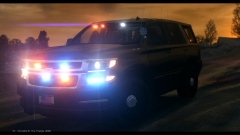 Nice pic, what map mod is that?
 -
![[REL] NYSP CITE Tahoe (Update)](//s3-gallery.int-cdn.lcpdfrusercontent.com/gallery/album_2839/sml_gallery_120090_2839_564937.png) Hello, I would touch all over!
Hello, I would touch all over! -
Thats what im saying, they should be much smaller! Also the ions on your partition and next to your
- 17 comments
- 5 reviews
-
I agree with the above post. Fix the rambar and ride hight/wheel size. Also those ions though, they have to be the biggest ones i have seen yet!
- 17 comments
- 5 reviews
-
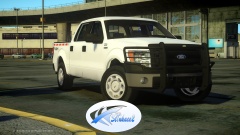 Damn i love the pushbar on it!
 -
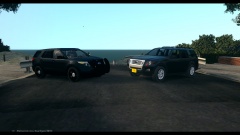 These are nice!
 -
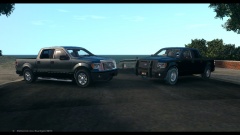 HMM not to shure what i think!
 -
Absolutely awesome job, its the little things that make the big picture! 5/5 stars
- 31 comments
- 16 reviews
-
-

- 1
-
-
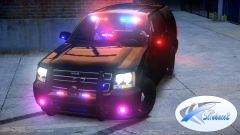 Yeah but not like this one, and also the black bowtie is a personal touch. I have seen many personal police vehicles, mainly tahoes with the same black bowtie!
 -
Most accurate PPV Tahoe available for download! I'm absolutely amazed, now the bar has been set much higher damn you LOL!
-
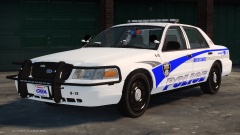 Thanks man, the skin was just a quick edit for pics, Lazerus is making one for this car so no need to remove the badge on the trunk. Also i dont think this model has a window template yet, i could be wrong though!
 -
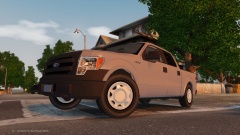
From the album: W.I.P
-
Try and make some models using just spark IV! LOL Then you will know why!
-
You need open iv to make models!
-
Here are the 3 prgrams you will need! Zmod 2.2.4- http://www.4shared.com/rar/7TH_Hysd/zmodeler224-registered.html?locale=en Open IV- http://www.gta4-mods.com/tools/openiv-15-f21438 Paint.net- http://www.getpaint.net/download.html Good Luck!
-
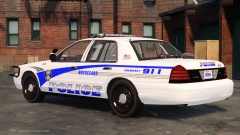 Thanks man, i can most likely do that! Also i will prolly do a slicktop version with hub caps and no wraparound! Not to shure about the LC skin, ima see what i can do though.
 -
Thanks man, the skin was made by Lazerus for my durango, i just redone it to fit the CVPI!
-
Thanks man!
-
HAHA thats what im talking about! Yeah it is, just waiting on testers feedback!
-
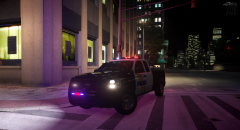 Really nice, but how many polygons is the truck?
 -
From the album: Final W.I.P's
This model will be released next week, here on LCPDFR! -
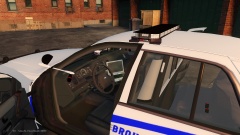
From the album: Final W.I.P's
This model will be released next week, here on LCPDFR! -
From the album: Final W.I.P's
This model will be released next week, here on LCPDFR! -
Im no expert, but i know a thing or two! LOL For your parts no showing ingame, try adding mesh at the end of the name Example (grey_antenna mesh) and for pngs with the same name, just add a 1 to the end Example (emerglights) to (emerglights1) Let me know if this helps!
-
 Absolutly straight bad ass!

![[REL] NYSP CITE Tahoe (Update)](http://s3-gallery.int-cdn.lcpdfrusercontent.com/gallery/album_2839/sml_gallery_120090_2839_564937.png)
