




TheRealNoodle
Members
-
Joined
-
Last visited
Everything posted by TheRealNoodle
-
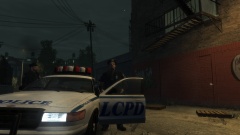 oh so now we need to enjoy rain eh? :p
 -
its awesome :D
-
-
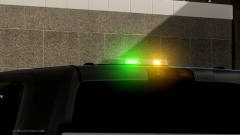 O_o a green light? oh wait... christmas :D
 -
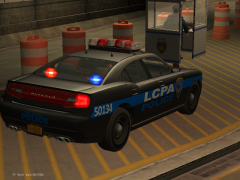 love the skins :D
 -
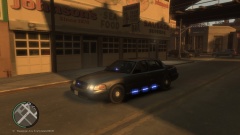
Ford Crown Vic LCPD Unmarked [ELS v8] I hope you enjoy the model credits: CVPI:- Model is original Ford Crown Victoria by Schaefft, modified for and converted to GTAIV by Chasez. - This version of the CVPI model has been modified by Bxbugs123 & Lt.Caine with permission by Schaefft and Chasez. - Rims By Bxbugs123, Textures By Lt.Caine antennas:Sergiyj - Scaling and converting these antennas and other minor edits. - Nextgen3D - Non GTA Vehicle pack. dashcam:- Model is scratch built by johnclark1102 - Texture is made by diablozer0d617 Rockwell Collins Laptop Made & Converted by Bxbugs123 Textures By Bxbugs123 & DoTTGaMMa Hg2 Crossfire License Plate Lights Model created by EVI. Hg2 Side Runners High and Low Poly Lights (CVPI, Tahoe, Inteceptor) Model created by EVI. Whelen Talon Modeled & converted for GTA IV by Bxbugs123 Main textures made by Bxbugs123 & Lt.Caine leds:scratch modeled and converted to gta iv by jasonct203 textured by jasonct203 Flexcuffs by NickieB
- 9 comments
- 1 review
-
-

- 1
-
-
first you need to install lcpdfr (it includes all the files you need for other mods) just use the automatic installer and everything should be fine :)
-
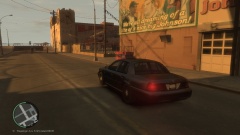
From the album: W.I.P
coming soon! -
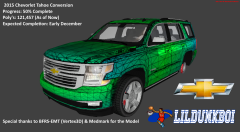
From the album: W.I.P
coming soon! -
 but... its beautiful :(
 -
ok good luck :D
-
-
welcome :D
-
oh the first and last one are the same and they just show how the file would loo, without selecting everything like in the second picture
-
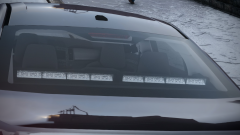 do it :D its beautiful :DDDD
 -
oh sorry I didn't know you replied, you didn't quoted me... ok here we go: when you import the lightbar it would look something like this' alt='' class='ipsImage' > then you need to select everything and I mean everything, it would look something like this make sure selected mode is on and then select the whole lightbar (make sure everything is orange) now move the object in the position you would like it. make sure that if you are done with moving it you click shift+d to deselect the whole thing after that just deselect the whole thing until it looks like this again (only the L0 files selected) ' alt='' class='ipsImage' > it should work now :) ps sorry for my bad english :D
-
np :)
-
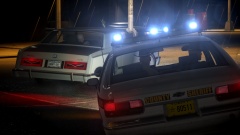 o wow what enb is that??????
 -
make sure that you type "startcallout *space* *name*"
-
nice vids :)
-
actually no because if you just put in StartCallout it will say: no callout name given so you must enter at least 1 (random) letter
-
damn what enb is that?????
-
as lund said: you will need to find a really experianced modder to do this
-
I don't think we can just give you a lightbar that isn't released, you could ask evi tho
-
looks good :)

