



dead2self89
Members
-
Joined
-
Last visited
Everything posted by dead2self89
-
 The F150 is stunning, however the handling is waaay outta wack. Also, can't switch to first person or dash. Once you fix those issues, this will be my go to!!
- 89 comments
- 16 reviews
-
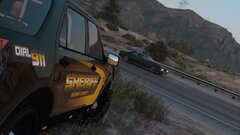
From the album: LSPDFR Screenshots
-
-
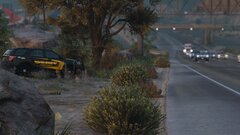
From the album: LSPDFR Screenshots
-
From the album: LSPDFR Screenshots
-
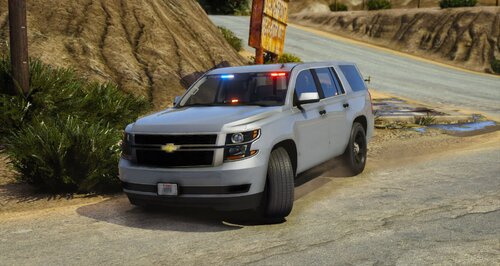 Best unmarked on LSPDFR. I've been looking for a nice clean, no spotlight with just the right amount of lights. I do think maybe adding a couple lights in the grill would be pretty cool. Also, for some reason the laptop works while in the Tahoe, but out of it, it doesn't, see pics. Kind like that for realism when I play but overall great vehicle.
- 3 comments
- 1 review
-
-
-
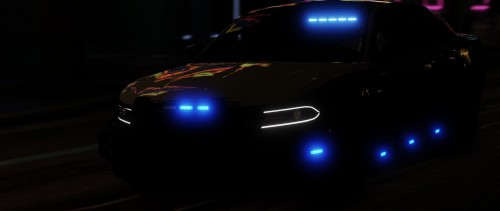 Love this car! Great job!! Anyway we could get the temp for it?
 -
Yea, that was the problem. I threw in my old .ini's that had all my keys set up. Once I got rid of them, LSPDFR is working with no issues at all. Thanks for taking the time to help.
-
I only posted once if I recall. No idea what you’re talking about. Also, I’m not requesting any versions to download. I know they won’t work. I was simply making a statement that 0.3 was better imo. Relax bud. I also have a real life and do LSPDFR in real life.I've literally been trying to get LSPDFR 4.1 to work for nearly two weeks now. It seems the only time it'll actually work is when I don't add any other mods/plugins besides LSPDFR itself. It sucks. I've been away from LSPDFR for nearly a year, and to come back to nothing working properly is frustrating. I never had any issues with 0.3. Anyone else dealing with the same thing?What’s up LSPDFR community, long story short, I’ve been away from gaming almost a year, and just got back into LSPDFR. It’s just like riding a bike and I’m back in the groove of things, however I am having one slight issue. When I conduct a traffic stop, the vehicle I’m pulling over doesn’t pull over a smooth as the other versions of LSPDFR. Once I blip the vehicle and light them up, instead of pulling over smoothly, they hit the gas and turn running into a poll or the wall. At first I thought okay maybe this person is trying to flee, but it happens every single time. Is this just happening to me or is it occurring with anyone else? If so what did you do to stop it from happening? Thanks in advance!
 This is exactly what's happening to me @GunnDawg now you have information to go off of. i had the exact rph log.
- 3,646 comments
- 306 reviews
***HELP! ANYONE!*** ONCE I START UP GTA 5, EVERYTHING WORKS FINE, BUT ONCE I GO ON DUTY (FORCE DUTY) LSPDFR CRASHES. NOT THE GAME ITSELF, JUST THE LSPDFR MOD. IT'S BECAUSE OF THIS MOD. I'VE HAD ANY ISSUES IN THE PAST, UNTIL THIS UPDATE. I TIRED TAKING TRAFFIC POLICER OUT AND EVERYTHING WORKED JUST FINE. ANY IDEAS ANYONE?- 3,646 comments
- 306 reviews
for some reason when installing the updated traffic policer, once I’m in game and force duty, the lspd plugin crashes. Once I remove traffic policer, it works just fine along with all the other mods. Any idea on how to fix? Thanks!- 3,646 comments
- 306 reviews
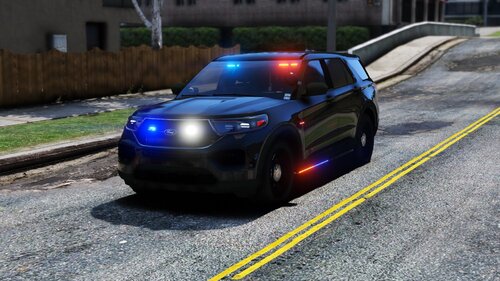
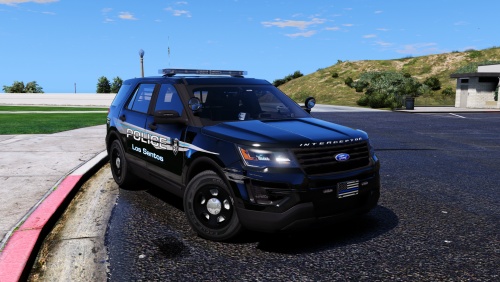 This has to be the perfect Ford Explorer on LSPDFR. The detail is amazing! Everything from the lights, to interior, the light up computer etc. brings great realism to patrols. Good job!
- 12 comments
- 10 reviews
-
-

- 1
-
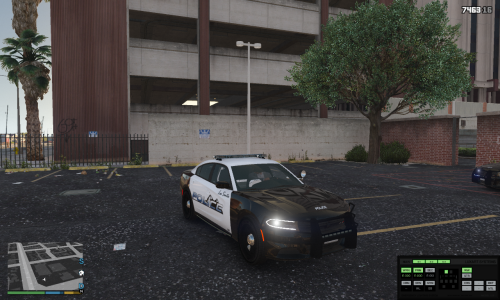 Awesome Charger, but one thing that chaps my ass is when a vehicle is released without a template!
- 15 comments
- 6 reviews
-
-
- 1
-
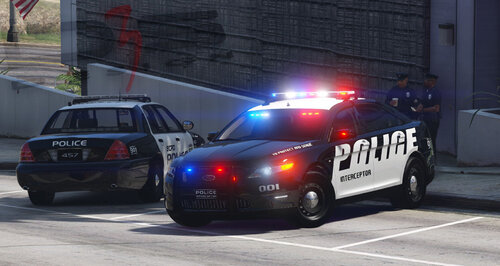
 This mod has brought some realism to LSPDFR. I'm very well pleased, but did have a couple of questions. The first is, is there any way to change the speed of the wig wags? Second, is there anyway to change or actually be able to use the vehicles components in the trainer? Once again, beautiful mod!! Thanks!
- 2,701 comments
- 241 reviews

.thumb.jpg.61de846de400ca98f85d205992527de1.jpg)

