


saXoni
Members
-
Joined
-
Last visited
-
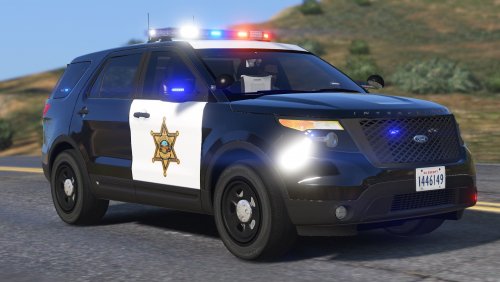 Yeah I'm gonna have to get around to it soon. Had a go at it a couple of days ago, but the game just keeps crashing. I don't know what I'm doing wrong, but it'll crash between populating the game and loading in the plugins.
- 65 comments
- 19 reviews
-
-
The readme says to drop it into "update.rpf\update\x64\dlcpacks\patchday9ng\dlc.rpf\x64\levels\gta5\vehicles.rpf\". That's it, plus making sure the sirensetting is 1. I don't see how changing a sirensetting is supposed to prevent me from spawning the vehicle though, thus it is basically just dropping sheriff3 in OpenIV (unless the readme is lacking some rather useful information). If I rename it to sheriff2 I assume it will overwrite my already modded sherrif2, right?
- 65 comments
- 19 reviews
-
Hi. I've added your vehicle following the readme, but I'm unable to spawn the vehicle. When writing "spawn sheriff3" in rage console I get the message the vehicle doesn't exist. I'd really like to get this vehicle added with the CVPI and Charger, and I was looking for a vehicle to replace (policeold1 or 2), but I just don't have the knowledge to both find and edit the carvariation and vehiclemeta files. I'm not using RDE. Could anyone if not give me a step-by-step procedure at least point me in the right direction of getting this vehicle working for me? Patrolling the desert in a SUV sounds cool.
- 65 comments
- 19 reviews
-
 Ty. Yeah usually when I do the same steps 3-4 times it ends up working. I have however made two mods folder, one for LSPD & BCSO and one for CHP. That way I can replace all the LSPD and sheriff vehicles with CHP vehicles in the second mod folder. I might have over-complicated things this way, but it's working so I'm happy about it.
- 501 comments
- 104 reviews
-
-
I have a quick question. I used the add-on option, and a few of the cars are in original LSPDFR garage. How do I spawn the remaining vehicles? I'm using TrainerV where I can manually write in the name of the vehicle, but writing for example 'hwaycar2' gives me a message saying no such car exists. I'm sure I followed the readme-procedures completely, but maybe I made a mistake somewhere. Help, anyone?
- 501 comments
- 104 reviews
-
Small update: I was tracking the temperature of my GPU using CPUID, and it before the game starts lagging the temperature peaks at 81C (177F). When the game starts lagging it drops down to 72C (162F). Does this give anyone any extra clues to what might be going on? By the way, my CPU never went above 36C (97F)
-
My 770 has 2GB. I'll put those lines into a commandline text document and see if it makes a difference. Haven't had time to test out any of the tips mentioned above, so I'll do that too. Thanks. The commandline did not work, nor did disabling my anti-virus. I also excluded GTAIV.exe and the whole GTA IV folder in my anti-virus without any luck.
-
-
-
I'll try to give that a shot, thanks. Although I do appreciate all the help I can get, do you not find it funny that it suddenly decided to drop my framerate all of a sudden? I never closed any background programs before the issue started.
-
No, same issue with just LCPDFR. I just re-installed GTA IV from scratch, and the issue is still there without any mods at all, not even LCPDFR. So the game is completely unmodified and I'm still having the issue. I was certain it would have something to do with LCPDFR or the scripts, but I guess not.
-
Hey people! I recently installed both GTA IV and LCPDFR on my computer, and it ran perfectly fine until I started adding certain scripts. I load up the game, hit ALT+P and run over to the station, as soon as I'm customizing my character the framerate drops drastically and the game becomes unplayable. If I do anything with the graphics settings the problem will disappear for a couple of minutes, but after that they come back again. It doesn't matter whether I turn up or down the graphics. Re-installing both GTA IV and LCPDFR did not work, lowering the graphics overall did not work, nor did running the game in high priority via the task manager. I have the Steam version of GTA IV. I have installed LCPDFR 1.0, and I have tried both the manual and automatic installer. I am also using ELS v8.0 The scripts I have installed are: LCPDANPR; Policing; TrafficFlow; vdH_towService. My specs: Please tell me if you need any other information. If anyone would be able to help me out with this it would be much appreciated. Thank you, saXoni.

