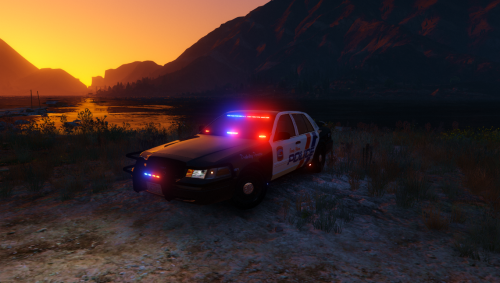

OfficerUnderwood
Members
-
Joined
Everything posted by OfficerUnderwood
-
 Set PostFx to at least high and Shaders to either at least normal or high. Plus like said have something similar to RadianceV.
- 137 comments
- 25 reviews
-
-
-
-
-
Picture please I'll see if I can get around to doing this Sounds like you want more! Aweeeee.
- 137 comments
- 25 reviews
-
-

- 1
-
-
-
x64e.rpf/levels/gta5/vehicles.rpf Again if you read the description you will see stated what this feature is. The red dash light is steady because CHP does this.
- 137 comments
- 25 reviews
-
Hmm. The only thing I can think of is that the carvariations was modified. Do you need a stock one sent to you?
- 137 comments
- 25 reviews
-
-
-
That I think would involve the carvariations.meta I think. I'm looking into this. Like the directory? or file in general for this car?
- 137 comments
- 25 reviews
-
-
-
No problem Negative. Carvariations has nothing to do with brightness of lights. You might need to get RadienceV by BxBugs123 then make sure Shaders and PostFX is on high at least.
- 137 comments
- 25 reviews
-
-
- 1
-
-
-
Not bad just got to figure it out. I'll look into it. Shader quality on at least high? GTAV/X64e.rpf Make sure that in your carvariations, police4 isnt edited and is stock which basically means it shouldn't be in any of the editable carvariations. Hmm... I wonder why? A lightbar.
- 137 comments
- 25 reviews
-
Is it with the slicktop? Do you have PostFX in your settings set to at least high?
- 137 comments
- 25 reviews
-
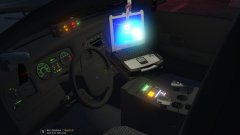 Me. Used it in my LSES CVPI pack.
 -
I will look into the wheel and no that is the opposite of what I said and incorrect. The radar system is within the Rockwell Collins iForce system installed in the newer vehicles. The older vehicles use a regular radar system of a Decatur brand.
- 137 comments
- 25 reviews
-
As big as the valor pack. Might even feature the valor in a marked pack.
-
From the album: Slicktop Pack WIP
-
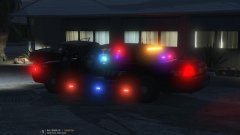
From the album: Slicktop Pack WIP
-
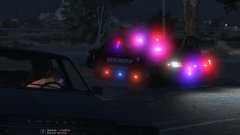
From the album: Slicktop Pack WIP
-
I haven't tried actually. Though if such doesn't work then you can change the window tint in the CV_Windows.png using the window template.
- 137 comments
- 25 reviews