


GalaxyNull14
Members
-
Joined
-
Last visited
Everything posted by GalaxyNull14
-
 i don't know why but when i die i get the death screen and dont press anything it automatically puts me in a endless loading screen with black screen, gta V loading screen circle and axon bodycam overlay plugin, did i do something wrong or?...
- 13 comments
- 1 review
-
- fr
- us
- lspdfr plugin
- legacy
-
Tagged with:
-
 idk why but when i ask for hunting licence it just crashes my lspdfr plugin, everything is installed correctly installed, i have the newest ragepluginhook, newest lspdfr, newest ragenativeui but it still crashes
- 305 comments
- 66 reviews
-
 can you PLEASE make a messages feature? i would really like it becouse rn my mic is broken so i cant use it:(
- 49 comments
- 10 reviews
-
-

- 1
-
-
 try to fix it then, upload ur crash log in here and see why it crashed, its LSPDFR-TS discord
 -
OH MY GOD, IT ACTUALLY WORKED, THANK YOU SOOOO MUCH!!!!!!!!
-
okay im gonna try that
-
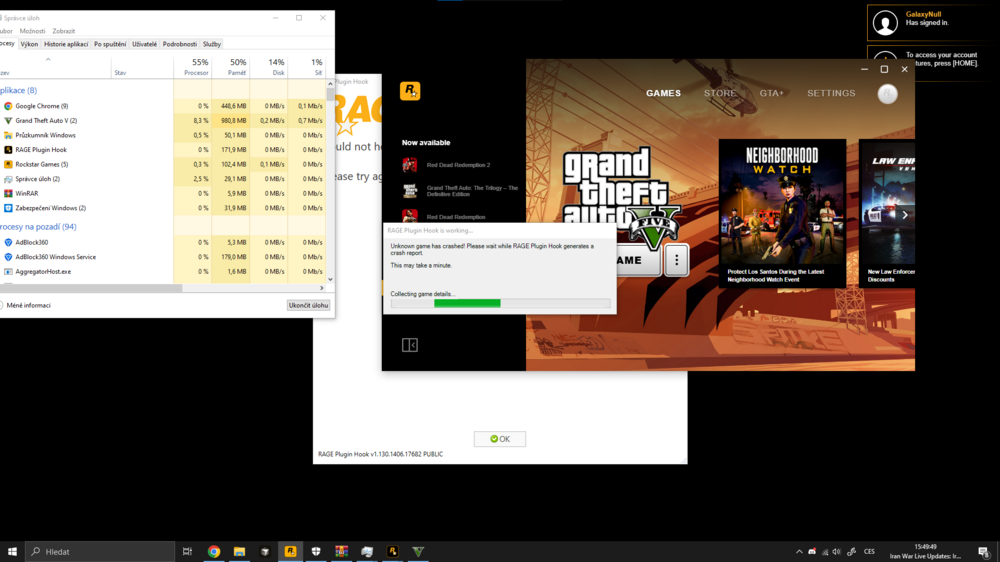
okay so i added gta v folder as an exception and im gonna drag and drop files from lspdfr manual install and add ragepluginhook.exe to exceptions its in excepitons ... RPH is not generating any log, its just saying that it is Real time protection off, installed lspdfr throught lspdfr manual install, launched RPH.exe, and while it was hooking it sdaid that RPH crashed and said slow system or insufficient permission
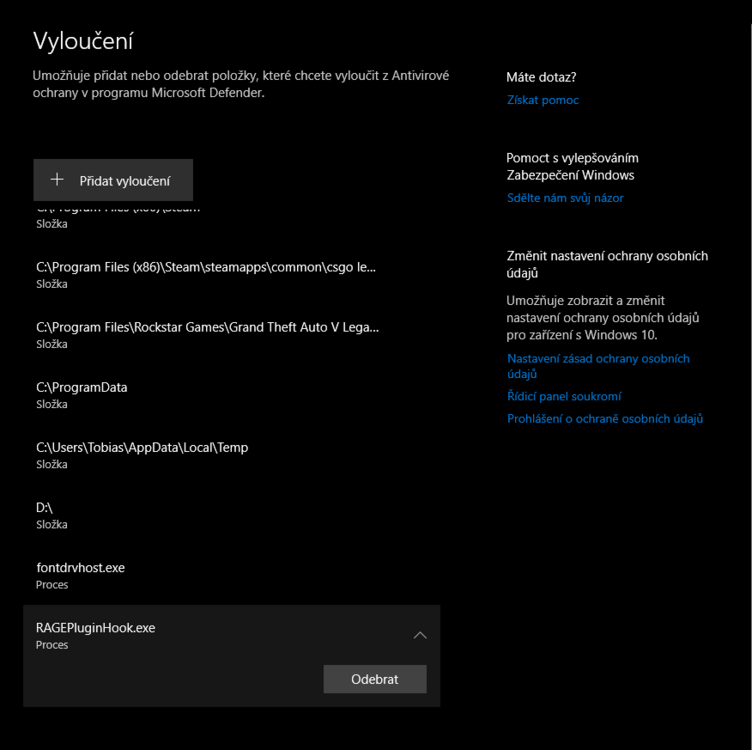
-
i turned off real antivirus protection, reinstalled lspdfr automatically it didnt work then i tried manual install and it did not work too, but im gonna try to add exception in windows Antivirus
-
when I try to launch Vanilla lspdfr with Rage plugin hook obviously, it launches but when it's hooking it says couldn't hook, insufficient permission or slow system, and the game is still running but without rage The system wasn't slow And I launched it with admin and user privileges and it didnt work, said the same message Restarted PC, still crashed it says RPH crashed, generating report but it never generated the report and gta 5 kept running fine but without the hook
-


.thumb.png.5c82cd67cb4bc7e0d2f3a4c3ed4f0b67.png)