


1803 Creations
Members
-
Joined
-
Last visited
Everything posted by 1803 Creations
-
Announcement: First Patrol: https://www.youtube.com/watch?v=AnEcoK4Qcu8 Sandy Shores Checkpoint: https://www.youtube.com/watch?v=aQL7GUiYU5M Fictional: At the start of the new year, a new budget was approved to crack down on crime in Blaine County. The SAHP AND BCSO have announced a joint initiative to crack down on Warrants, Stolen Vehicles, Registration, and Insurance through license plate checkpoints. These License Plate checkpoints will be run throughout the county starting now and has no current ending date. Drivers who get cited for expired registration and/or insurance can waive their ticket fees if they get it taken care of 30 days of the written ticket and can prove it to traffic court that they are up to date. Not paying or waiving the ticket fees within 30 days can result in license suspension. Call the DMV for more details. Credits: Bugman-FR for this border checkpoint map Map editor was used to spawn all the cars/police at checkpoint
-
-
-
-
-
 I can look into testing something like that. With the way it is setup now, it chooses a random spawn point based on your location every 10 seconds. So if you are sitting within 500M of at least one spot, you are probably guaranteed to see at least one speeder a minute if you are sitting on one side of the highway. If you are sitting in the middle and radar'ing both sides, you will get at least a few speeders a minute assuming traffic is light enough on the highway for them to reach top speeds.
- 76 comments
- 1 review
-
-

- 1
-
-
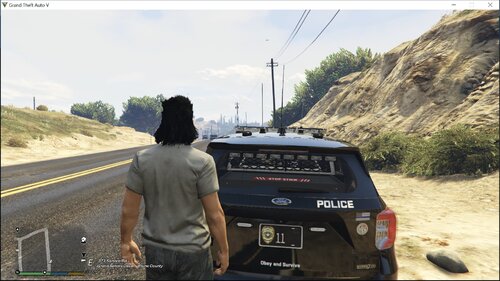 Gotya! It is simple to create one for yourself, Use any image editer (I use GIMP) and put in any logo you want on the "plate#".dds files. If you have san andreas highway patrol, find a SAHP logo and paste it into the plate. Same goes for any other department. You can use AI to generate logos too, I used AI for one of my plate images. Make sure to check the background and lettering in game of the plates first using a trainer. For example, you wouldnt want to use a plate with a black background for standard white plate because you then would have black lettering on a black plate. Even if I gave you my plates, they wouldn't match the format because I changed the colors, fonts, and some offsets (one of the plates was cutting off the letters/numbers) so you may have black background with black lettering, white background with white lettering, etc.). I know for a fact I changed the plate05 (police guv plate) to black background and white lettering. (formats change in carcols.ymt)
- 11 comments
- 2 reviews
-
-
- 1
-
-
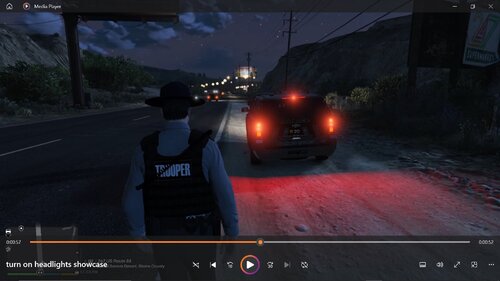 What you are referring to is for the player car. This mod turns on the headlights\taillights of AI emergency vehicles with drivers/engine running. By default: Sitting police patrols have their lights off. If you want to keep the lights off, don't use this script. If you want sitting police patrols to have headlights/taillights on, then use the script.
 -
You technically dont need any-on plate mods to change the design of plates. I will provide a link to one below to checkout a mod. The concept to change plate designs is the same with or without the mod below: Modify vehshare file, here is where the plate designs are. Change designs here. GTAV\mods\update\x64\dlcpacks\patchday27ng\dlc.rpf\x64\levels\gta5\vehicles.rpf\vehshare.ytd Then locate carcols.ymt file after remembering the plate number(s) you just modified. carcols.ymt is in update.rpf/x64/data is where plate data is, so you will see the names for the plate (like plate05=police guv plate) -also change color of text here To change license plate per car: go to carvariations.meta file for car, it will be in a different place depending on if add on car or stock car then in carvarations.meta, set plate probabilities for each car. <plateProbabilities> <Probabilities> <Item> <Name>police guv plate</Name> <Value value="100"/> </Item> </Probabilities> </plateProbabilities> Mod: https://www.gta5-mods.com/paintjobs/new-license-plates-add-on
- 11 comments
- 2 reviews
-
-
Thanks for your opinions/suggestions. How often do you think the script should check for vehicles and/or turn on the lights? I have another mod that spawns sitting patrol ambient police with the possibility of every 20 seconds. I decided to use both veh driver null and exists so it works with clean world mods: If the vehicle has no ped in the driver seat, veh.Driver is null. Without this, trying to call veh.Driver.Exists() would throw a NullReferenceException. Even if veh.Driver != null, the ped might have been deleted (explosion, despawn, or other script). I dont think using both should cause any performance issues. Yes, I use AI to help me code, I use multiple algorithms to debug, give logic suggestions, increase performance, and/or to help create new ideas for things I want to see but maybe don't know how to 100% code without help. I am by no means an expert programmer. I would define myself as a beginner who is continuing to learn. I hope my mods/scripts can inspire other people to look at the code and give whatever idea's they may have a go. Weather that means open a book/source, using AI, or both, I hope I can inspire at least one person to create their idea into a mod/script (:
-
-
Files go into the GTAV\Scripts folder. The .cs file is for open source reference. Video Showcase: This is a simple open-source script I have created that turns on the headlights of all emergency cars (excluding the player, the player is allowed to control their own lights). In some countries/states/territories, it is law that police must have their headlights/taillights on during patrol. This script will do that. By default: Sitting police patrols have their lights off. If you want to keep the lights off, don't use this script. If you want sitting police patrols to have headlights/taillights on, then use the script. This works well with my other mod that spawns ambient AI police. The sitting patrols will now have their headlights/taillights on when on patrol.
-
You can add any vehicles you want, including add-on. If cars have issues spawning, it will just be skipped by the script and it will try the next random car model next.
- 76 comments
- 1 review
-
Yeah, that is understandable. I have set notifications to be off by default and added an option in the ini file to turn them on/off in the updated version. New version is now uploaded.
- 76 comments
- 1 review
-
I have not tested any other radar's other than RadarLight and the Lidar Gun that replaces "vintage pistol". Assuming the script is installed/working properly, any radar mod should work.
- 76 comments
- 1 review
-
-
- 1
-
-
Sure, I can add that feature in a later release All of the morespeeders files (.ini, .pdb, .dll) go into the GTA/Scripts folder. The .cs file and .txt file are for open source reference. They do not go anywhere, just code for reference if you are a developer. The test files are for testing purposes, do not run both the morespeeders and test scripts at the same time.
- 76 comments
- 1 review
-
You are correct, I have tested and fixed this issue. Cars and peds will no longer be deleted when exiting/being arrested. Cars should now only delete when driving and 1000M away from player. Releasing new version in a few mins. You two are correct, I have tested and fixed this issue. Cars and peds will no longer be deleted when exiting/being arrested. Cars should now only delete when driving and 1000M away from player. Releasing new version in a few mins. Are there reasons you prefer Plugins over Scripts? I personally prefer scripts because they can be run at the game level with no LSPDFR running. You can also easily change and reload scripts in game (for me, I just push the insert button and all scripts re-load in about 2 seconds). Re-writing this as a plugin would require major changes, basically a rewrite top from bottom and would require days/weeks of testing This will likely stay a script unless scripts become completely unuseable/unsupported in the future.
- 76 comments
- 1 review
-
-
-

- 2
-
-
I am in the process of testing (and releasing later today) a new version that has specific spawn points for better spawning. I will also include a testing script with one location so users can test to see if there is a spawning issue with their game. I will post a video of the spawning tester script so you all can see how it is suppose to work.
- 76 comments
- 1 review
-
-
- 4
-
-
That's strange, make sure you have: RagePluginHook (Latest) ScripthookDotnetV2 ScripthookDotnetV3 I personally have never seen it spawn anything but a car and AI driver and my traffic deff does not disappear. Are you using any other car spawn or traffic mods? I don't use any traffic mods, the only other car spawning I have is LSPDFR callouts and/or map builder maps. I have not seen that issue. I am in the process of changing the spawn to locations with correct headings so hopefully that will take care of any spawning issues. I only see cars with AI drivers spawn for me. Check to make sure you have these: RagePluginHook (Latest) ScripthookDotnetV2 ScripthookDotnetV3 I am sorry to hear your game has crashed. Do you have these installed? RagePluginHook (Latest) ScripthookDotnetV2 ScripthookDotnetV3
- 76 comments
- 1 review
-
During my testing, I have noticed this happens sometimes, however, I believe it is due to the normal driving behavior of AI. The AI does seem to be pulling off to the right most of the time. I also use "riskier traffic stops" and pursuits and/or other scenarios still seem to work when pulling over one of the spawned speeding cars as well. I do not currently / have not tested this with mods that allow you to control/move a pulled over car but I image it will work with the cars spawned in this script.
- 76 comments
- 1 review
-
I have not noticed this issue but I use the GTAResourceAdjuster script which allows me to jack up the game memory. I run my game on 8000 MB without any issues.
- 76 comments
- 1 review
-
Are you tired of clocking AI drivers at a max speed of 78 MPH? Then this the script for you! This is probably my favorite script I've been working on. This really does add a new layer to speed traps/patrols. Files go into the GTA/scripts folder. DO NOT run both the scripts, one is a test script, one is the fully functioning script. The .cs /txt files are for open source reference. I plan to continue to update this. Any community notes/suggestions will be taken into consideration. Showcase: https://www.youtube.com/watch?v=muJ_mrpz3Zg Version 1.6 (Updated 3/2/26): -rename to 1803 Speeders, ini file does not need replaced, just renamed if updating. -Rewrite from Scripthookdotnet V2 to V3. -Added over 100 ped models to now spawn -Game chooses name so should be random and not often repeating Version 1.5 (Updated 2/4/26): Added and removed locations. Maps of locations also added with download. Fixed issue with spawning cars driving through scenes. They should now stop if they see cars with EMS lights blocking the road instead of driving through them. Version 1.4 (Updated 1/23/25): Turned off notifications by default. Notifications can be turned on/off in the ini file now. Version 1.3: (Updated 1/19/25) Fixed cleanup logic in code, now when drivers exit their car and/or are arrested, they do not delete. Cars/drivers only delete if driving and over 1000M away from player. Version 1.2: (Updated 1/18/25) .INI file added. This file goes into the scripts folder. You can now customize: cars (add-on if you wish), Min and Max spawn distance, and how often cars spawn (currently set to every 10 seconds if distance checks pass). Make sure to update all files (MoreSpeeders) in the scripts folder for this to work. Old versions will not read/use the .ini file. -Includes spawn points for all highways. All LS and BL county highways now have spawn points. The only possible dead zone (no speeders) could be near LSIA airport. If you all really want a speeding spawn point near the airport, I can add one in a later release. Note: Testing script still included and has not changed. Will still spawn Infernus at the one spawn point shown in the Version 1.1 testing Youtube video link. Just a fun note: I clocked a new speeding record during my recent testing. I clocked the (add-on) car "teslax" at 106 MPH. What's New in Version 1.1 NOW INCLUDED: MoreSpeedersSpawnTest FILES. Use these files if you think you are having issues with the script. The test script spawns only at one location and does not have the distance checks on so you can see exactly what/how the script is spawning cars. DO NOT install/run both at the same time. You will get a notification when the Infernus car spawns. Video for testing spawner: https://youtu.be/ZZPelfO7U2E Script (non-testing version) description is below: How to update: Replace old files. They have the same name. DO NOT run the test script and the morespeeders scripts together. Run only one at a time. Cars now spawn at fixed locations on the highway, (currently in Blaine County only as testing continues) Spawn point is less than 600M but greater than 300M away, checks right before spawning so if traveling fast or in pursuit, new point is changed if distance checks fail. AI drivers should be able to engage in normal pull over behavior. Does work with Riskier Traffic Stops and vanilla lspdfr pull over. Clean-up added to delete vehicles/peds once they are over 1000M away. -Notification for each spawned car. Currently using just the Infernus for easy testing and visibility. Will expand this later on. Plans Version 1.2: -Add more locations like Los Santos County Highways -Add more Cars -.ini file coming in the future for add-on cars. Working on getting it to work right with game cars first. Version 1.0 This script spawns a car every 10 seconds at approx. 350 meters away from the player. Once spawned and snapped to the road, the AI driver is able to drive up to approx 100 MPH if on a straight road with no other cars in the way. When testing this mod, I have been able to clock AI drivers around 80-90 MPH on highways, at least one every 30 seconds. I have told the script to change driving behavior and let the game control driving behavior f near EMS lights which allows the cars to be slowed down to be pulled over and/or allows for them not to wreck scene management during other callouts or scenes. --This will spawn cars everywhere you are near. If you are in the middle of a forest, beach, airport, or military base, you will notice the cars spawning inside those locations. --If you are in a pursuit and/or traveling over 100MPH, you will likely see the cars spawn on the map, if you are stationary/driving under 80 mph, you shouldn't see the cars spawn on the map. --Sometimes the spawned cars will drive off the road or not drive correctly. Just use a "clean world" mod if you see more than a couple of cars off the road. All/any spawned units can be safely deleted without any issues. I would say over 90% of the spawned cars spawn correctly so you may get a couple every 5 mins that are not driving right.
- 76 comments
- 1 review
-
-
-
- 6
-
-
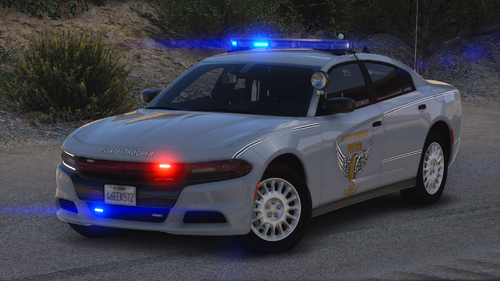 Love this pack! Any chance you can make an OSP based 2020's Ford Explorer?
 -
Great car pack! One slight issue, the Tahoe back blue lights and front red lights when the ELS lights are on seem to be a little blinding at night. Other than that, love it!!



