


KennyAndrade
Members
-
Joined
-
Last visited
Everything posted by KennyAndrade
-
-
-
-
-
-
-
-
-
-
-
-
-
-
-
-
-
-
-
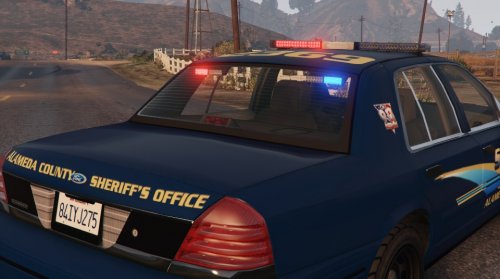 Alameda and Blaine County Sheriff's Office texture designed for Dbock's CVPI http://www.lcpdfr.com/files/file/8287-added-emergency-vehicles-by-dbock-ft-the-cvpi/
- 4 comments
- 1 review
-
I feel psychic. Logged on right as it released :D
-
That's what I have. But whenever I have a trainer it doesn't load any plugins and you cant pull up the console.
-
Anyone know a good way to get a taser after going on duty? I've tried trainers but they always interfere with RAGE Plugin Hook
-
Not at all, the gta 5 file encryption can be very complex you'd also need to make a filter that allows you to import said file types. The creator of the filter for GTA 4 is hard at work on it already "I want this work to be done in a high quality, so it would not go fast. probably, half a year if everything goes fine."
-
Adding new vehicles to the game is far from being implemented.
-
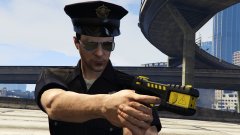 Really wish they had a done a nicer job on the hat.... Not even close to the correct badge


