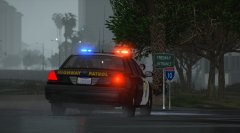
KennyAndrade
Members
-
Joined
-
Last visited
Everything posted by KennyAndrade
-
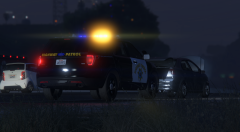
From the album: GTA V - California Series
-
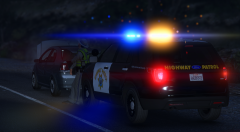
From the album: GTA V - California Series
-
From the album: GTA V - California Series
-
From the album: GTA V - California Series
-

From the album: GTA V - California Series
-

From the album: GTA V - California Series
-

From the album: GTA V - California Series
-

From the album: GTA V - California Series
-

From the album: GTA V - California Series
-

From the album: GTA V - California Series
-
From the album: GTA V - California Series
-

From the album: GTA V - California Series
-

From the album: GTA V - California Series
-
From the album: GTA V - California Series
-
-
Parts from GTA IV were most commonly released in the .wft format which was only openable through Zmodeler 2 seen as Zmodeler 3 and GTA V uses .yft
-
Export the part from Zmodeler 2 as a .z3d, bring it into Zmodeler3 and re-work the materials through the materials browser. Don't forget to set the UV Map up, most things will automatically map back to what they were. As for moving things, you have to select which axes you're moving it on Either X Y or Z
-
Anyone know why this might be happening http://images.akamai.steamusercontent.com/ugc/101727235349219499/7C526A6F0CD27B08C7FC8E783C2C7617CEB956B6/?interpolation=lanczos-none&output-format=jpeg&output-quality=95&fit=inside|2048:1132&composite-to%3D*%2C*|2048%3A1132&background-color=black http://images.akamai.steamusercontent.com/ugc/101727235349218941/B506AB3B49B7FC3F6508929E23EF5365A18E2BB9/?interpolation=lanczos-none&output-format=jpeg&output-quality=95&fit=inside|2048:1132&composite-to%3D*%2C*|2048%3A1132&background-color=black
-
There is just no real concept behind it. Until the end I couldn't tell if I was watching a vehicle showcase, a cinematic etc. Cut down on the around the vehicle shots. If you're trying to promote a clan or group, showcase what you guys do, how you operate. Not just a vehicle driving with its lights on down the street. Possible ideas: Chasing someone, performing a traffic stop, accident scene, etc. etc. I see you titled this thread "Dramatic Video" but the only dramatic thing about it is the music, if you took that away it's just a video of a police car snapping from camera angle to camera angle.
-