



JhnDoe
Members
-
Joined
-
Last visited
Everything posted by JhnDoe
-
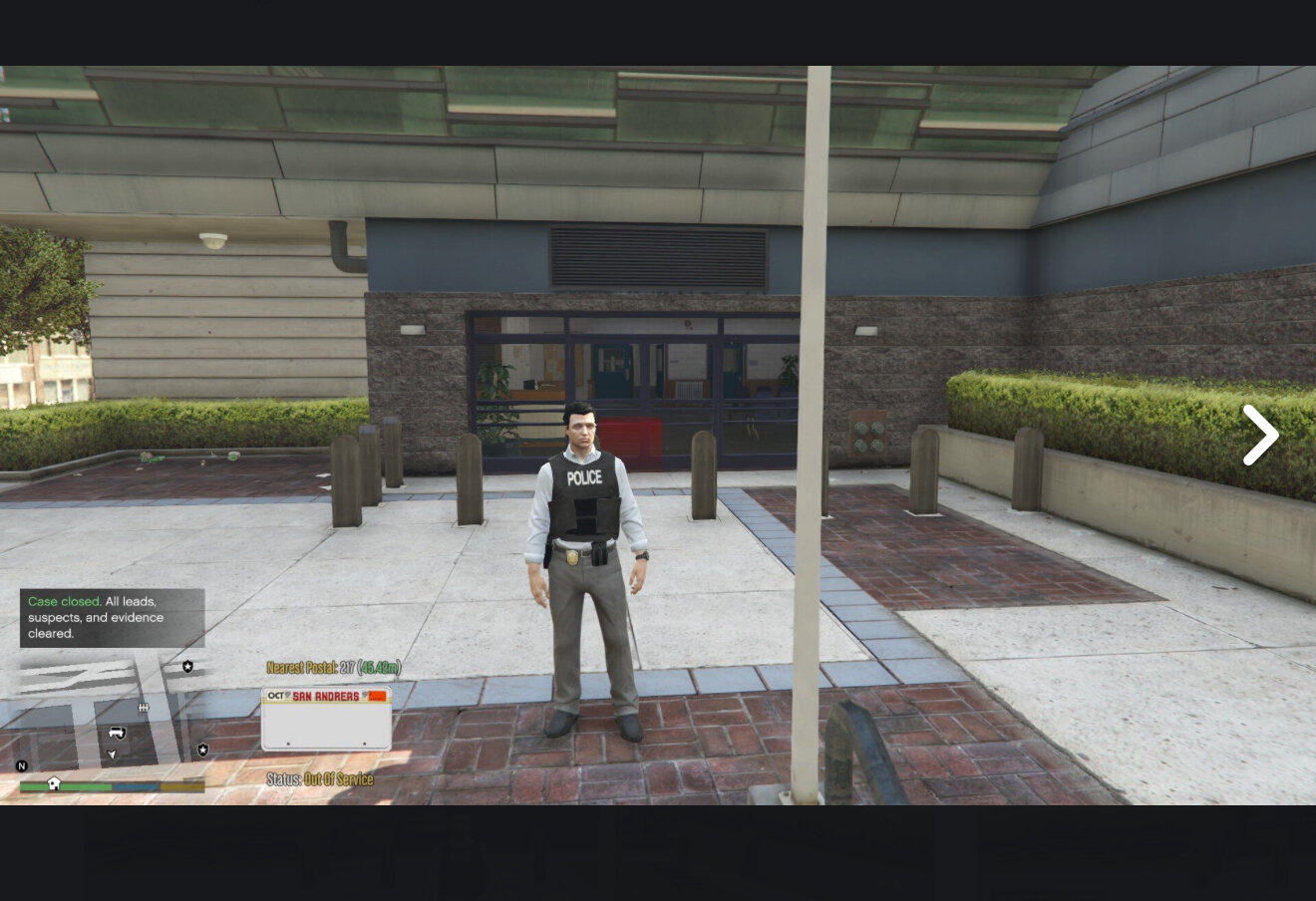
 There will be a yellow circle in front of the desk at the mission row police department. Once you hit clock in it'll create a ranktime.ini file. Then you can alt tab out and go to the scripts folder and open that ini file where you can update it. Hope that helps!
- 124 comments
- 3 reviews
-
I just randomly select a residence. Maybe in the future I will add that, but mostly left it sandbox so the user could pick anywhere. I haven't had the time lately to update and add stuff. I hope you are enjoying it. My apologies for the late response.
- 124 comments
- 3 reviews
-
 When I pulled it up in game, I felt like it was a mod that belonged from the beginning. It made the whole experience feel even more life like. I think it is a great mod and should be included in every players game!
- 419 comments
- 47 reviews
-
 Fantastic Mod I absolutely enjoy it! I think it adds a considerable amount of realism. Keep up the great work!
- 195 comments
- 23 reviews
-
Just curious if you plan to add the ability to select a vehicle to make a BOLO on? I am currently 30 mins into an investigation and found that the hit and run was done by a Dark Green Granger. I understand that modifying the license plate number or giving it tinted windows would make it significantly harder but it would help with my Detective Investigation and add a nice touch of realism to the game. Thank you for all you have done I really like the mod!
- 195 comments
- 23 reviews
-
Honestly it isn't a scripted end. It is more RP since scripted would be the same 1-6 outcomes every time. However since @doublehook made NPCAI 3 you can literally get all sorts of outcomes. I will post a video on how to utilize my mod with using NPCAI to give you a lot of ways to be creative with emergent information on the Investigations. I recommend doublehooks NPCAI it is a great price for a great mod. I essentially made this mod so that it could be a part of an ecosystem. The best part is that other devs don't need to API with my mod because it is so open it can fit almost any playing style. The point is to have a community that builds an ecosystem for realism and role play so that it fits everyone's playing style. I hope this helps! You should pair it with doublehooks NPCAI - it is phenomenal! I will post a video soon! BTW have you gave it a try yet? Hey nova, sorry I have been extremely busy lately. I will have to get back into the flow of the mod and maybe there'll be more. Since DoubleHook created NPCAI my mod has been tremendously upgraded from that alone - which goes to show how other devs mods compliment one another to build LSPDFR into a beautiful ecosystem. I will post a video soon showcasing how I pair DoubleHook's NPCAI with my mod. I have had a blast with investigations. Have a great night!
- 124 comments
- 3 reviews
-
-
-
-
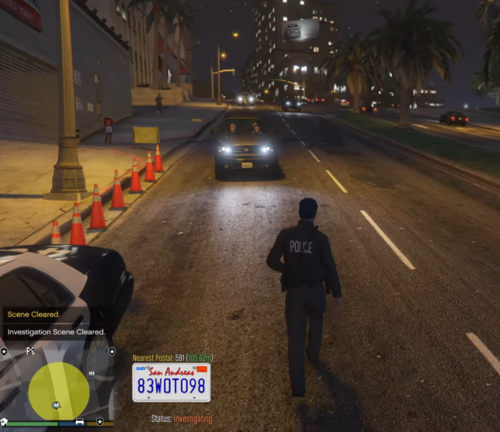 I built it for the Traffic Policer 2025 mod where you can use shift + O for breathlyzer and leftctrl + O for druglyzer while they are in the car. Instead of reinventing the wheel by making it standalone or API with LSPDFR I just used what was already there so I didn't add redundant content. @ADPC67 so my mod detains the vehicle, Traffic Policer 2025 lets you test them while in the car, and Stop The Ped is used when they are found to be DUI. If they aren't DUI you just use the k button that releases them and move onto the next car. This way you don't have to trigger engine level memory keeping CPU usage low.
 -
I didn't add script metadata to my file so it defaults to 1.0.0.0. Hope that helps! Do you like how it works?
-
Unaware I did. Please send me a screenshot of the downloads folder as I'd appreciate it. TY I see what you mean. I just downloaded the one from the site. I will change copy local to false. Thank you for pointing that out!
-
I screenshot the readme and check it as I’m playing lol and I made it. But I understand.
- 124 comments
- 3 reviews
-
I apologize brother. I play it on legacy and never have issues. I’ll try and see what the issue is going from legacy to enhanced.
- 124 comments
- 3 reviews
-
-

- 1
-
-
Legacy I’ve never tried it on enhanced. Are you using legacy version or enhanced?
- 124 comments
- 3 reviews
-
It automatically starts the investigation so when you hit it again you are spamming it. If you get notification of a dead person from Lt. Robinson it automatically opens a case - so no need to hit in the menu. If you discover a dead ped body in the world you use Assume Jurisdiction in the F3 menu. If you receive a message from Lt. Robinson of a homicide, suicide, or accident then it automatically starts and investigation and creates a case - so you don’t have to press start investigation in the F3 menu. If you randomly find a dead body you use Assume Jurisdiction and it creates a case. If you try to start an investigation on an automatically generated one it will throw that error. Hope this info helps.
- 124 comments
- 3 reviews
-
Sometimes the ScriptHookVDotNet3.dll populates in your script folder and needs to be removed (ever since the update by rockstar it’s done this). It seems a few people have trouble while everyone else doesn’t. I’m still trying to figure out why. But the main culprit for most is the ScriptHookVDotNet3.dll in the scripts folder populates and needs to be removed.
- 124 comments
- 3 reviews
-
Take the ScriptHookVDotNet3.dll out of the scripts folder only then try running it again. Let me know if it works. Take the ScriptHookVDotNet3.dll out of the scripts folder only then try running it again. Let me know if it works.
- 124 comments
- 3 reviews
-
So instead of working through it with me you decided to give it two stars? I just downloaded it and so did my son and it works on his computer and mine. Do you have ScriptHookVDotNet3.dll in the scripts folder?
- 124 comments
- 3 reviews
-
I agree. Try this first if it still happens then to me it is likely a corrupt file that has to be managed.
-
Could he just run it the first time play for 5 minutes then exit and then go back in (point of contention) - then alt tab out unless it crashes either way he can check windows + R type in eventvwr and see if something throws red flag icon (red triangle with exclamation point) this would indicate the corrupt file. If it is a corrupt file - likely on his own end as lspdfr is working for all of us just fine - he may need to reconcile it. If there is none then issue could be software side but it is highly unlikely. Just a thought. @akcasoft it is the most sound way to diagnose in the beginning. However, be very careful of what you reconcile and disclaimer for me: this is just another way to detect issues however from your first post i would assume you aren't very tech savvy (maybe you are) so I would only do it if you feel comfortable doing so. I have zero liability if you do this.
-
I’m glad to hear that, brother.
-
Excellent! I like it too it’s very handy. You’re welcome! Be sure to share your gameplay so I can get ideas too!
-
@boomer2840 In your scripts folder I see the ScriptHookVDotNet3.dll try moving it out of that folder onto your desktop and running the game. You can leave the .pdb file. If it works and doesn’t affect other scripts that was the source. If not, I’ll change the keybinds and see if that helps you.
-
Just to add immersion. You can just alter the RankTime config when the game is closed out to 779 minutes leave unit alone. Then open game again and clock in - wait a minute then you’ll be promoted to Detective which triggers Ambient Investigations. It won’t affect LSPDFR expanded or remastered if you are using those to rank up. I made the mod so it would be always compatible with whatever plugin replaces policing redefined, stop the ped, expanded and remastered - if they ever get replaced. Think of it as a chameleon.
- 124 comments
- 3 reviews


.thumb.png.b9e18d9931090871b064059f2c315cf8.png)
