Skip to content
View in the app

A better way to browse. Learn more.

LCPDFR.com

A full-screen app on your home screen with push notifications, badges and more.

To install this app on iOS and iPadOS
  1. Tap the Share icon in Safari
  2. Scroll the menu and tap Add to Home Screen.
  3. Tap Add in the top-right corner.
To install this app on Android
  1. Tap the 3-dot menu (⋮) in the top-right corner of the browser.
  2. Tap Add to Home screen or Install app.
  3. Confirm by tapping Install.

J T

Members
  • Joined

  • Last visited

Everything posted by J T

  1. J T commented on J T's gallery image in GTA IV Galleries
  2. J T commented on J T's gallery image in GTA IV Galleries
  3. J T commented on J T's gallery image in GTA IV Galleries
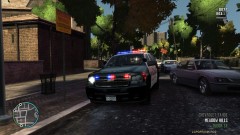
  4. J T posted a gallery image in GTA IV Galleries
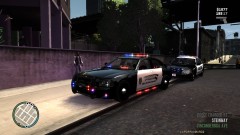
  5. J T posted a gallery image in GTA IV Galleries
  6. J T posted a gallery image in GTA IV Galleries
  7. J T posted a gallery image in GTA IV Galleries
  8. J T posted a gallery image in GTA IV Galleries
  9. J T posted a gallery image in GTA IV Galleries
  10. J T posted a gallery image in GTA IV Galleries
  11. J T posted a gallery image in GTA IV Galleries
  12. J T posted a gallery image in GTA IV Galleries
  13. pretty cool never thought about doing some of those...usually when i go to an accident i just yank them out and call for tow truck LOL
  14. J T posted a gallery image in GTA IV Galleries
  15. J T posted a gallery image in GTA IV Galleries
  16. J T posted a gallery image in GTA IV Galleries
  17. J T posted a gallery image in GTA IV Galleries
  18. J T posted a gallery image in GTA IV Galleries
  19. J T posted a gallery image in GTA IV Galleries
  20. do a benchmark test then go in an els car and the lights will flash really fast
  21. ok ill try that....it works now it was on low for some reason and
  22. this car causes me to have a fatal error resc10 out of video memory...installed different cars and they all work fine but when i install this i get that error could you check into this?
  23. yeah the link isnt working

Account

Navigation

Search

Search

Configure browser push notifications

Chrome (Android)
  1. Tap the lock icon next to the address bar.
  2. Tap Permissions → Notifications.
  3. Adjust your preference.
Chrome (Desktop)
  1. Click the padlock icon in the address bar.
  2. Select Site settings.
  3. Find Notifications and adjust your preference.