Creators: Due to background reprocessing of files, approvals and file security checks may be delayed. Thanks for your patience.


J T
Members
-
Joined
-
Last visited
Everything posted by J T
-
because its los santos? most California cars have arjents,,code 3 rx2700 and a few whelen liberties the lapd are getting valors
-
-
-
-
-
-
-
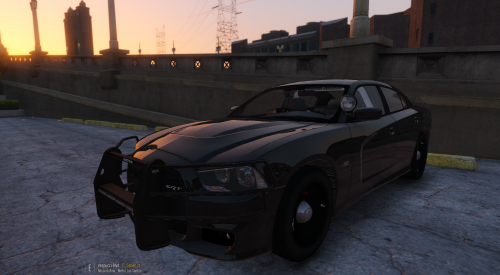 you should add two spotlights to most of your cars give them the California look...also would love to see an arjent version I like this model over that other dhruv model
- 38 comments
- 23 reviews
-
-

- 1
-
-
-
-
-
-
-
I don't care about els though maybe if lt caine can make it more simple with no door bug I just prefer default lighting it looks good as it is and a huge improvement over that shit corona lighting of iv and the ai doesn't respond to directional and warning lights anyways
-
its an older model though and not the 13 people are just being immature about not releasing it and they claim "modding theft" and "oh I don't have permission" which is a load of bs but that's what you can expect from a bunch of kids, excuses excuses
-
-
-
-
-
-
-
-
-
-




.thumb.png.e88f1892e13ddb98db35e668d465c34b.png)