J T
Members
-
Joined
-
Last visited
Everything posted by J T
-
.thumb.png.2efd358911be1b0eea43a8409b9856c7.png) remove the rambar and change the lightbar colors to red and white you have a nice port authority car and a download
remove the rambar and change the lightbar colors to red and white you have a nice port authority car and a download- 6 comments
- 2 reviews
-
-

- 1
-
-
-
-
-
-
-
.thumb.jpg.4066677156985e22489bfecddc2f6c45.jpg) would rather have the files separate then do it through iv pack installer..went to check the files and they didn't change
would rather have the files separate then do it through iv pack installer..went to check the files and they didn't change- 376 comments
- 81 reviews
-
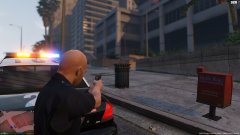 there was a guy shooting at us hiding behind the wall
 -
-
-
-
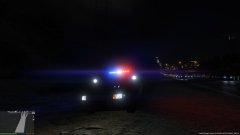 I know g17 isn't responsible for els I was just saying they can spend there time on something that would be more helpful like I said the ai doesn't respond to traffic advisors or steady burns so it really isn't needed
 -
 you should make the lights look like what bxbugs did to his lssd crown vics and also are you going to make a slicktop version?
- 139 comments
- 38 reviews
-
for what reason? the ai doesn't respond to traffic advisors or steady burns its a waste of time when that time could be put into something that we actually need...els was needed in iv because of the shitty coronas that rockstar uses but for v rockstar actually made the lighting more bearable and its simple to use and if you set it up like the way bxbugs did with the lighting of the cvpi like above it looks very nice im more focused with lspdfr 03 release then a lighting system that we don't need which rockstar already provided
-
i was sayin that we don't really need it
-
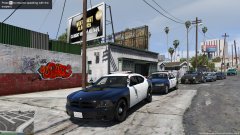 no that's not it....the charger is in a pack with two other vehicles
 -
-
its from a pack someone released awhile ago it should be under vehicle models theres 3 vehicles in the pack I don't have a link at the moment
-
-
-
-
From the album: LSPD
-
-
 do you have a visual settings for visual v? or what needs to be edited in the file?
- 336 comments
- 70 reviews
-
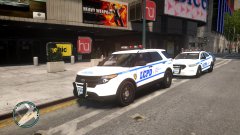
From the album: lcpd

.thumb.png.2efd358911be1b0eea43a8409b9856c7.png)



.thumb.jpg.4066677156985e22489bfecddc2f6c45.jpg)