CrypticFade3
Members
-
Joined
-
Last visited
Files posted by CrypticFade3
-
Medal.tv | Record and Share Game Clips
Cryptic Evidence - Clipped GTA V with Medal.tv
76 Views - Watch Cryptic Evidence by Cryptic_Fade3 and millions of other GTA V videos on Medal. #gtav, #grandtheftautov
Cryptic Evidence — Interactive Evidence Testing for Policing Redefined
Turn unidentified substances into documented evidence with Cryptic Evidence V2.
Built for Policing Redefined, Cryptic Evidence replaces its standard drug-testing interaction with a hands-on examination workbench. Inspect the exhibit, prepare your equipment, collect a trace, develop the reaction and compare it with the reference before recording your interpretation.
V2 brings a modern interface, realistic evidence bags and tools, persistent examination records and a separate simulated laboratory process.
Examine Unknown Evidence
Compatible search-item descriptions identify what you can see—such as a bag containing off-white powder—without immediately revealing the substance.
Work through 13 physical forms, including powders, crystals, tablets, liquids, plant material, residue, blotter paper, patches, concentrates, edibles, gel tabs, crushed tablets and syringe samples.
Hands-On Testing
Open containers, prepare reagent pouches and collect samples using interactions suited to the evidence. Dispose of used tools, seal the pouch, activate its ampoules and mix the reagent before watching the reaction develop.
Compare the reaction lanes with the reference and choose your interpretation. Sample quantity, contamination and incomplete procedures can produce an inconclusive result.
Equipment Checks
Each testing stage requires an inspected reagent kit, an unexpired batch, a clean blank control and a fresh sterile tool packet. Specific testing uses a fresh pouch and collection tool.
Batch details and equipment checks are included in the examination record.
Proper Evidence Handling
Secure the original container, place the exhibit into an evidence bag, apply its tamper seal and complete the officer, case and evidence fields.
Each exhibit receives its own reference. Reopening a recorded seal retains the exhibit’s identity during the live inventory session, allocates a replacement seal and records the opening in its history.
Clear Results and PR Integration
The completion screen displays the examination result, exhibit reference, seal number and saved report status.
A successful specific test produces a presumptive identification. When PR writeback is enabled, Cryptic Evidence checks the selected item’s analysis state before confirming the update. A visible result annotation is added to PR’s drug-testing inventory entry while preserving its original description and found-on information.
Evidence Casebook
Review saved exhibits through the casebook, record custody transfers and open complete examination reports.
Reports include:
Exhibit description and source
Officer, case and evidence references
An optional in-game photograph and inspection observations
Field-test interpretations and equipment details
Verified PR update status
Custody events and seal history
Separate simulated laboratory results
Reports open as local HTML pages in your browser, with a Print / save as PDF button for keeping or printing a copy.
Simulated Laboratory Submissions
Submit a sealed, examined exhibit for a delayed simulated laboratory result. Field findings remain presumptive, with laboratory confirmation recorded separately.
Pending submissions and saved case records survive restarting the plugin. Laboratory submission retains the item in PR’s inventory and prevents further examination until its simulated return.
Pause and Resume
Pause an unfinished procedure and select the same evidence item through PR to resume. If that item changes or leaves the inventory, the procedure is cancelled to protect continuity.
Requirements
GTA V Legacy
RAGE Plugin Hook
LSPDFR
A supported version of Policing Redefined
Cryptic’s Policing Redefined Realistic Search Items
Install the supplied files using the included folder structure. Keep the plugin’s assets and audio files together with its configuration.- 310 Downloads
- 3 Comments
Updated -
Policing Redefined: Realistic Search Items is a new concept built around one simple idea: making searches feel more realistic.
Instead of relying on a small and repetitive selection of generic search results, I have expanded the existing Policing Redefined search system with a much larger and more varied collection of realistic items.
The project covers both pat-down searches and vehicle searches, with thousands of entries across the existing Red, Yellow, and Green categories.
What's Included?
The pack includes two expanded search item files:
PatDownItems.xml
VehicleSearchItems.xml
I have retained the original Policing Redefined structure while substantially expanding the available search results with more detailed and believable items.
You can encounter everything from ordinary personal belongings to items that could become significant during an investigation, including:
Firearms and firearm-related items
Weapons
Controlled substances
Drug paraphernalia
Tools and equipment
Identification and documents
Electronics
Cash and valuables
Vehicle-related items
Everyday personal belongings
Miscellaneous items
The goal is not to change how Policing Redefined works, but to make the content it produces feel more natural, varied, and unpredictable.
More Variety, More Realistic Searches
A real search does not always result in finding something significant.
Sometimes you find someone's personal belongings. Sometimes you find something completely ordinary. Other times, you may discover something that immediately changes the situation.
I wanted to reflect that variety by giving Policing Redefined a much larger pool of realistic possibilities.
Items have also been written with the context of the search in mind, allowing pat-downs and vehicle searches to produce results that make sense for where the item was discovered.
Built From the Existing System
I wanted to keep this concept simple.
There are no new mechanics, no additional scripts, and no changes to how Policing Redefined performs searches.
The existing Policing Redefined XML structure, categories, item types, and configuration attributes remain in place. This project focuses entirely on expanding and improving the search content itself.
Installation
Navigate to:
GTA V Directory → Plugins → LSPDFR → Policing Redefined
Back up your existing search item files, then replace them with the included:
PatDownItems.xml
VehicleSearchItems.xml
Requirements- 948 Downloads
- 5 Comments
Updated -
About Cryptic Callouts
Cryptic Callouts is my first LSPDFR callout pack, developed for Grand Theft Auto V Legacy.
What started as a small hobby project has grown into a pack of 26 custom callouts. My aim is to bring more variety to patrols through fast-paced incidents, different suspect behaviours and situations that don’t always end the same way.
Version 5.0.0 adds six new action callouts, custom dispatch audio support for those incidents and optional conversations that you can progress through using subtitles.
Callouts
Armed Mugging
Bank Robbery
Hostage Situation
Store Robbery
Riot
Volatile Pursuit
Street Shooting
Stolen Vehicle
Domestic Disturbance
Gang Fight
Road Rage
Officer Needs Assistance
Illegal Street Racing
Burglary in Progress
Vehicle Pursuit Assistance
Assault in Progress
Vehicle Break-In
Suspicious Person
Hit and Run
Criminal Damage
Shots Fired at an Officer
Carjacking in Progress
Prisoner Transport Escape
Armoured Truck Robbery
Drive-By Shooting
Armed Getaway Crash
Features
26 callouts, covering robberies, violent incidents, disturbances, pursuits and requests for officer assistance.
Randomised participants, weapons, behaviours and outcomes across supported scenarios.
Foot and vehicle pursuits.
Suspect surrender, resistance, escape and combat outcomes.
Hostage negotiations and release scenarios.
Officer assistance and pursuit backup.
Configurable racer counts for Illegal Street Racing.
Custom dispatch audio.
Optional NPCAI integration for scene participant conversations.
Y subtitle conversations, available with NPCAI enabled or disabled.
Individual callout enable and disable settings.
Configurable spawn distances and interaction keys.
Shared entity tracking and scene cleanup.
Features and available outcomes vary between callouts.
Conversations
You can use NPCAI to speak with supported scene participants, or press Y to progress through their account using subtitles.
Subtitle conversations work without NPCAI installed and remain available when NPCAI is enabled. Each press advances one line, so you can read at your own pace.
Move within 4.5 metres of an available participant to speak. People actively shooting or sitting inside vehicles cannot be interviewed through this system.
Requirements
Grand Theft Auto V Legacy
LSPDFR
Rage Plugin Hook
NPCAI is optional. It is only required for NPCAI-powered conversations.
Requirements
Grand Theft Auto V Legacy
LSPDFR
Rage Plugin Hook
NPCAI is optional. It is only required for NPCAI-powered conversations.
Installation
Extract the release into your main Grand Theft Auto V Legacy directory, following the included folder structure.
The plugin and configuration file belong in:
Grand Theft Auto V Legacy\plugins\LSPDFR\
Preserve the included audio folder structure when installing the custom dispatch recordings.
For detailed installation instructions, visit the Cryptic Mods Documentation.
Configuration and Controls
The configuration file is located at:
Grand Theft Auto V Legacy\plugins\LSPDFR\CrypticCallouts.ini
You can enable or disable individual callouts, adjust spawn distances, configure racer counts and change supported interaction settings.
Default controls:
Y — Start or continue a subtitle conversation
J — Callout-specific dialogue or negotiation
K — Callout-specific commands
H — Clear a resolved callout
End — Manually end the current callout
The available J and K actions depend on the incident. Follow the on-screen instructions.
Known Issues
Some players have reported participants spawning inside locked buildings. This remains under investigation, and version 5.0.0 does not include an interior accessibility fix.
Please report the callout name and location if you encounter this. A screenshot and the relevant RagePluginHook log can help me identify the affected spawn.
Development
This is still a hobby project, and building it has been a learning experience. I’m continuing to improve the existing callouts, address reported problems and add scenarios that fit the pack’s fast-paced style.
Detailed feedback helps me understand what happens during real patrols and where further work is needed.
Community, Documentation and Support
Join the community and find the Discord through the Cryptic Mods website.
Installation, configuration and troubleshooting guides are available in the Cryptic Mods Documentation.
Submit suggestions, feature requests and bug reports through the Community Feedback Hub. You can also follow the roadmap and changelog there.
Thanks for downloading and supporting Cryptic Callouts.- 3,951 Downloads
- 25 Comments
Updated -
Cleaner emergency responses. Less interference with pursuits and traffic stops.
You've turned your lights and siren on because you need to get somewhere. The last thing you need is traffic making the response harder—or the car you're chasing suddenly behaving like it's trying to pull over.
That's why I made Cryptic Emergency Traffic.
I wanted emergency traffic behaviour that works alongside LSPDFR, with protection for pursuits, traffic stops and other emergency vehicles.
What It Does
During normal emergency responses, Cryptic Emergency Traffic uses GTA's own emergency-vehicle yielding behaviour, with configurable activation speeds and delays for lights-only and audible-siren responses.
During detected pursuits, it suspends its broad yielding requests. Instead, the optional pursuit response gradually adjusts the maximum speed of eligible civilian traffic ahead of you and travelling in the same direction.
Known pursuit suspects, emergency vehicles, player vehicles and persistent vehicles or drivers are excluded from that selective civilian response.
During detected traffic stops, broad yielding is also suspended to reduce unwanted reactions around the stop.
What's New in v4.1.0?
Configurable response delays for Code 2 and Code 3.
Separate activation and deactivation speeds to reduce repeated switching.
Gradual pursuit traffic adjustments, with configurable application and recovery rates.
Police, Ambulance and Fire profiles for different response settings.
Individual vehicle overrides for specific emergency models.
Live configuration reloading through CETReload.
Status logging through CETStatus.
Automatic INI upgrades that preserve existing settings and create a backup.
Optional experimental passing assistance for blocked traffic during traffic stops.
Built Around LSPDFR
Pursuit suspects shouldn't be treated like ordinary traffic that needs to yield to you.
Cryptic Emergency Traffic checks LSPDFR's pursuit and traffic-stop state before applying its response logic. If that state cannot be read, traffic management is suspended until the checks become available again.
It also respects detected changes to managed civilian speed caps, helping reduce conflicts when another plugin takes control.
Protection depends on the vehicles and situations LSPDFR identifies. I can't promise compatibility with every plugin combination, but reducing unnecessary interference is central to how this plugin works.
Configure It Your Way
The plugin automatically generates CrypticEmergencyTraffic.ini inside plugins\LSPDFR.
You can configure response speeds, activation delays, pursuit adjustment rates and vehicle profiles. Existing configurations are preserved when new settings are added.
Use these commands in the RAGE Plugin Hook console:
CETReload — Reload your configuration.
CETStatus — Write the current plugin status to RagePluginHook.log.
No additional gameplay keybinds are required.
Experimental Traffic-Stop Passing
Want to try helping blocked civilian traffic move around your cruiser?
v4.1.0 includes an optional experimental feature that considers eligible ambient drivers behind a stationary cruiser during an active traffic stop.
It waits before issuing a single normal cruising request, then lets GTA decide how to proceed. It does not guarantee a bypass, and it replaces that driver's current cruising task.
This feature is disabled by default.
Installation
Requires Grand Theft Auto V Legacy, LSPDFR and a compatible RAGE Plugin Hook installation.
Place CrypticEmergencyTraffic.dll inside:
Grand Theft Auto V Legacy\plugins\LSPDFR
Remove any previous copy of the plugin from the main plugins folder to avoid loading duplicate versions.
Launch through RAGE Plugin Hook and go on duty. The configuration file is created automatically.
Cryptic Mods Community
Join the community and find our Discord through the Cryptic Mods website.
crypticmods.com
Documentation & Support
Installation, configuration and troubleshooting information is available through the Cryptic Mods documentation.
docs.crypticmods.com
Suggestions & Bug Reports
Submit suggestions, feature requests and bug reports through the community feedback website.
For bug reports, include your RagePluginHook.log, configuration and a description of what was happening.
feedback.crypticmods.com- 3,726 Downloads
- 40 Comments
Updated -
Cryptic's NPCAI California Prompt's is a collection of California-focused prompts, voice profiles, and voice styles created specifically for NPCAI and LSPDFR gameplay.
The collection is designed around a present-day Southern California setting, with particular attention to the Los Angeles area. The prompts provide California-specific context for NPC conversations, including local locations, terminology, law enforcement roles, emergency services, radio language, and regional speech.
Southern California Setting
The civilian prompt places NPCs in and around Los Angeles and Southern California, allowing conversations to naturally reference locations and roads from the region. This includes places such as South LA, Hollywood, the Valley, Long Beach, Compton, Santa Monica and Downtown, along with major freeways including the 405, 10, 101 and 110.
California Law Enforcement
The prompts are built around a California law enforcement environment, with emergency-service profiles covering LAPD-style/local police, LASD or county sheriff, and CHP/state trooper roles. The emergency-services prompt also includes California-based EMS and fire/rescue roles.
California police terminology is incorporated naturally, including Code 2, Code 3, Code 4, as well as commonly used California radio codes such as 11-41, 11-44, 11-85 and 11-99. The prompts also include California Penal Code references such as 187, 211, 245, 417, 459 and 5150 where appropriate.
California Voice & Accents
Included alongside the prompts are California-focused voice profiles and voice styles, designed to give NPCs more regional variation and help their voices fit the Southern California setting.
The voice profiles and styles can be used to create greater variation between characters, rather than having every NPC sound the same, complementing the regional language and setting established by the prompts.
Civilian & First Responder Prompts
The collection includes separate prompt frameworks for civilian NPCs and fellow emergency-service personnel.
The civilian prompt covers interactions with people encountered during LSPDFR gameplay, while keeping characters grounded in the Southern California environment. It also establishes different personalities, ages, attitudes and speech patterns, allowing characters to respond differently depending on the situation.
The emergency-services prompt covers police officers, deputies, CHP, paramedics, firefighters and fire captains, with different styles appropriate to each role. It includes California-specific scene terminology and allows responders to communicate about subjects such as suspects, witnesses, vehicles, scene status, transport, additional units, hospitals, tow services and detectives.
Included Command Recognition
The supporting transcription phrases provide common variations of officer commands, covering interactions such as:
Showing identification or a driver's licence
Showing or raising hands
Facing the officer
Facing away or placing hands on a vehicle
Following the officer
Sitting or waiting at a location
Stepping out of a vehicle
Being searched or patted down
Being dismissed
These phrases are intended to provide natural variations of common commands rather than relying on a single exact wording.
Features
California-focused NPCAI prompts
Present-day Southern California setting
Los Angeles and surrounding area references
California law enforcement terminology
LAPD-style, LASD and CHP profiles
EMS and fire/rescue profiles
California radio codes
California Penal Code references
California-focused voice profiles
Regional voice and speech variation
Civilian and first-responder prompt frameworks
Common officer command transcription phrases
Designed specifically for LSPDFR gameplay
Cryptic's NPCAI California Prompt's is intended for players who want their NPCAI setup to better fit a California-based LSPDFR environment, from the locations and terminology used in conversations to the law enforcement roles, regional voices and accents used by the characters.
Requirement(s):
Paid Version of NPCAI- 124 Downloads
Submitted -
Emergency Police Computer: Realistic Charges and Citations is all about realism and variety.
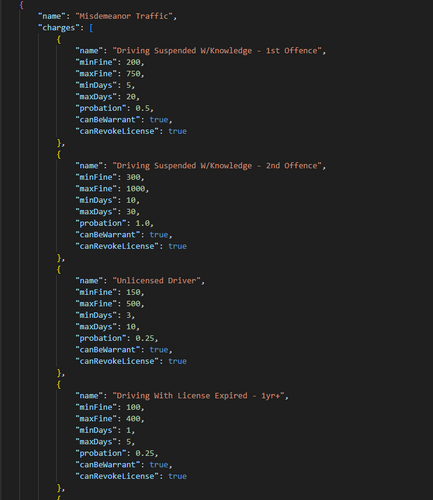
This pack completely rewrites and expands the existing arrest (charges) and citation files , keeping the original structure, but replacing every entry with authentic, handcrafted charges and citations that make arrests and traffic stops feel more believable than ever.
What’s New?
The goal was simple: take the existing system and make it feel real.
No overhauls, no new mechanics, just better writing, more depth, and realistic results.
Each category has been completely rebuilt from scratch to reflect realistic situations, from dangerous finds to the harmless everyday stuff, bringing you the following;
Arrests;
Crimes Against the Person Crimes Against Public Justice Crimes Against Public Peace Crimes Against Public Health and Safety Crimes Against States Dependents Vehicular Offenses Control of Deadly Weapons and Equipment Operation of Commercial Motor Vehicles Operation of Aircraft Operation of Marine Vessels Fish and Game Fire Code Violations against the State Operation of Rolling Stock
Citations;
Alcohol Public Pets/Wildlife Speeding Signals/Signs Passing/Turning Intersections/Yielding Operation Operation (Criminal) Bikes/ATV/Offroad Accident Non-Moving Equipment Documents Parking Written Warning (Traffic) Written Warning (Equipment) Written Warning (Documents) Written Warning (M/Bikes/Offroad) Written Warning (Parking) Written Warning (Public)
Easy to Use
No setup or configuration needed, just drop the XML file in place of your old one and you’re good to go.
You can find these by going to your GTA V Directory --> EPC --> as well as GTA V Directory --> EPC --> Defaults and then drag them in and replacing them. Simple as that!!
Support & Community
Need help or have ideas for future updates? Join the my Discord Server: https://discord.gg/rBvM3m9cdv
- 657 Downloads
- 2 Comments
Updated -
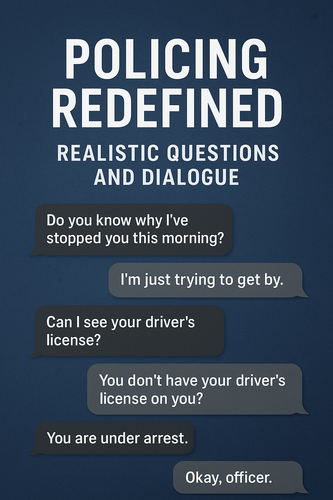
Policing Redefined: Realistic Questions and Dialogue
Police Redefined: Realistic Questions and Dialogue is all about realism and variety.
This pack completely rewrites and expands the existing question files , keeping the original structure, but replacing every entry with authentic, handcrafted questions and interactions that make traffic and pedestrian stops feel more believable than ever.
What’s New?
The goal was simple: take the existing system and make it feel real.
No overhauls, no new mechanics, just better writing, more depth, and realistic results.
Each category has been completely rebuilt from scratch to reflect realistic situations, from dangerous finds to the harmless everyday stuff, bringing you the following;
General Greetings Dialogue Stop Initiation and Interrogation Dialogue License and ID Questions Instructions and Commands Scene Management Citation and Warning Dialogue Wrap-Up Dialogue Routine Traffic Stops Vehicle Document Violations Vehicle Equipment Violations Motor Vehicle Accident Commercial Vehicle Inspection Animal Related Incidents Property Crimes Public Violations Alcohol Questions Narcotic Questions Weapon Questions Police Impersonation Questions Field Sobriety Tests Breathalyzer Test Drug Swab Test Pat Down Dialogue Arrest Dialogue
All in all, these new configurations give you;
152 questions total 2,200 answers in total And much more to come!
Easy to Use
No setup or configuration needed, just drop the XML file in place of your old one and you’re good to go.
You can find these by going to your GTA V Directory --> Plugins --> LSPDFR --> Policing Redefined and then dragging them in and replacing them. Simple as that!!
Requirements
Policing Redefined
Support & Community
Need help or have ideas for future updates? Join the my Discord Server: https://discord.gg/rBvM3m9cdv
- 4,621 Downloads
- 18 Comments
Updated